


Participant
December 13, 2016
Answered

After Effects Problem - Premiere sequences not showing up

  • December 13, 2016
  • 1 reply
  • 2051 views

So I have a project that started in Premiere that will have several of the shots replaced with visual effects. I'm trying to get this project to sync correctly across the Team Projects platform.

All team members can open the projects, sequences, and files just fine in Premiere. We can upload and download latest changes correctly inside of Premiere as well.
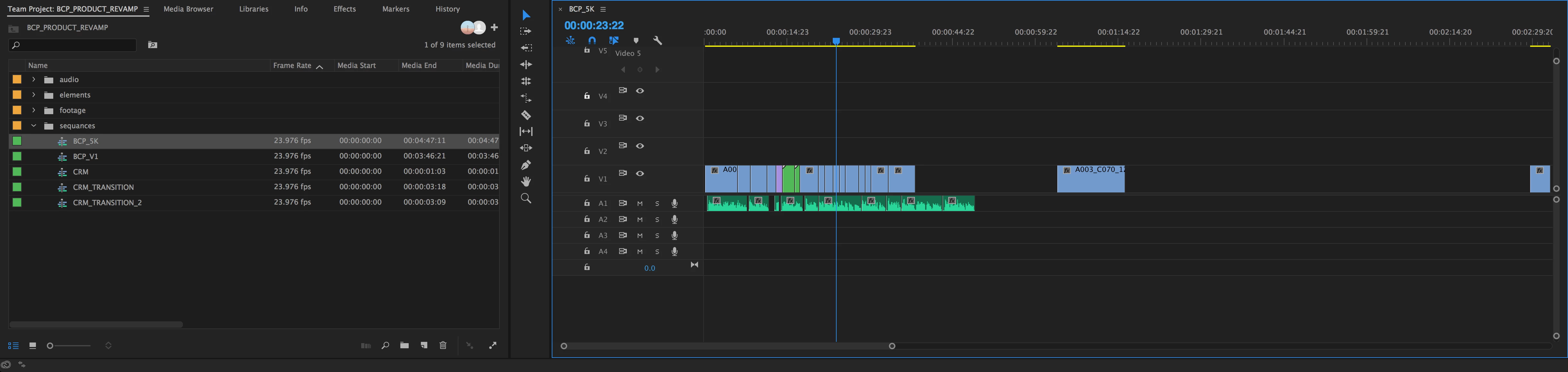
When the team project is opened up in After Effects it shows the premiere sequences as "missing".
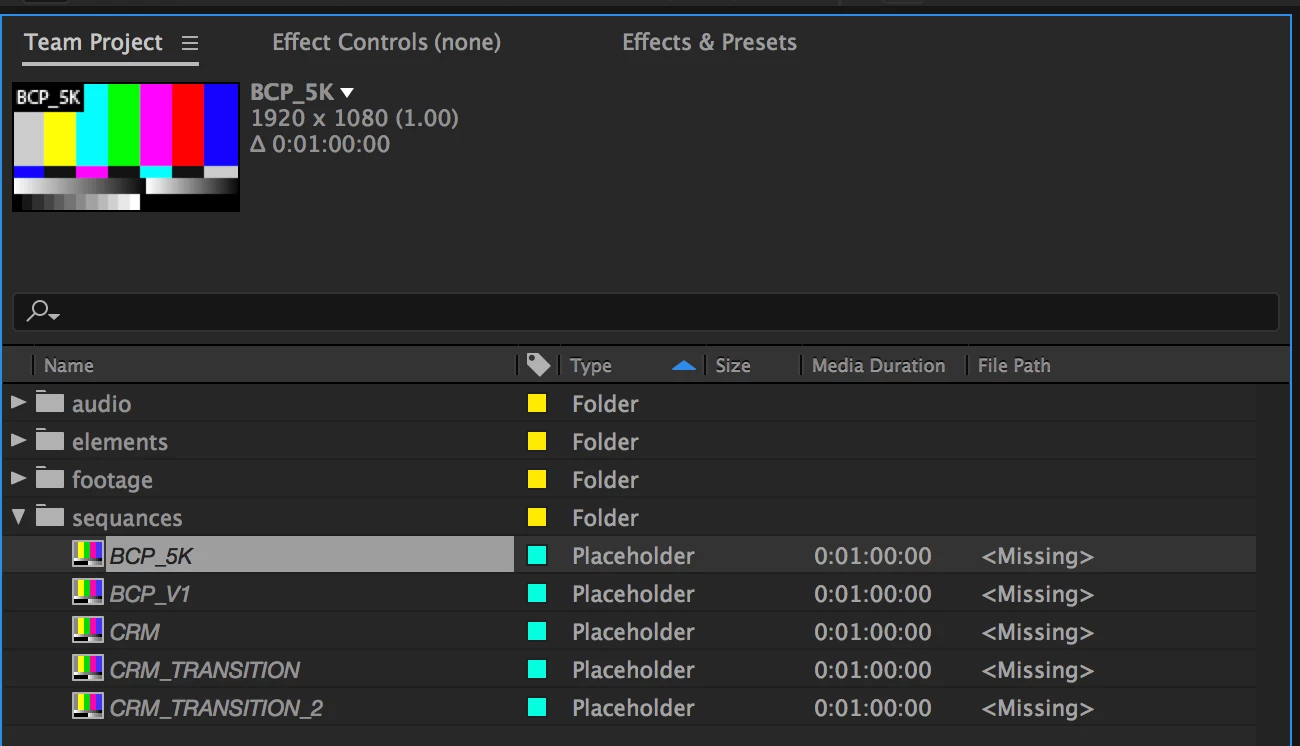
Since Team Projects doesn't allow you to actually save a project file, there is not physical copy on anyones machines to link. So I'm wondering how I fix this or if I should abandon the system for now. Based on the description of Adobe's youtube video showcasing Team projects which reads, "Karl Soule and Niels Stevens demonstrate Team Projects, a hosted collaboration service that will allow editors and motion graphics artists to work simultaneously in shared team projects within Adobe Premiere Pro CC, After Effects CC, and Adobe Prelude CC.", I feel like I'm doing something wrong.

Thanks in advance for your help and replies!

Dustin

This topic has been closed for replies.
Correct answer Ramesh_Encore

Hi Dustin,

There is this limitation in Team Projects Beta where the Premiere Sequence will not be supported in After Effects and the AE Composition will not be supported in Premiere Pro. But there is a workaround to your solution. (This feature is already on our priority list and we will be working on it).

Now the workaround.

  • In Premiere Pro, you go to Edit Menu -> Team Project -> Convert Team Project to Project. Save your team project as a local Premiere pro project.
  • Now Launch After Effects and create a new Team Project. In this team project, you can import the local premiere project which you created in step 1, just go to File Menu->Import-> Premiere Pro Project. It will give you choice to import all sequences and say OK on that dialog and all of your sequences will be in After Effects ready to be worked on.

Please let me know if this works for you.

Thanks,

Ramesh.

1 reply

Ramesh_EncoreCorrect answer
Adobe Employee
December 14, 2016

Hi Dustin,

There is this limitation in Team Projects Beta where the Premiere Sequence will not be supported in After Effects and the AE Composition will not be supported in Premiere Pro. But there is a workaround to your solution. (This feature is already on our priority list and we will be working on it).

Now the workaround.

  • In Premiere Pro, you go to Edit Menu -> Team Project -> Convert Team Project to Project. Save your team project as a local Premiere pro project.
  • Now Launch After Effects and create a new Team Project. In this team project, you can import the local premiere project which you created in step 1, just go to File Menu->Import-> Premiere Pro Project. It will give you choice to import all sequences and say OK on that dialog and all of your sequences will be in After Effects ready to be worked on.

Please let me know if this works for you.

Thanks,

Ramesh.

Participant
December 14, 2016

Thank for the info Ramesh!

I'm glad to see features like these are being worked on for the future release. Until then I think I'll stick with older methods but I'll keep on out for the next round of Team Projects.

Best of luck