


Creative cloud files - comment synced files issue
Hi everyone, i hope you're all safe and healthy.
So here is my problem, i created a shared folder for me and my client in my creative cloud online assets 3 month ago so we can work together.
My client also have a Creative Cloud account and we found this workflow :
>The client upload photos on the shared folder
>I edit the photos
>I upload the edit photos
>The client make comment on some photos
>i edit them again if needed
>i upload the new photos ...etc
Everything worked fine since last week.
Now, when me or my client add a new comment on a photo, this comment appears on EVERY photo.
Here is some snapshots to give you an exemple :
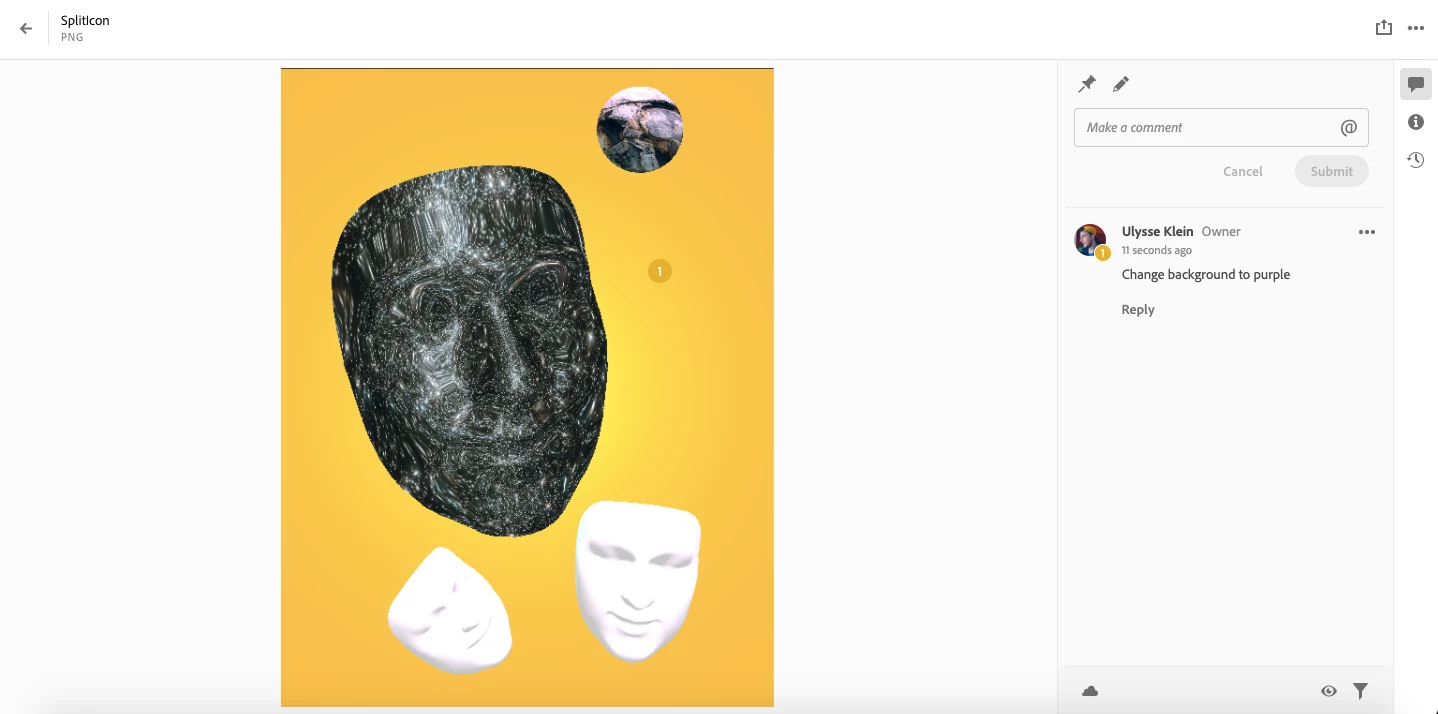
On the first one i add a comment with a pin.
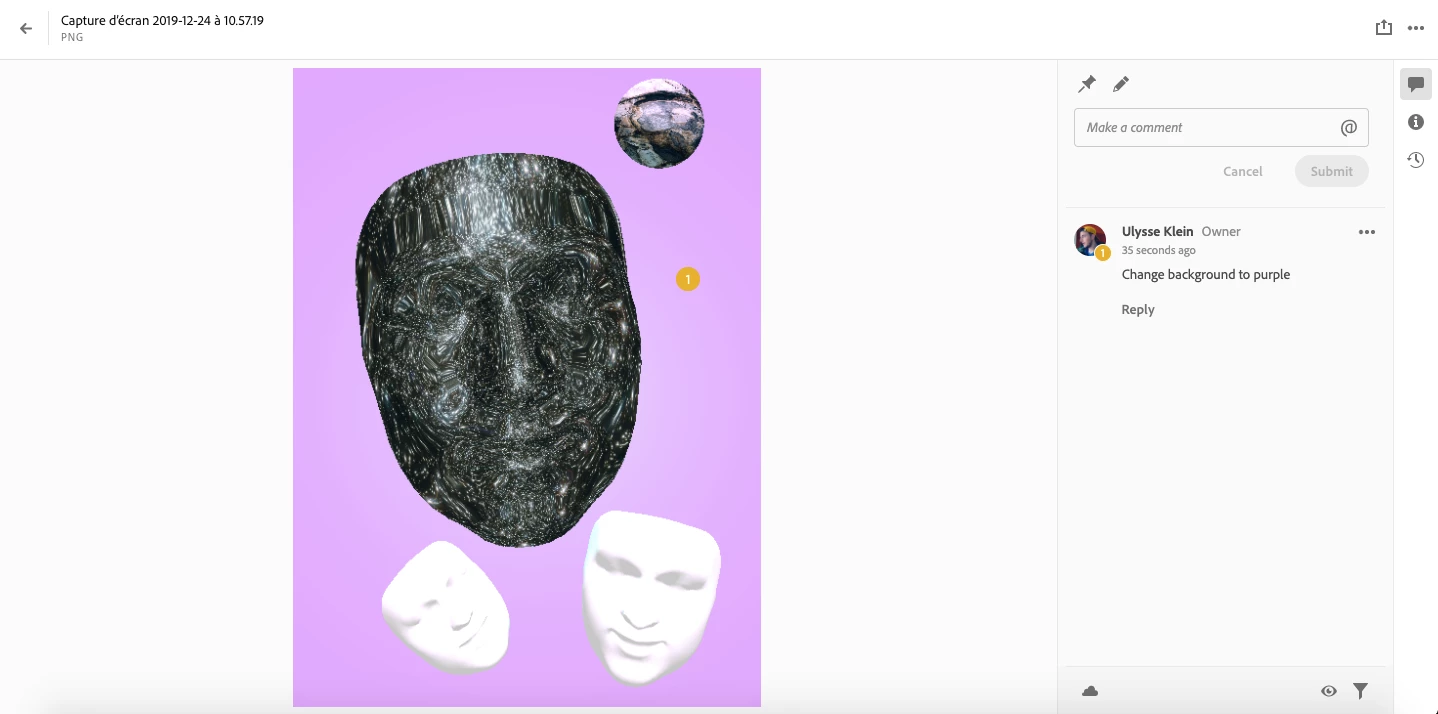
And the same comment appear on the next file.
Same problem when i upload new files. Every new comment i make now appears on every files, same for my client.
Seems like my Creative Cloud files library had a bug. Did someone already have this kind of issue ? Every help will be really appreciated. This comment section is very helpfull for team work.
 AdChoices