


niklasa9998526
Participant
May 6, 2025
Question

File Path is missing when trying to relink offline media

  • May 6, 2025
  • 1 reply
  • 505 views

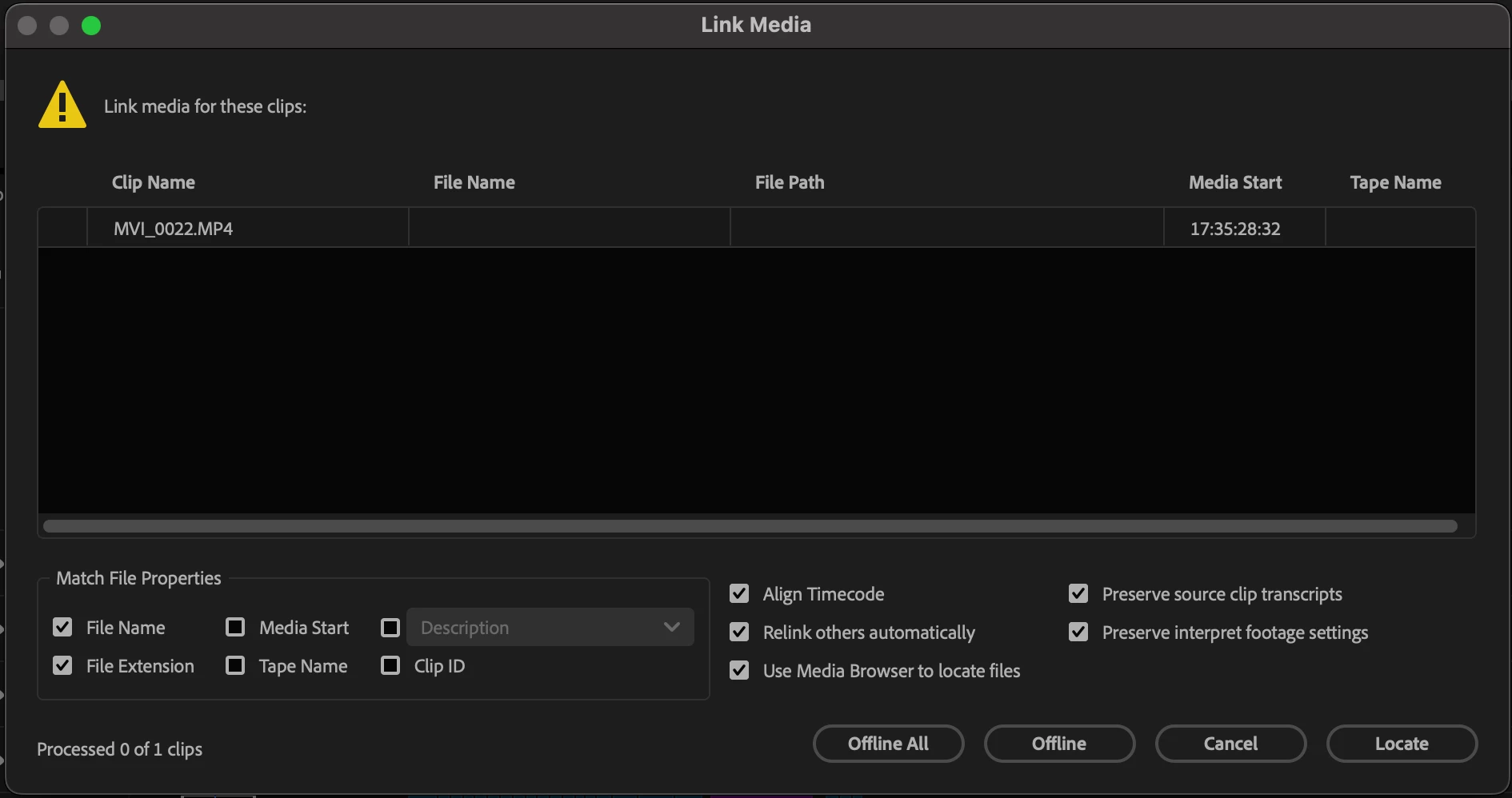
Hi, I have a problem with a team project where I try to relink offline media but premiere are not remembering the old path. We've been two people working on this project from two different locations and each of us has an external hard drive with all the footage. We've been working on around 15 different projects at the same time with the same set up and it has worked fine for the most part but this project doesn't seem to work for any of us without going in and trying to find the files manually and relink it. I've tried to open a couple of auto saves but still have the same issue, I've also tried to convert it to a local project but that hasn't helped either. Does anyone know how to fix this?


See the attached image on how the files show up when I try to relink them. It's just one in the image but the project contain a whole lot more files that has the same issue.
    1 reply

    Udo Pawlik
    Community Manager
    Community Manager
    May 6, 2025

    Hi @niklasa9998526,
    the preferred method to relink media in a Team Project is via the Media Manager (Edit > Team Project > Media Management). But in your case it may not work and the clips without File Path & Name will not appear under the 'Offline: Missing Media Mapping' section in the Media Manager - Can you confirm that this is thecase?  
    How was the media initially imported into the project?  

    niklasa9998526
    Participant
    May 7, 2025

    Yes the only thing showing under "Offline: Missing media" is a path to my dropbox and the media missing is on the two external hard drives that shows up under "Online: Local media mapping"

    Actually I think the media was initially imported to another project and then copied over to this project. And that project has the same issue as this one so maybe that's what's causing it?

    Udo Pawlik
    Community Manager
    Community Manager
    May 7, 2025

    Seems almost impossible to know at what point the name & path information was lost for your project - I've seen similar behavior when I imported an .aep project file into a Team Project without having access to the assets. 

    At this point someone needs to re-import the media from a source on disk and publish the changes. Relinking by creating a machine specific media mapping via the Media Management dialog should be available for other collaborators. 

    General workflow example:

    1. Project Owner creates a Team Project, invites collaborator(s), imports media and shares the changes.
    2. Collaborator(s) accept the invitation and open the project, (if the project appears empty, they must get the Latest changes)
    3. Media might appear offline unless the collaborator(s) have the media at the same path as the owner. Offline media should be 'relinked' by creating a machine specific media mapping in the Media Management dialog.