


Participant
February 5, 2018
Answered

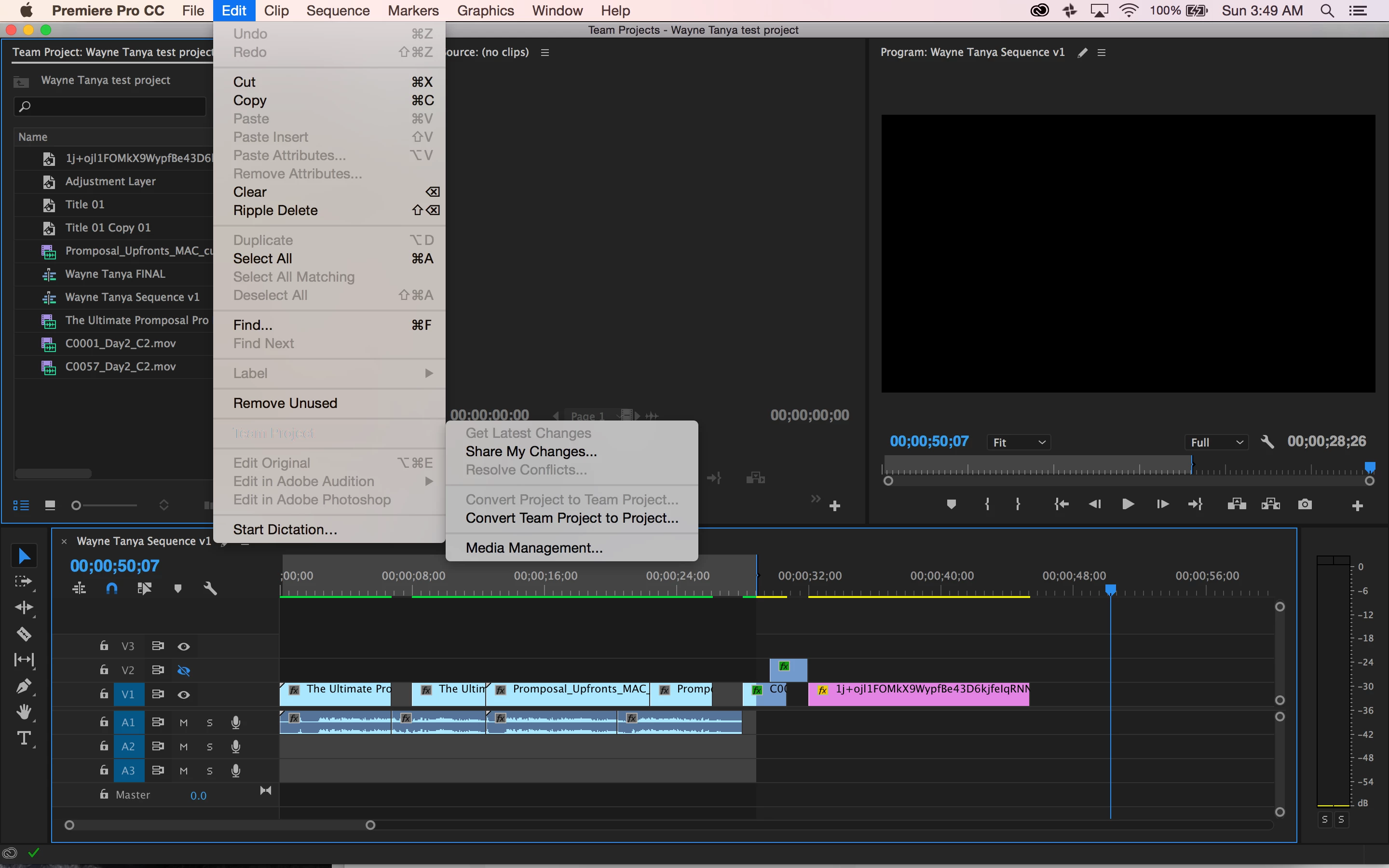
I don't have the option to Browse Auto-Saves in Premiere for Teams. Can anyone help?

  • February 5, 2018
  • 1 reply
  • 441 views

I want to access the autosaved versions of my Premiere Team projects, but I don't have an option for Browse Versions or Browse Auto-Saves as I believe I should have in a Team project.  I appreciate any help, thanks!
[Moved from regular Premiere Pro to the Team BETA forum... Mod]

Premiere Pro Team links https://forums.adobe.com/thread/2234035

-read http://prodesigntools.com/adobe-video-team-projects.html

    This topic has been closed for replies.
    Correct answer PeterELee

    That's odd. Those options normally appear below "Media Management" in that Edit->Team Projects menu. Are you running the latest CC 2018 release of Premiere Pro?

    1 reply

    PeterELee
    Adobe Employee
    PeterELeeCorrect answer
    Adobe Employee
    February 5, 2018

    That's odd. Those options normally appear below "Media Management" in that Edit->Team Projects menu. Are you running the latest CC 2018 release of Premiere Pro?

    Participant
    February 5, 2018

    Ah maybe that's the problem, I think I got confused with all these versions of Premiere that I have.  I'll try upgrading my OS and let you know if it works. Thanks!