


Lost media file path / unable to map or relink
Hi,
We tried the Team Project but I think that since it's still in beta, we will wait a bit to jump in completely.
I'd like to share one problem that we had with the media management / mapping / relinking.
The fact that you can have both of mapping media and "make offline", and "relink" medias in the team project may create new kind of bug like the one we had.
First time my client started the Team Project, I had succesfully mapped the media, all was linked. The day after, he called me and all the media were all offline, ( I don't know what wen't wrong, only closed and restarted Premiere) So I did try to do the same thing, but no luck. Mapping to the folder we're the medias were would not reconnect...
I didn't know what to do so I tried to force offline the media by right clicking on the bin folder in Premiere (Make Offline). Tried to relink with link media option... but all the file path/tape name/file name infos of every medias we're... gone!
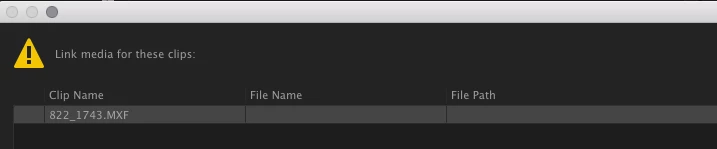
I know that we should not be relinking like that but I did not know what else to do... If I would to a search for the media automatically it would not find it. I had to get it manually and force it, that way it reconnected the media. Maybe it was too big for a Team Project but i was not going to manually reconnect 3000+ medias for a Documentary. Only option was to go back in history , but again, the history project is so so not very intuitive (a small slider in the Media Browser that appear only if you click on the project?)
Anyway I wasn't able to get the media back online so I tried to convert the project to a normal one. Here is the same window for the relinking media.

So at that point, after 2 days, I came back to the original project that I had in backup (a normal project) sended it to the client and told him we would work with the old method...
I would be more happy to try on a smaller project, with my colleague, under the same roof. But for now, working with distant client for a documentary, I think I will wait!
My thoughts with the mapping tool... well I find it is not very friendly, vs the link media tool that is more straightforward. Maybe it should be adapted to be under the same place ?
Thank you.
 AdChoices