



Giles Burris
Participant
April 7, 2024
Question

Media Management box doesn't allow me to link to the offline media.

  • April 7, 2024
  • 3 replies
  • 348 views

Hi there,


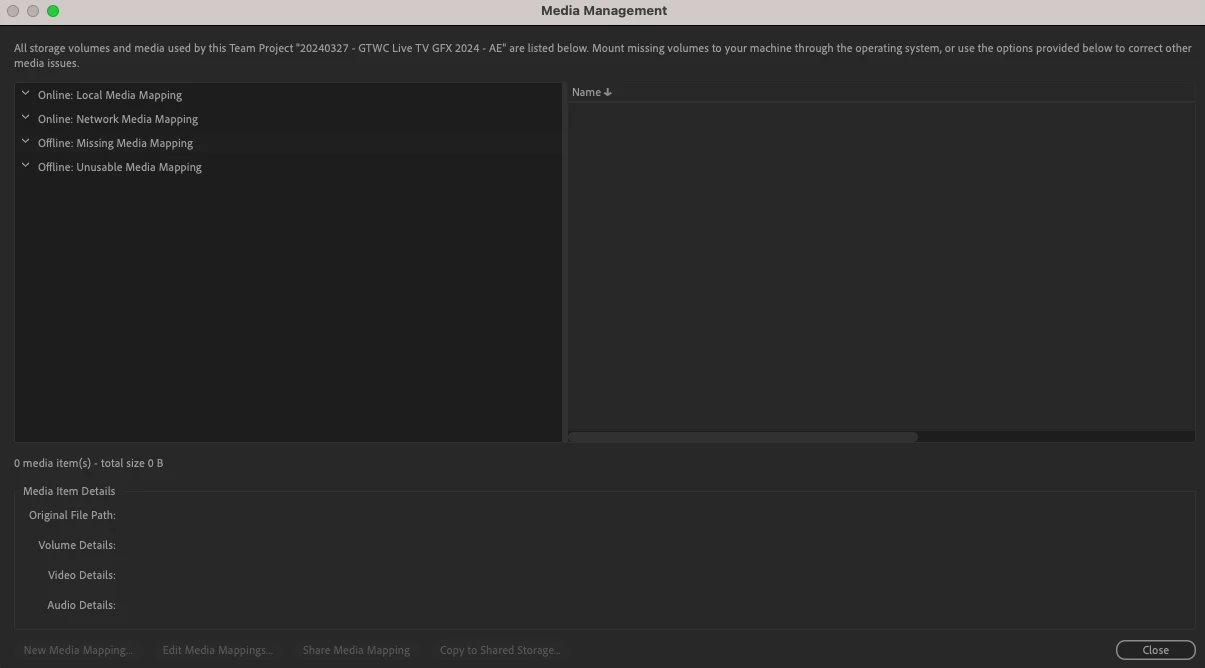
Any asssitance you can offer with the following would be greatful received. I have a Team Project that a co-worker has built. I have all the assets that make up the content of the project locally on my drive. The project is up to date. Normally I use the Media Management dialogue box to point to the assets on my local drive. However for. this project when I open the MM box it doesn't recognise that any assets are offline.


Please see screen grab below
    This topic has been closed for replies.

    3 replies

    Participating Frequently
    April 12, 2024

    I'm having the same issue.

    Participating Frequently
    April 12, 2024

    I'm noticing that as the owner of a Team Project in Premiere I'm able to add new media mappings and can see the existing file path of my cloud storage, but as the owner of a Team Project in After Effects there are no options other than to edit/delete existing mappings, I do not see any file paths or mounted drives in the Media Management dialog. My collaborator is unable to replace any footage or create  or edit any media mappings to fix missing footage when opening our After Effects Team Project, all such options are greyed out. 

    Adobe Employee
    April 8, 2024

    Hi @Giles Burris, sorry for your troubles - I will follow up with via email.


    Regards,

    Udo 

    Giles Burris
    Participant
    April 7, 2024

    Sorry I should have added at the top of this post that it's an After Effects Project.