
Participant
Jun 28, 2018 10:38 AM UTC
Answered

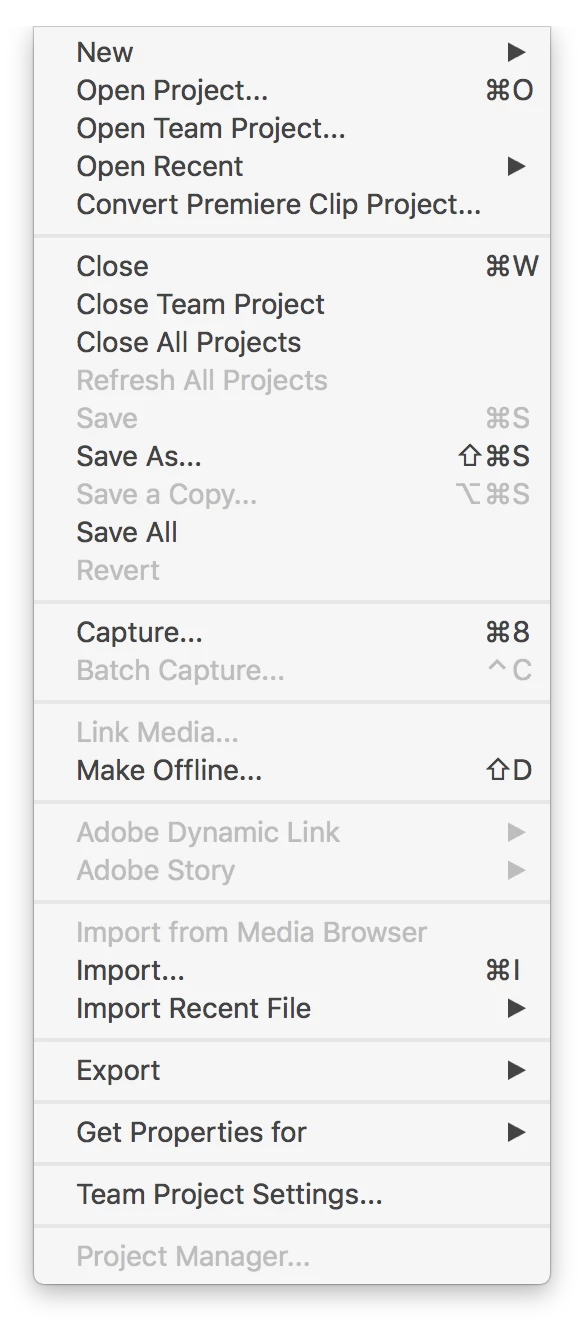
Project Manager option is greyed out in Premiere Team Projects

After completing a project for a client, I would like to create an archive of the final sequence by using the File > Project Manager selection.  This option is available when I use a regular Adobe Premiere project, but not when I use an Adobe Premiere for Teams project (screenshot attached).  Is there a reason I can't archive a Team project with the Project Manager?
    This topic is closed to new replies. Start a new post to keep the conversation going.
    Vinay Dwivedi
    Vinay DwivediCorrect answer
    Adobe Employee
    Jun 28, 2018 2:28 PM UTC

    I don't think it is still a feature in Team project. You should  convert the project to local first and then run project manager and convert that project to Team project again.

    //Vinay

    3 replies

    John T Smith
    Community Expert
    Community Expert
    Jun 28, 2018 1:45 PM UTC
    Participant
    Jun 28, 2018 1:51 PM UTC

    Those links don't seem to address why the Project Manager option is greyed out

    Translate
    Vinay Dwivedi
    Adobe Employee
    Vinay DwivediCorrect answer
    Adobe Employee
    Jun 28, 2018 2:28 PM UTC

    I don't think it is still a feature in Team project. You should  convert the project to local first and then run project manager and convert that project to Team project again.

    //Vinay

    Translate