


andrewm6997045
Participant
November 25, 2016
Question

Remote Team not reading source timecode

  • November 25, 2016
  • 2 replies
  • 1271 views

In evaluating Team Projects, I've experience something a bit strange.

The remote Team member is not reading timecode properly on the source clips.

Here's the workflow:

1. Home base, create a Team Project, ingest footage, create proxies via AME (1280x720 GoPro Cineform 10bit YUV)

2. Copy proxy files only to external drive and send to remote editor as well as send invite to Team Project.

3. Remote editor connects drive, excepts invite and loads TP and sets new file path through Team media management and media links.

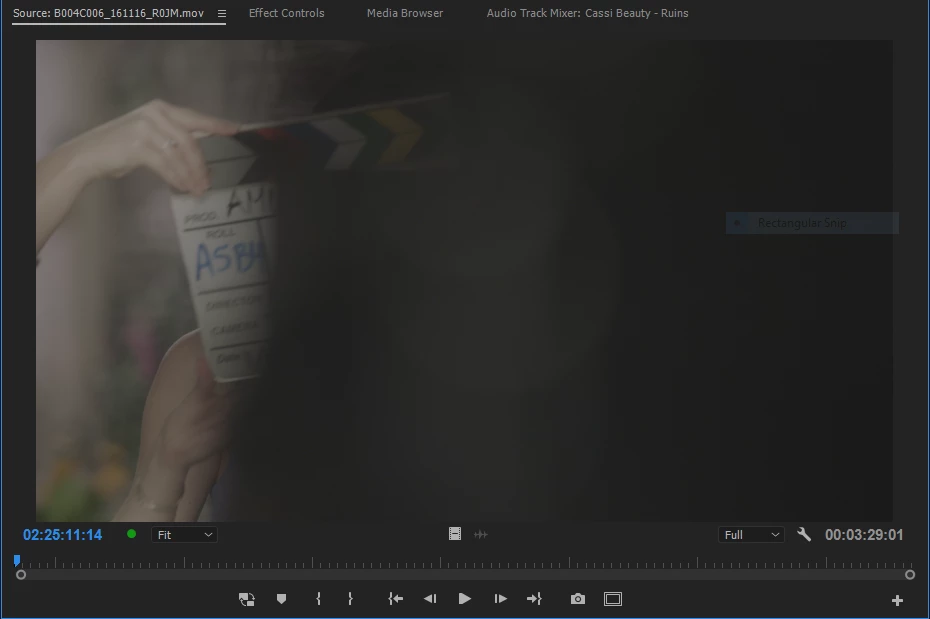
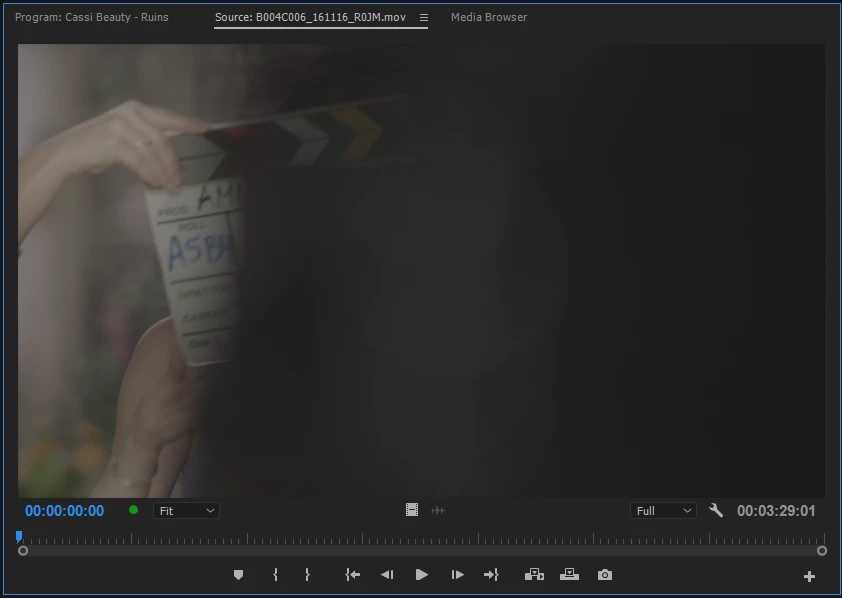
Now, the timecode on the source clips all start at zero. I've attached screenshots of same clip from both locations.

And yes, made sure the source window was reading actual timecode.

As well, if remote editor imports the proxy clip directly, it does in fact read the correct TC.

HOMEBASE:
REMOTE:
    This topic has been closed for replies.

    2 replies

    Adobe Employee
    March 10, 2017

    Thanks Andrew for this report. I am pleased to let you know we have fixed this issue now and it will be available in the next update.

    Thanks,

    Paul

    Participant
    May 4, 2017

    Hi Paul,

    Would that be the 11.1.0 (222) build?

    If so, I'm still having the same issue.

    Thanks,

    Andrew

    Adobe Employee
    May 11, 2017

    Hi Andrew,

    Earlier when you reported the issue, I was able to reproduce this but now with latest Premiere Pro release I am not able to reproduce this. Could you please try cleaning up your media cache files and Anywhere cache and try in a new team project? Or is there any additional steps you might be doing?

    May I request you to quit your Adobe Premiere Pro  (also please wait until "Team Projects Local Hub" process is killed or kill it manually if it is not terminated in a couple of seconds) and rename your "Team Projects Local Hub" folders at following locations:

    MAC:

    1. /Users/<user_name>/Library/Application Support/Adobe/Common/Team Projects Cache
    2. /Users/<user_name>/Library/Application Support/Adobe/Common/Team Projects Local Hub

    Windows:

    1. C:\Users\<user_name>\AppData\Roaming\Adobe\Common\Team Projects Local Hub
    2. C:\Users\<user_name>\AppData\Roaming\Adobe\Common\Team Projects Cache

    Thanks,

    Ramesh.

    Adobe Employee
    November 28, 2016

    Hi,

    I will try this on my system tomorrow and get back to you. If I am able to reproduce this then I can directly send information from my machine to the team concerned, otherwise I would need your help in getting some information on this.

    Thanks for writing this up. Please keep providing your feedback.

    Regards,

    Ramesh.

    Adobe Employee
    November 29, 2016

    Hi,

    I am able to reproduce the issue on my machine and I have forwarded this to the team with all the information required. They will looking into it.

    Thanks for reporting this. Please keep writing the feedback.

    Thanks,

    Ramesh.