Participant
November 29, 2017
Answered

share comments

  • November 29, 2017
  • 3 replies
  • 981 views

In premiere when I share an edit with team project I write my comments on what I've done and share it. How do my team members see that comment ?

This topic has been closed for replies.
Correct answer PeterELee

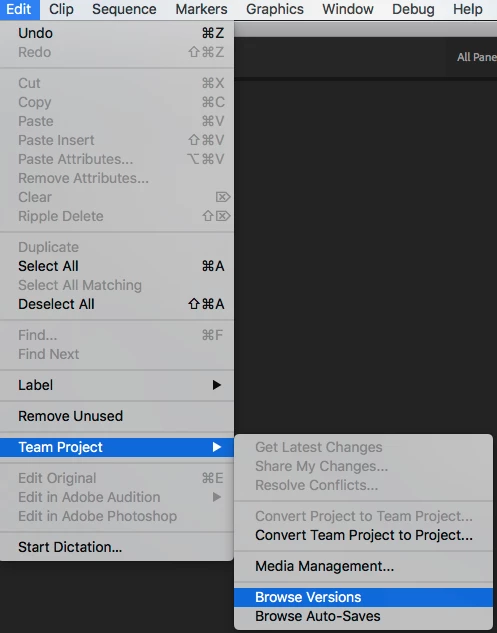
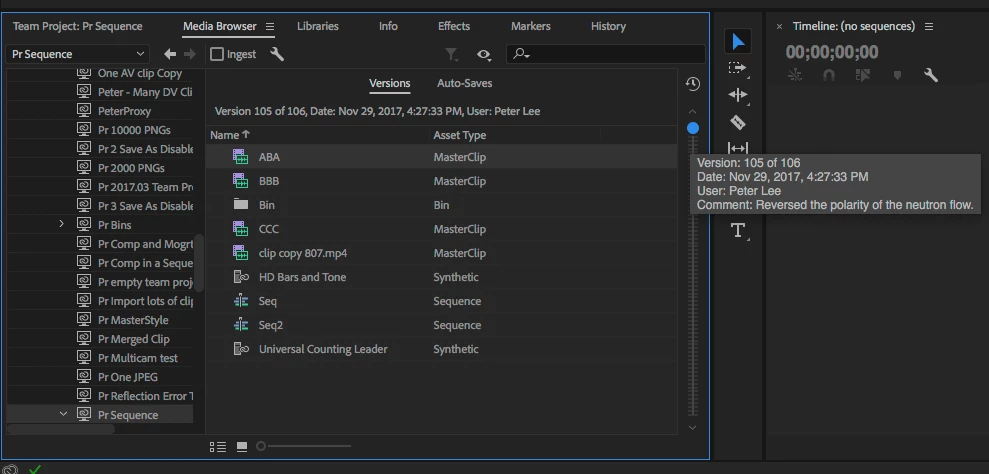
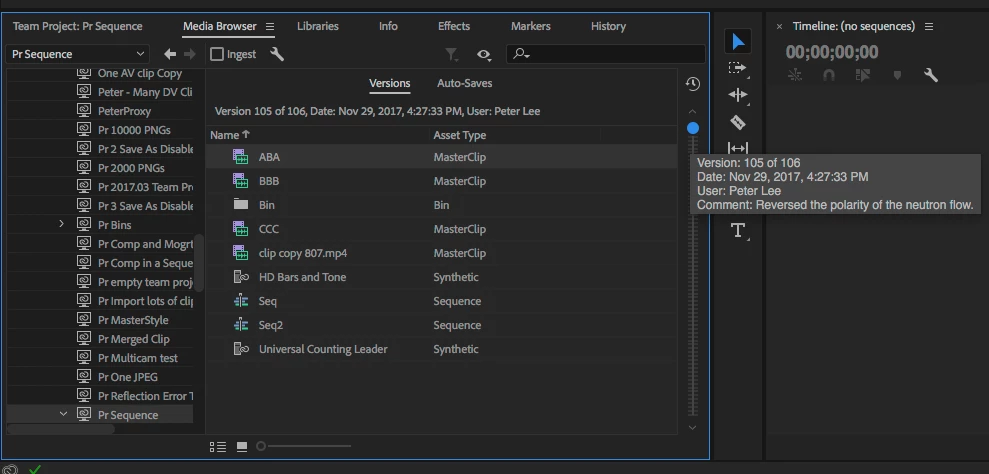
You can see share comments in two places at the moment. First, you'll see them when you hover over a historical version of the Team Project in the Media Browser. The quickest way to get there is via Edit\Team Project\Browse Versions.

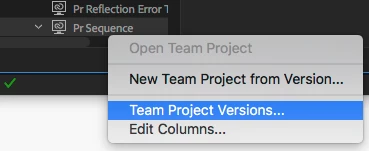
You can also see them if you right-click on a Team Project in the Media Browser and choose "Team Project Versions..."

3 replies

Adobe Employee
December 8, 2017

Did we answer your question?

Participant
December 8, 2017

yes thanks very much

PeterELee
Adobe Employee
PeterELeeCorrect answer
Adobe Employee
November 29, 2017

You can see share comments in two places at the moment. First, you'll see them when you hover over a historical version of the Team Project in the Media Browser. The quickest way to get there is via Edit\Team Project\Browse Versions.

You can also see them if you right-click on a Team Project in the Media Browser and choose "Team Project Versions..."

christiane4686395
Adobe Employee
Adobe Employee
November 29, 2017

The comments are visible in the Team Project history that can be found in the Media Browser.

See Team Comments

Christian