


Participant
October 27, 2017
Answered

Team Comments

  • October 27, 2017
  • 2 replies
  • 1214 views

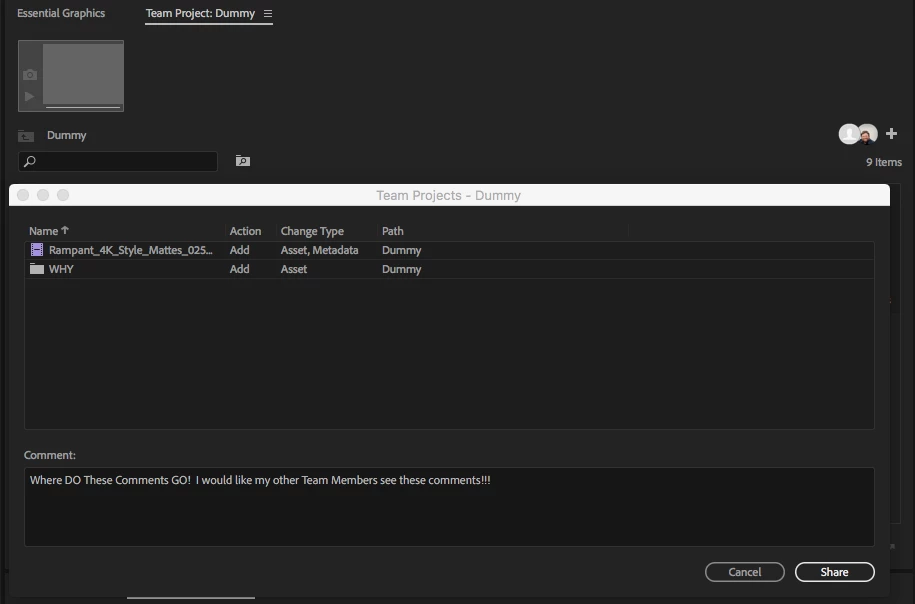
I currently have a call into Adobe to figure this out.  But where do we go to see these comments?  We have a big project coming up and there are 3 editors working on the project and we can not for the life of us find these comments once they are sent to the other editor.

I am try to figure out why there is a comment box at this moment! HA HA everything else works great.
    This topic has been closed for replies.
    Correct answer PeterELee

    Hi Matt,

    Those comments are visible in the Media Browser in two different locations. The first is the Team Project History dialog, which you can see by right-clicking on the Team Project name on the left side of the Media Browser and choosing "Team Project History". The other place is the tool tip that's displayed when you hover over the version slider on the right side of the Media Browser. The tool tip will show you the comment for the version you're currently viewing. The version slider is hidden be default in Premiere CC 2017 (you have to click on a button to see it), but it's always visible in the latest CC release.

    -Peter

    2 replies

    PeterELee
    Adobe Employee
    Adobe Employee
    October 27, 2017

    Yeah, we've heard that feedback a few times, and I believe our UX designer has some ideas about how to make the comments more discoverable.

    Thanks,

    -Peter

    Participant
    November 10, 2017

    Well I look fwd to that improvement!

    PeterELee
    Adobe Employee
    PeterELeeCorrect answer
    Adobe Employee
    October 27, 2017

    Hi Matt,

    Those comments are visible in the Media Browser in two different locations. The first is the Team Project History dialog, which you can see by right-clicking on the Team Project name on the left side of the Media Browser and choosing "Team Project History". The other place is the tool tip that's displayed when you hover over the version slider on the right side of the Media Browser. The tool tip will show you the comment for the version you're currently viewing. The version slider is hidden be default in Premiere CC 2017 (you have to click on a button to see it), but it's always visible in the latest CC release.

    -Peter

    Participant
    October 27, 2017

    Thank you! 

    Not them most intuitive way to do it but thank you.  Wish it was some how viewed in the bin.