


Team Project fails to Auto-Save
This is an often occurring bug ... It's a nightmare!
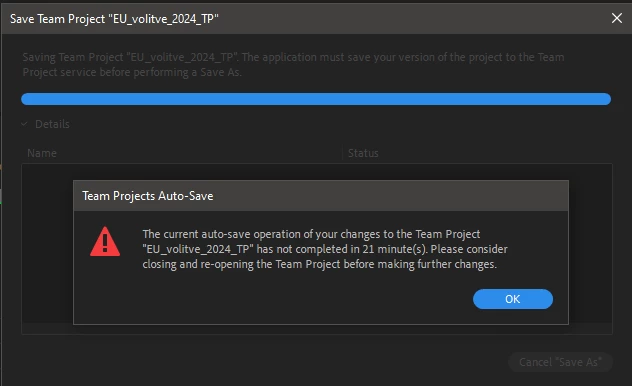
Too many times I get a warning "the current auto-save operation of your changes to the team project "xx" has not completed in xx minutes. Please consider closing and opening the team project before making further changes."
When this warning appears for the first time, all changes made since last auto-save are lost!
Last changes in Auto-Saves timeline are the ones before the error.
Team project can't be converted to local project, because it must be saved first (and guess what ... there's no way to save).
Changes can't be shared, because it must be saved first (and guess what #2 ... there's no way to save).
The only thing you can do is close the project without saving and sharing. Well done. It doesn't matter what size the project is, which Premiere version, how many assets, how many collaborators, it's been happening since Team projects were introduced! I was really hoping that this would be fixed in the current version. If Adobe would be financially responsible for every edit lost, and therefore money lost, that would not happen.
So after every major change, make a local copy and save yourself some tears.
 AdChoices