


DangerTF
Participating Frequently
December 1, 2021
Question

Team Project Linked Comps Media Pending Cannont Re-link

  • December 1, 2021
  • 1 reply
  • 309 views

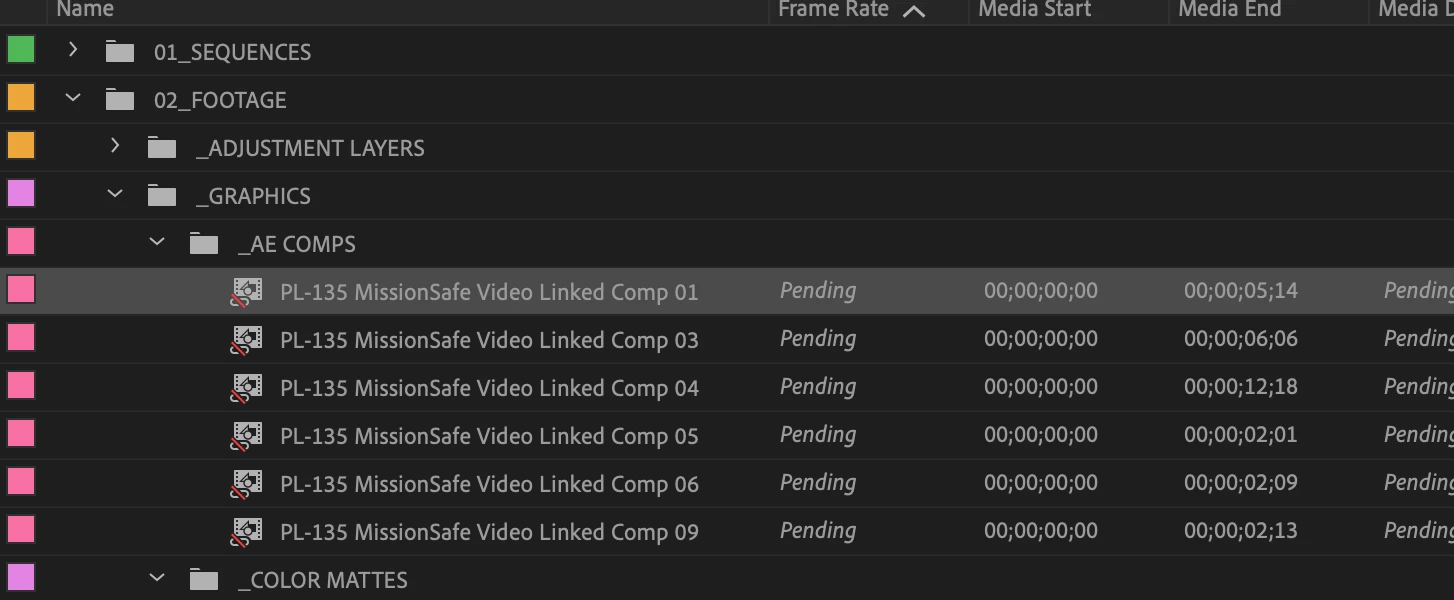
I have a team project open in Premiere. I choose a clip and "Replace with After Effects Comp" which launches a Team AE. project. When I created my comps intially and go back to Premiere everything was fine. Now I've repeated the process and at the same time made an adjustment to the intitial comp but when I go back to Premiere the dynamic linked comp says "Media Pending" and the comp in my project window has a red line through it. How can I relink the comp since it is a team project?
This topic has been closed for replies.

1 reply

DangerTF
DangerTFAuthor
Participating Frequently
December 1, 2021

I have been able to get the links to relink, but it requires closing the team project both in Premiere and AE and then relaunching both applications. Is this some kind of bug?

DangerTF
DangerTFAuthor
Participating Frequently
December 2, 2021

UPDATE:

I found that in when in my team AE project if I make any changes to any comps I must share changes back to the team project before going back to Premiere. Once that is done I can swap applications and the comps appear to be re-linking properly.

R Neil Haugen
Legend
December 2, 2021

Thanks for posting this information! This is one more of those little things it's so easy not to think of doing. It's been a puzzlement at times for me and my partner too.


Neil

Everyone's mileage always varies ...