


Participant
November 30, 2021
Question

Team Project Not Showing Video Parts to Recipient- Shows Up s one Big Block

  • November 30, 2021
  • 1 reply
  • 164 views

Hello,

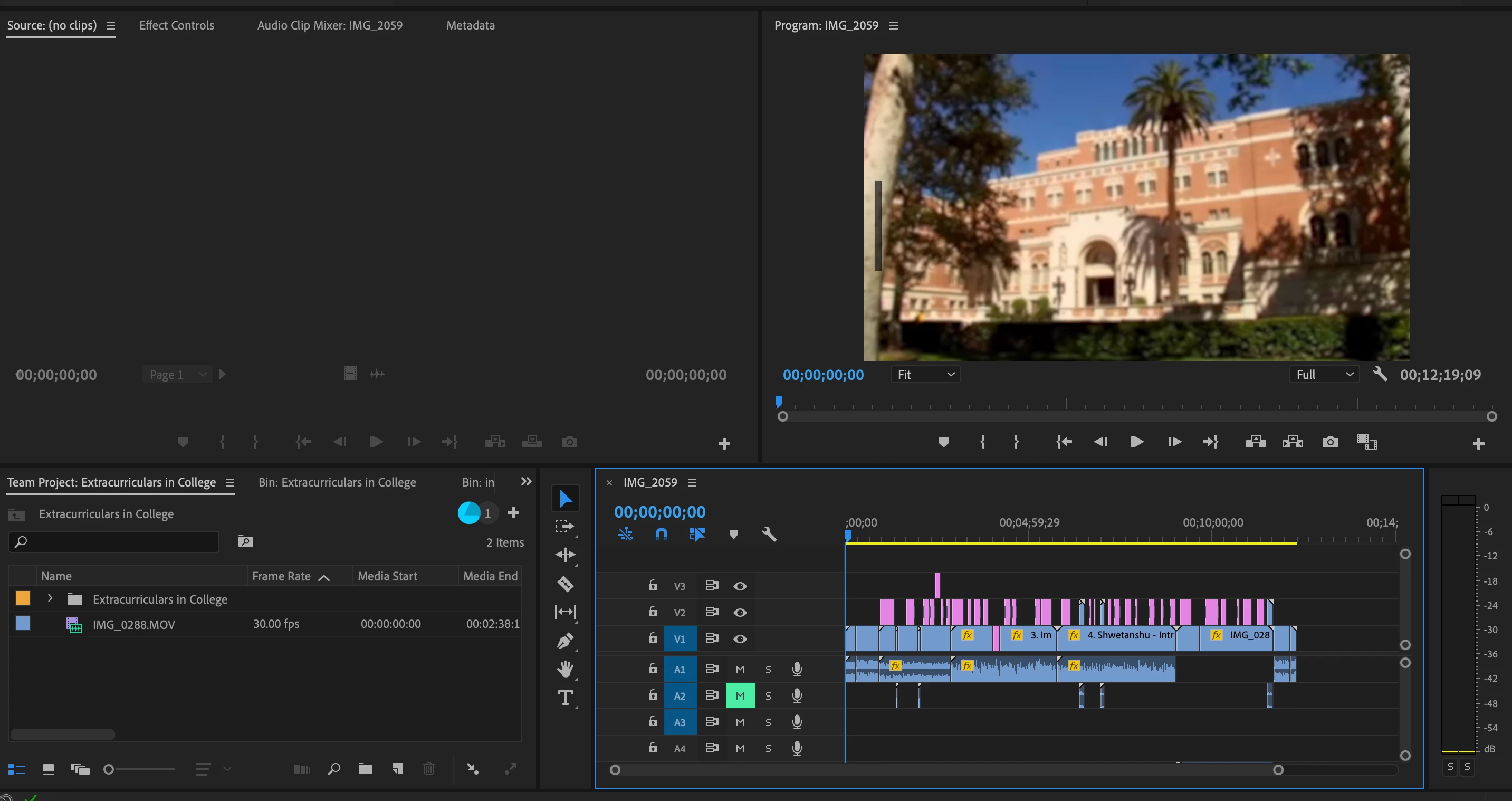
A partner and I are working on a team project, and this is the second time we have run into this issue. After I save the project and shar my changes with her, everything comes through, except the project no longer has any of its separate components, it just shows up as one big block of video. Thkis makes it extremely difficult to add further edit to the video because everything has to be reseparated. This is only the second time out of many this has happened, but it is two times in two weeks so for some reason it is becoming a reoccuring issue:

Here is a picture of my end


hf


[Moderator note: moved to appropriate forum.]
 

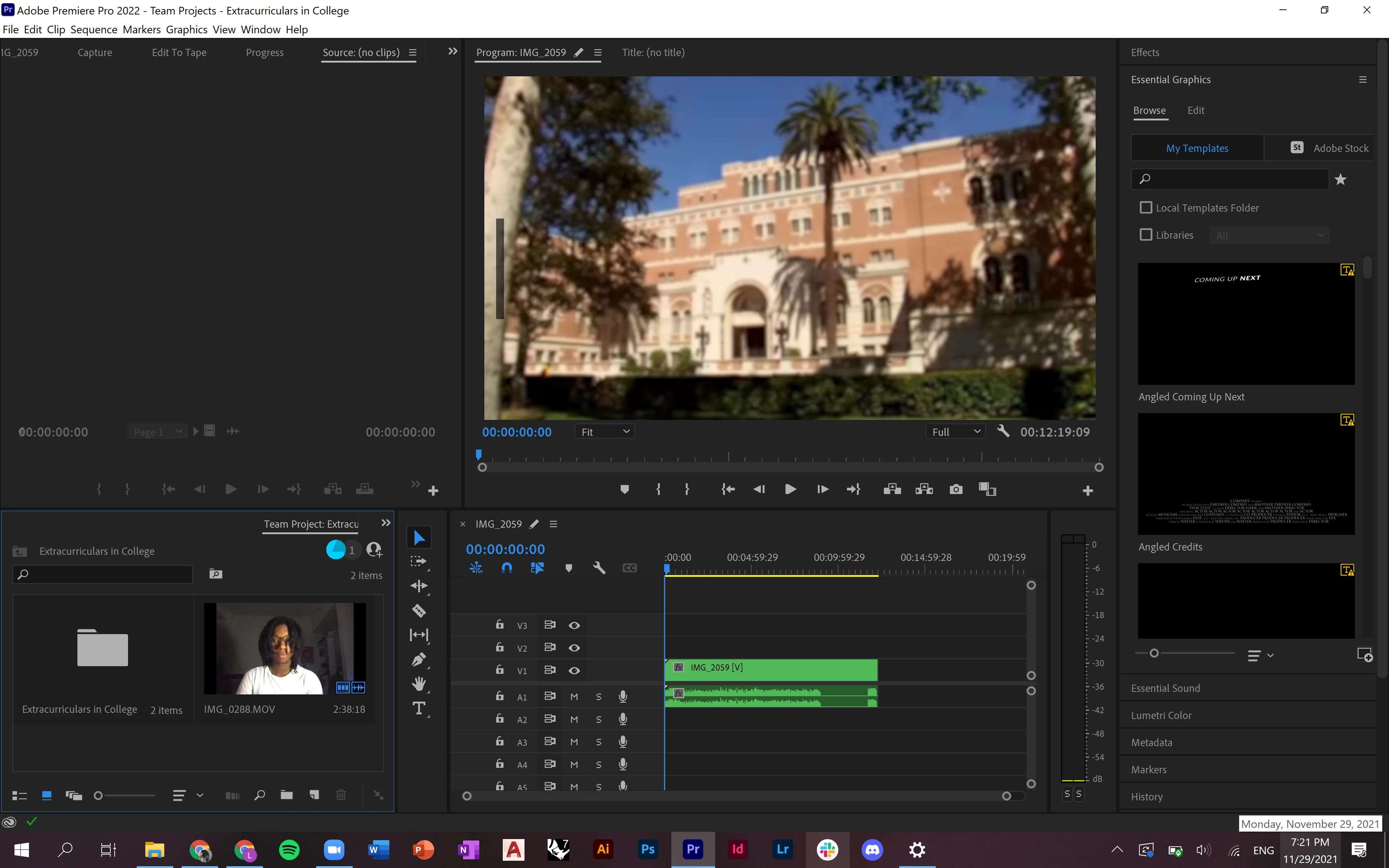
Here is a picture of her end of the exact same video
 

Any advice helps. Thank you

This topic has been closed for replies.

1 reply

R Neil Haugen
Legend
November 30, 2021

That green is showing that this is now "nested" ... I would suggest going into the program's help system and studying the parts on nesting clips. It's very useful for many things.


A "nest" is one or more clips that have been set to be seen as a single clip. It's a great way to say add Warp Stabilizer, then "nest" the clip so that the processing is always first to apply the Warp, then apply other effects to the nested clip. It helps sort processing problems out. Among many other uses.


If you drag a sequence to a timeline with the "sequence" icon active in the control header block, that will bring the sequence in as a clip, not a sequence. So using the command to open a sequence in the timeline panel will open a sequence without 'nesting' it.


Or clicking the sequence icon in the header block, so that it's gray not blue. Then a sequence will come into the timeline panel as a sequence not a nested clip.


Neil

Everyone's mileage always varies ...
Bengy5C26Author
Participant
November 30, 2021

Ok I will look into that. I am assuming that is something on her end, since hers is the one showing up as one big clip?


R Neil Haugen
Legend
December 2, 2021

Yes, it would be how the icon for nesting/not-nesting is set on her Timeline panel. It's that far left blue icon that looks like the sequence icon. If that's blue, added things are brought in as a nest. If grey, inactive, they're not.


Neil

Everyone's mileage always varies ...