


Team Project saving and media management issues
We have created a team project for a television show we are editing. In the past, multiple editors have had their own project and we have imported their work into a "master" project as the edit progresses- So Team projects offer us a great way to clean up this workflow and collaborate better.
The setup- A team project was created and shared among 5 editors - all editors are in the same location with separate CC logins managed under our enterprise account. All media is on one shared storage RAID that all computers are connected to. PPro and CC versions are all current as of 04/17/18. The project was started yesterday (04/16/18) and we almost immediately began getting "auto-save" errors:
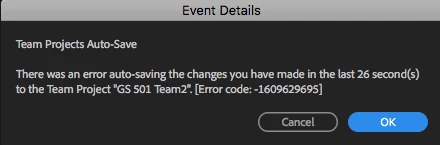
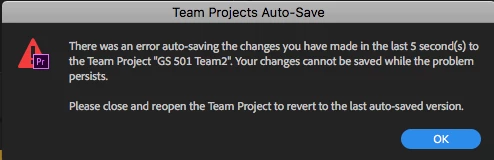
We also began to have media issues where a warning would pop up saying media was offline- The instruction was to use Team Project > Media Management to resolve this. Upon opening "Media Management" there was a list of clips proceeded with some sort of meta-data looking jibberish and the file name in the middle of it somewhere:

There does not seem to be any way to link this media back, but more strange, there is no indication of offline media existing anywhere in the project. The media "listed" in this view appears to be only the first camera roll of "A" and "B" cameras for the first day of shooting...Second camera rolls and subsequent days/other media is not reflected in this list. The media itself is still online and editable in the project, but this error keeps popping up and we cannot find or ignore these duplicate/error prone clips that seem to be burned into our project somewhere.
As a work around, we had each editor save their project locally, then created a new "Master" project (as a regular/not team project), imported everyone's work into it and then made that into a new team project. That process seems to have cleaned up our "Auto save" issues, but we are still having this media not found issue.
We are looking for a solution to clear up this error and any advise on what may cause the auto save error we experienced earlier.
 AdChoices