

Participant
November 15, 2021
Question

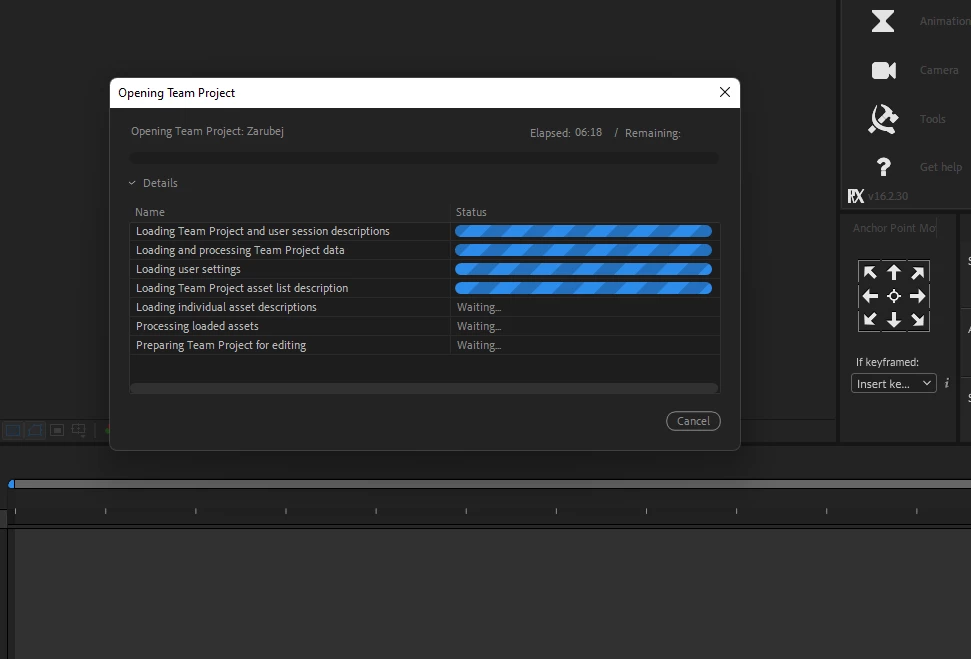
Team Project server does not load the project

  • November 15, 2021
  • 1 reply
  • 172 views

At first, such an icon appeared (for me and another TM user) and now endless loading. What happened?



    This topic has been closed for replies.

    1 reply

    Adobe Employee
    November 15, 2021

    Hi, 

    The yellow warning sign indicates that process responsible to handle the communication between AE/PPRO and the Adobe server is not working.
    There could be any number of reasons for this e.g (Adobe server outage, network interruption, hung process...)

    When you close the Adobe apps can you see if there is a lingering 'TeamProjectLocalHub' process that hasn't shut down correctly?
    Does it make a difference whether you open the project via any of these options?
    1. Click recent link on the 'Home screen'
    2. File > Open recent
    3. File > Open Team Project...
    4. Right-click the Team Project in the Media Browser


    Best,
    Udo

    Udo Pawlik  |  Sr Software Product Quality Specialist |  Adobe  |  upawlik@adobe.com


    mujlaxAuthor
    Participant
    November 16, 2021

    Work again, thanks! I didn't do anything
