


RCHINCHILLAM
Known Participant
August 23, 2017
Question

Team Project server Issue

  • August 23, 2017
  • 2 replies
  • 497 views

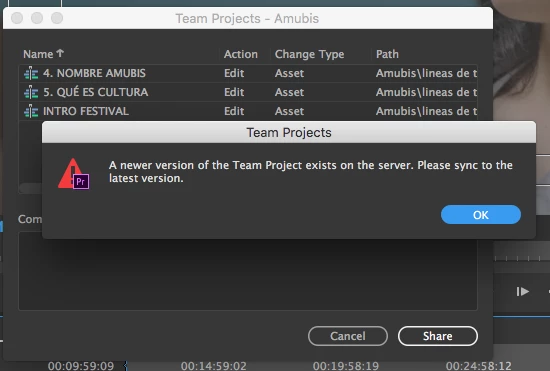
Hi! I´M working on a Team Project with a collaborator. I´m able to share my changes and he is able to get the latest changes, but when he tries to share his, this windows shows.

Any ideas? Am I missing something? Which server is supposed to be?

Thanks
This topic has been closed for replies.

2 replies

PeterELee
Adobe Employee
Adobe Employee
August 24, 2017

The server in this case is the cloud-based server that hosts the Team Projects service. Did your collaborator try canceling out of the share dialog, getting latest changes, then sharing again? If the "Get Latest Changes" option was not visible, he might need to quit and relaunch Premiere in order for the "Get Latest" button to become enabled.

RCHINCHILLAM
Known Participant
August 24, 2017

After some hours of reading and testing with no success, I found a solution posted in this link:

Premiere Pro can't open my Team Project

Apparently, something got corrupted on my collaborator´s side. We made a new Team project, browsed the corrupted Team Project´s history and imported the last "good version" (where he could share changes), the went forward to recent versions and imported changes to the sequences. Hope this helps others.