


Participant
November 18, 2017
Answered

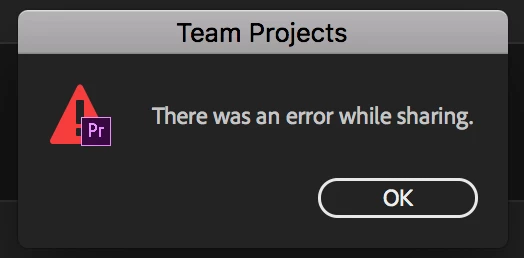
There was an error while sharing team project

  • November 18, 2017
  • 2 replies
  • 920 views

When sharing a team project, the save seems to "hang" and appears to be processing for a long time. I'm attaching the actual error I get...usually after 30 mins or so. Its a very small audio file, so its not the size of the file. I'm assuming its a setting somewhere, but we've shared team project files before and have not had this issue. I'm also including the the "processing" looks like. Would love to know what's happening here...any ideas? We have the most recent versions of Premiere Pro. Thanks in advance. - SMC

This topic has been closed for replies.
Correct answer Paul Young

Is this now working correctly for you?

The service outage listed above is now resolved, so just want to verify that you are fully up and running again.

Thanks,

Paul

2 replies

Paul YoungCorrect answer
Adobe Employee
November 20, 2017

Is this now working correctly for you?

The service outage listed above is now resolved, so just want to verify that you are fully up and running again.

Thanks,

Paul

christiane4686395
Adobe Employee
Adobe Employee
November 18, 2017

A service outage affected several Adobe services yesterday, including the Team Projects Service. It should be working normally now, though. Could you please try to share again and follow-up about how it is working for you now?

You can check on the status of Adobe's services at Adobe System Status. Team Projects is listed under "Assets & Collaboration" under the Creative Cloud heading, and you can subscribe to get updates when the status changes.