



Why is the link media dialog box empty? Premiere Pro
I am working on a team project in premiere pro and I just shared the changes with my partner. Now I am trying to link the project media in my partners timeline to our creative cloud assets. I have lassoed all of my media in the timeline and clicked link media. However, when the link media dialog box appears there are no broken links in it. The dialog box is completely empty and I cannot figure out why. Does anyone know how to fix this?
Also, I do not have the option to link media when I right click on my assets in my project panel nor do I have the option to link media from the "file" drop down menu.
I know I can work around this issue by right clicking my assets in the project panel and choosing "Replace Footage," but, then I will have to do that for every single assets.
I must note that if I convert the team project to a project I am able to link media. In other words, all link media options are available and when the link media dialog box pops up the broken links appear. Perhaps this is an issue with the beta version of team projects?
Here is a picture of my issue.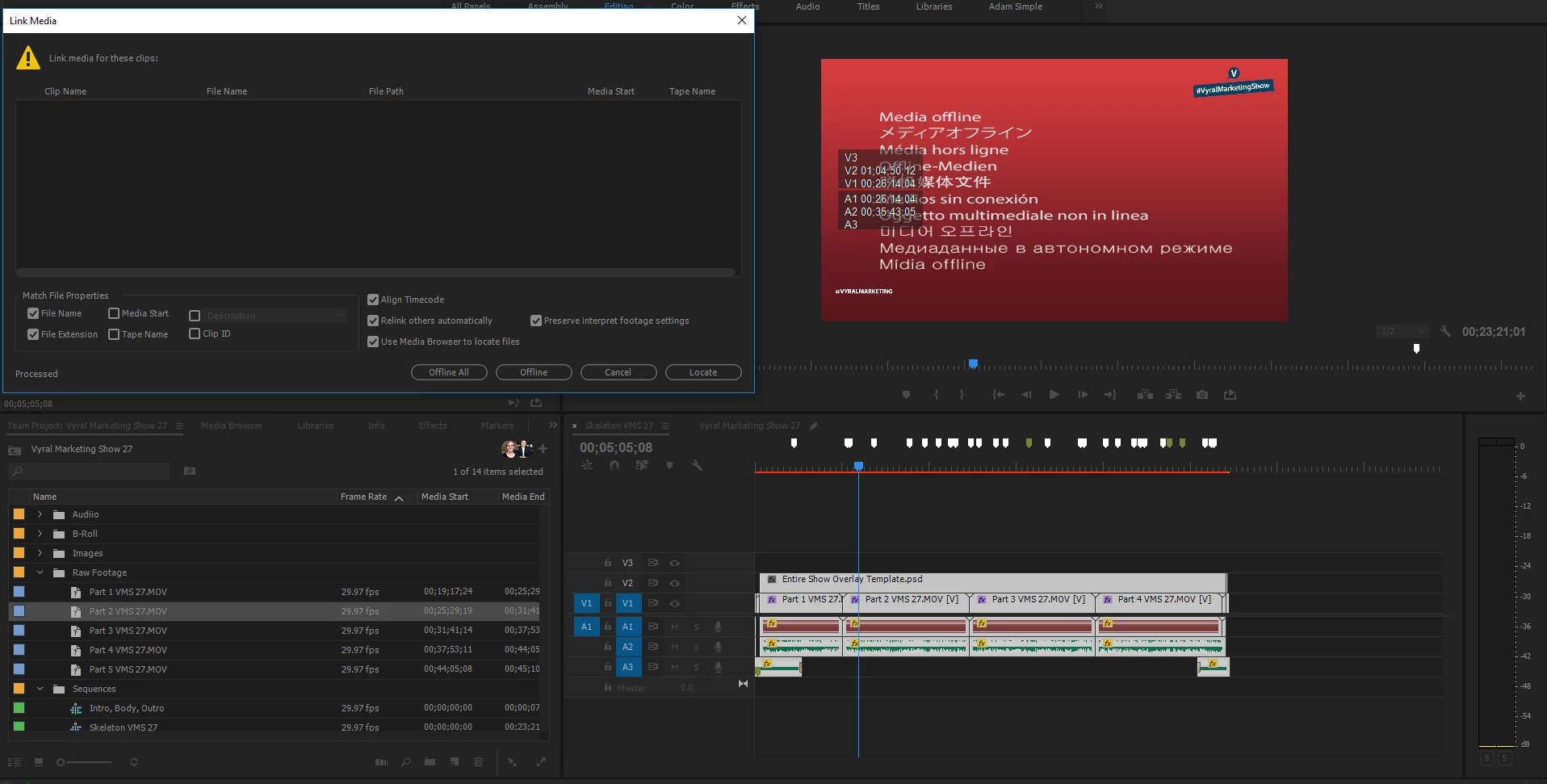
[Moved from regular to PPro for Teams forum... Mod]

 AdChoices