
Participant
Feb 22, 2023 6:48 PM UTC
Question

Acrobat crashes few seconds after launch - no tools if I open a pdf

Hello,

I've gone through several topics about Acrobat crashing, but I really can't understand them. 

If I launch the app via Creative Cloud or clicking the Acrobat icon from desktop this is what I see for 3 secs (then it goes away) 

 

If I open a pdf this is what I see (after a longer wait then usual)
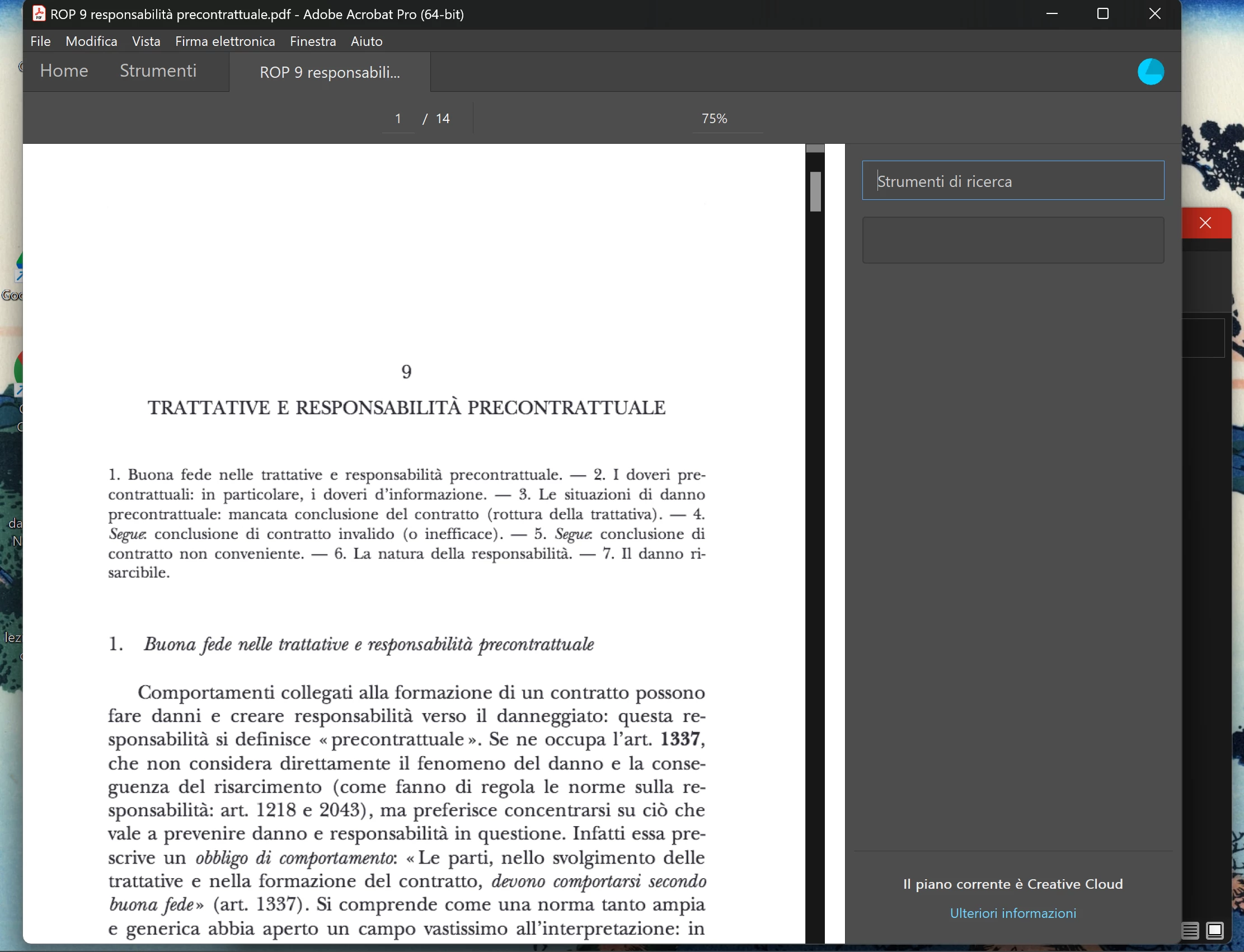
So just the pdf, no tools on right side nor on the top of the window. 
Sometimes I can navigate the pdf.

Other times it just can't open the pdf, so I have a black page. 

If I select "home" I can't see other documents (black page)

If I select "tools" I can't even see the icons and the names of the tools.


What I did already:

Uninstall Acrobat
Clicking very fast on "help" when I launch the app and then "updates" (it dowloaded an update, I rebooted the PC, then nothing, the same crashing)

Repair the app from Windows toolbar list of the apps


I really need the help of an expert,

many thanks,

Davide

This topic is closed to new replies. Start a new post to keep the conversation going.

6 replies

Participant
Feb 22, 2023 6:58 PM UTC
Participant
Feb 23, 2023 11:08 AM UTC

New installation and no success.
Now I can't even reach the "help" button to install updates, it crashes after 1 sec. 

Translate
AkanchhaS8194121
Legend
Feb 28, 2023 8:42 PM UTC

Hi @Davide28540773xl29 


Sorry to hear about the trouble caused. And we apologize for not being able to address your issue on time. 

This looks like the installation did not go correctly. Hence the application isn't able to render properly. Try this once again:

Run this cleaner tool to remove the existing installer and application’s file traces:

https://www.adobe.com/devnet-docs/acrobatetk/tools/Labs/cleaner.html

Download the Acrobat installer from here:

https://helpx.adobe.com/acrobat/kb/acrobat-dc-downloads.html


If this doesn't work, create a Hidden Admin on your computer and launch Acrobat, as it could be a User account problem. 


Thanks,

Akanchha 

Translate