

Acrobat Multi-page Form - Is it possible to SKIP FIELDS (not just move them to the end of the page)
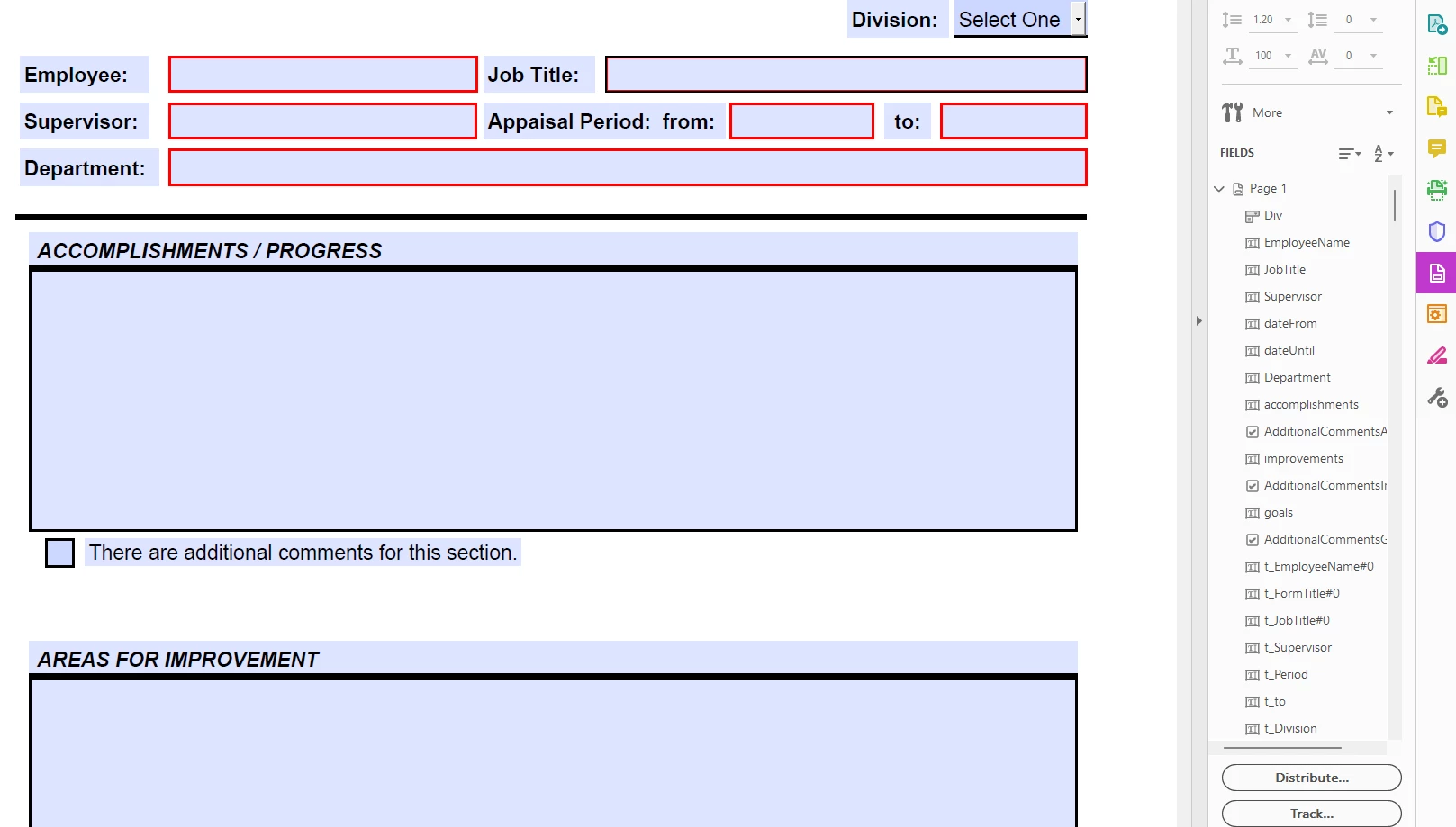
I have a 6-page form (Employee Evaluation), In order to make the form as "uniform" as possible, I have created the entire form as text fields. This allows uniformity of fonts and makes editing/updating easier over the long run. The field titles are text fields set to read-only with default values. Ex:
"Employee Name:" is a read-only text field with default value set to "Employee Name:"
When tabbing through the form (page 1), I can set the tab order to go to the actual text fields in the proper order, the read-only field titles are at the end. Normally this is fine but tabbing through the last field on page 1 still tabs into the read-only fields, instead of advancing to page 2.
I do it this way because the "Text Plane" is not the same as the "Field Plane", so to speak.
Is there a way to disallow the tabbing into read-only fields?


 AdChoices