


Participant
May 22, 2023
Question

Adding Webdav for shared review, Missing preferences

  • May 22, 2023
  • 1 reply
  • 377 views

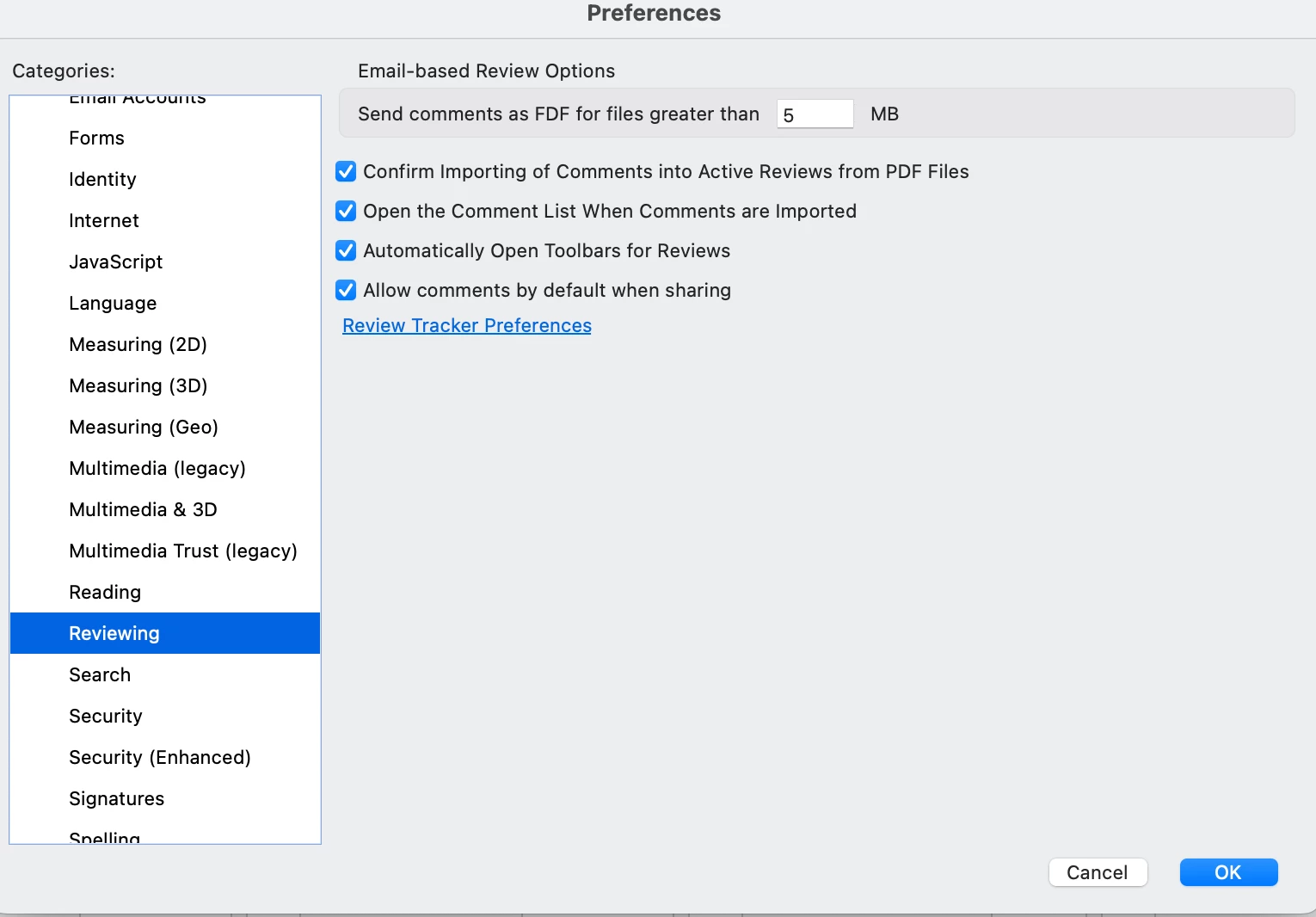
So we use a webdav for shared reviews instead of the Cloud through Adobe. However in my preferences under Reviewing, I do not have the option to "deselect" the option for "Share For Review Using Adobe Document Cloud." I am actually missing what seems to be 4 checkbox preferences. Unless they have relocated somewhere else. I have tried uninstalling and reinstalling the app but those options do not appear. Here is a screenshot of what my preferences look like. Please help!
This topic has been closed for replies.

1 reply

Amal.
Legend
May 23, 2023

Hi @ebrandt-anniespub 


Hope you are doing well and sorry to hear that.


I checked it on my end and its showing the preference options.


What is the version of the Acrobat DC and the OS you are using? To check the version, go to Help > About Acrobat and make sure you have the recent version 23.01.2017X installed. Go to Help > Check for updates and reboot the computer once.

Also, try to repair the installation from the help menu (Win Only) and see if that works.

Please try to reset the Acrobat preferences as described here https://community.adobe.com/t5/acrobat-discussions/how-to-reset-acrobat-preference-settings-to-default/td-p/4792082


You may also try to create a new test user profile with full admin rights in Win or enable the root account in MAC and try using the application there and check.


Let us know how it goes.


Regards

Amal