
Adobe Acrobat DC Professional "Upgrade" - No Scroll Bars and Does Not Remember Last View Settings
I need help about some significant problems that arose after a recent Adobe "Upgrade" - which is really a "Downgrade" in Acrobat DC Professional.
I've searched other posts on the Community for this issue on Windows and did not find any (there were some similar Mac problems).
It seems crazy to me that Adobe managed to mess up simple things like scroll bars in a recent "upgrade".
There are no scroll bars on my version of Adobe Acrobat and I've tried some of the other threads on the community. Adobe will also no longer remember the last view settings.
I challenge someone from Adobe to provide a simple yet effective fix to this problem - one that should never have arisen.
Issue #1
I've checked off "Restore last view settings when reopening documents" yet Adobe does not do this. For example, I need to press F8 each time I open Adobe to show the toolbars. So the check mark - it doesn't work!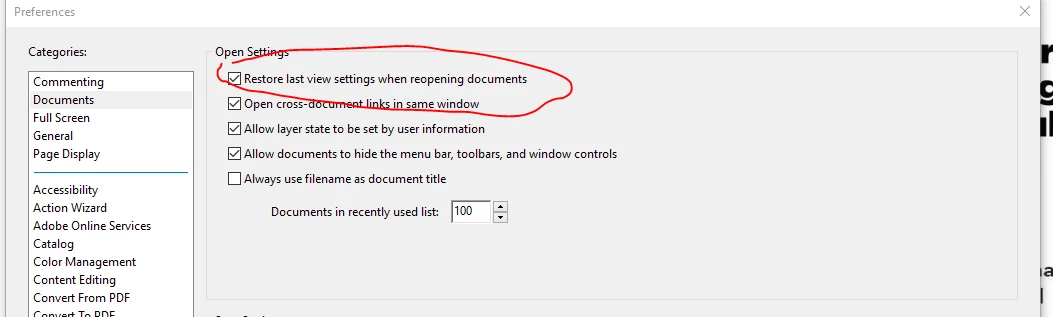
#2 No Scroll Bars
Some of the other posts I've seen online show an option under "Page Display" and "Page Content and Information" with a dialog box to "Always show scroll bars". As you can see in the screen shot below, there is no such option.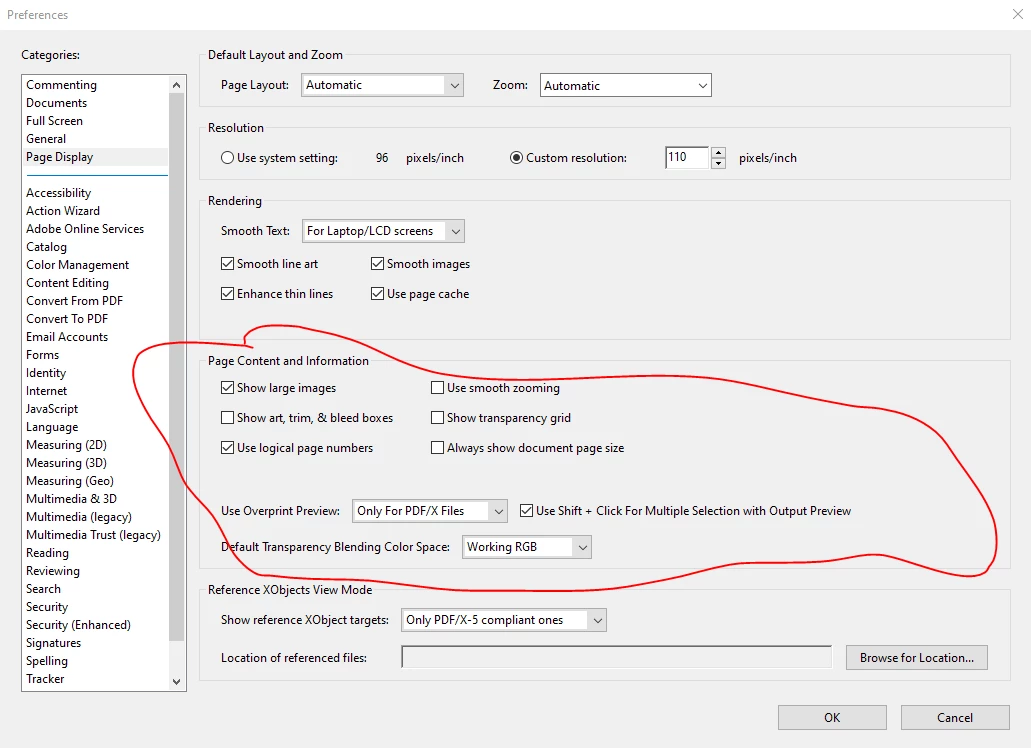
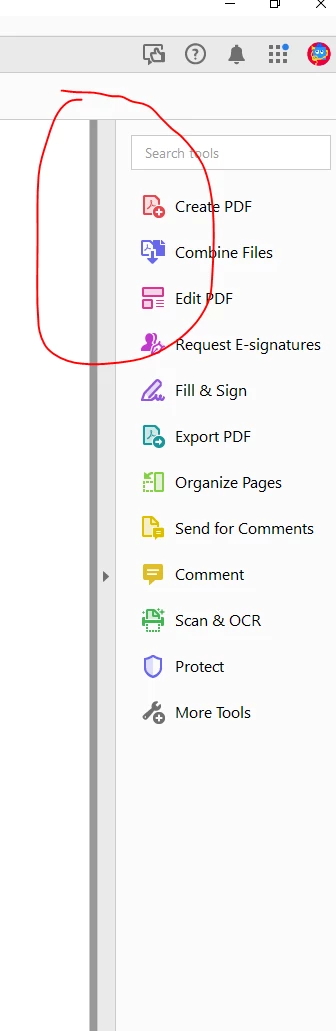
As can be seen below, there are NO scroll bars, even when hovering on the edge of the document.
I'm curious how to fix this and how Adobe managed to introduce such a significant bug into a recent "upgrade". Where is product testing?


 AdChoices