Participant
May 10, 2023
Answered

Adobe Acrobat Pro - Prepare form - Inserting an image box but no image appears

  • May 10, 2023
  • 2 replies
  • 2538 views

Hi all,

I'm hoping someone can help me. I have (I think) exhausted my search for an answer on how to get an image into a fillable PDF document. 

I am currently using Adobe Acrobat Pro.

So what I am doing is

- open my PDF document in Acrobat Pro.

- Click on Prepare Form

- Add my text fields

- Add an 'image' field

- Save 

- Gave it a name.


Opened it as a PDF

- clicked on image field and a dialogue box pops up

- browse and select image
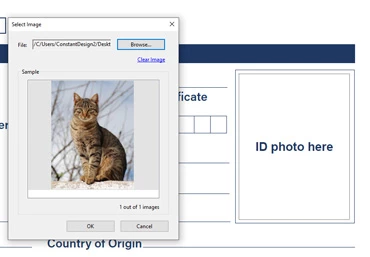
- click ok but then the box remains empty
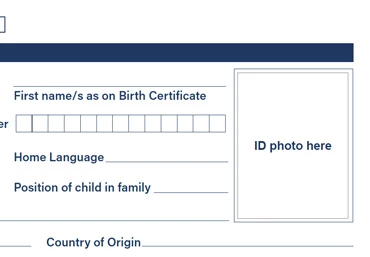
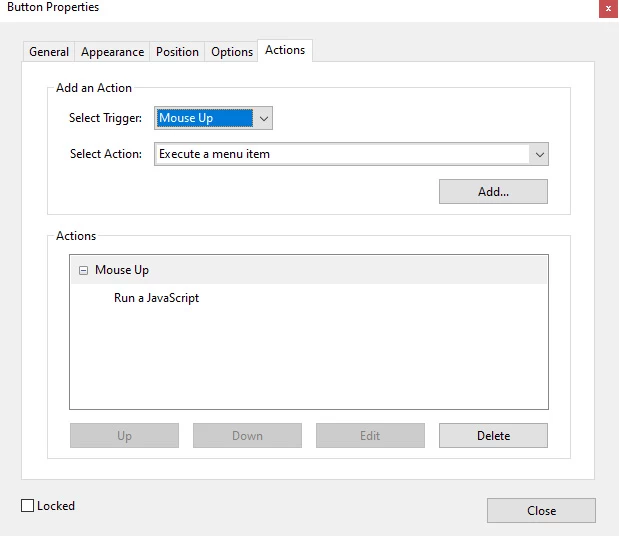
The below image shows the property of the button - I'm not sure if I've done something wrong. 
Please send through any adivse - I would greatly appreciate it. 

Thanking you in advance. 

Tehila

This topic has been closed for replies.
Correct answer Bernd Alheit

At the Options you have set the Layout to "Label only". This will display the label, not the image (icon).

2 replies

Bernd Alheit
Community Expert
Bernd AlheitCommunity ExpertCorrect answer
Community Expert
May 11, 2023

At the Options you have set the Layout to "Label only". This will display the label, not the image (icon).

Participant
May 11, 2023

Hi Bernd,


Thank you so much! That was exactly the issue and it is working now. I really appreciate your help!

Amal.
Community Manager
Community Manager
May 10, 2023

Hi @Tehila2981689176js 

Hope you are doing well and sorry to hear that

Is this an issue with a particular PDF file or with all the PDFs? Please try with a different PDF file and check. If the file is stored on a shared network/drive please download it to your computer locally and then try again.

Also, share the PDF file in question so that we can check it at our end.

What is the version of the Acrobat DC you are using? To check the version, go to Help > About Acrobat and make sure you have the recent version 23.01.2017x installed. Go to Help > Check for updates and reboot the computer once.

Also, try to repair the installation from the help menu (Win Only) and see if that works.

Please try to reset the Acrobat preferences as described here https://community.adobe.com/t5/acrobat-discussions/how-to-reset-acrobat-preference-settings-to-default/td-p/4792082


Let us know how it goes.


Regards

Amal

Participant
May 11, 2023

Hi Amal,


Thank you for your feedback. I tried to insert an image field on another pdf and it worked perfectly, so the problem is obviously with that specific pdf file. Please can you have a look (page 1) and see if you can pick anything up from there. 

The version I am using is 2023.001.20143.

I just want to check if you can see any issues before I try your other suggestions since it worked on a different pdf file.


Thanks again!