Participating Frequently
January 17, 2023
Question

Adobe DC fragen

  • January 17, 2023
  • 1 reply
  • 1706 views

Hi


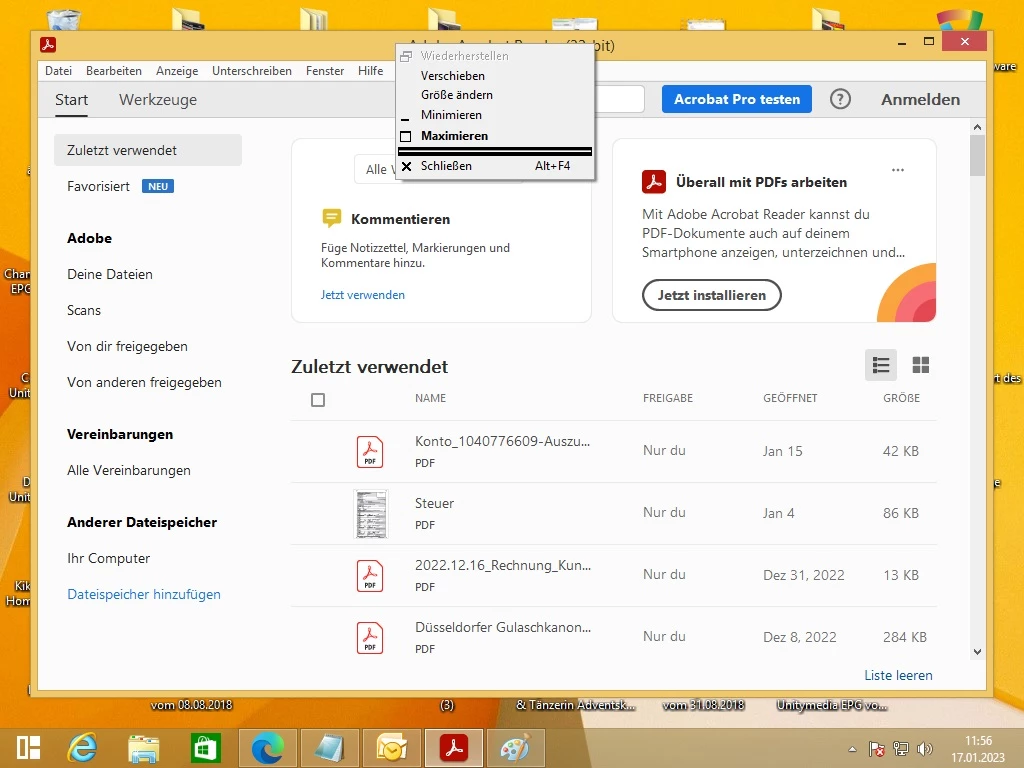
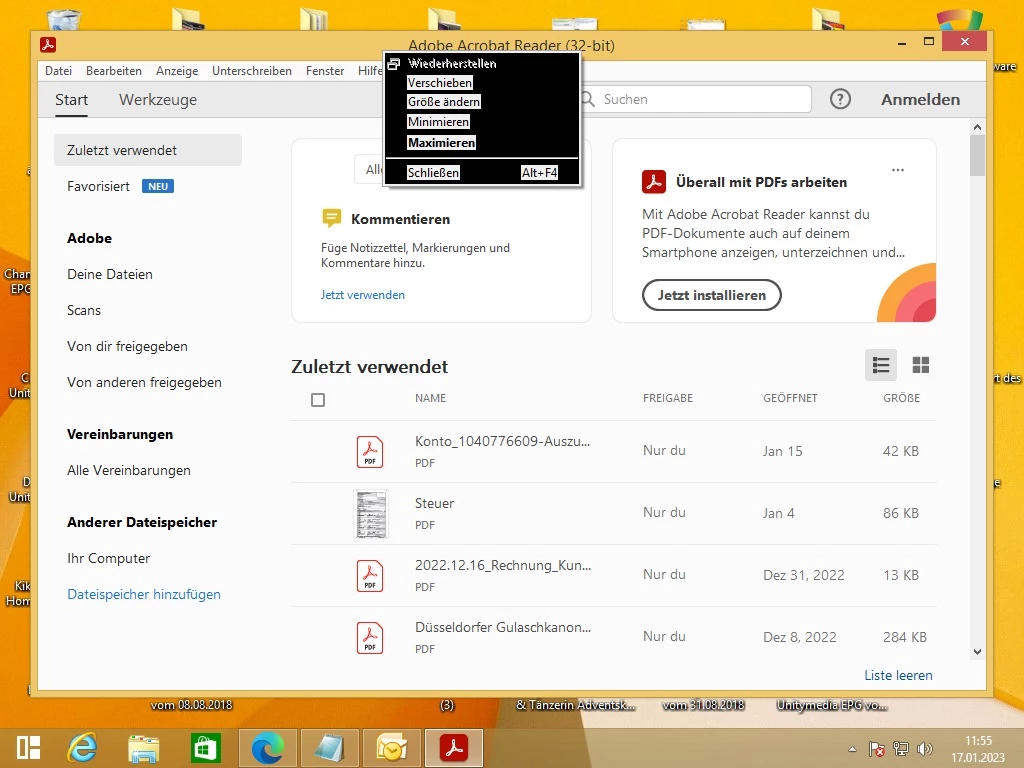
Ich habe wie auf den einen Bild einen schwarzen Hintergrund dieser wird aber heller wenn ich mit der Maus dadrüber gehe wie auf dem anderen Bild zu sehen ist


https://www.file-upload.net/download-15078148/AcroRd32.zip.html


https://www.file-upload.net/download-15078161/AdobeARM.zip.html


MfG


This topic has been closed for replies.

1 reply

Amal.
Community Manager
Community Manager
January 17, 2023

Hi @alexanderr88431145 


Hope you are doing well, and sorry for the trouble.


What is the workflow/steps you are doing that led you to this issue?


Have you started experiencing this issue after the recent Acrobat update? Please check the version of Acrobat. Go to Help. > About Acrobat and make sure you have the recent version 22.3.20310 installed. Go to Help > Check for updates and reboot the computer once.


It seems to be a Windows OS issue. Please check for any missing/pending updates on Windows OS and try updating it and see if that works.


Let us know how it goes.


Regards

Amal


Participating Frequently
January 17, 2023

Hi


Danke schön für die Infos


Ja Adobe DC ist aktuell


Und mein Windows 8.1 64 Bit ist auch aktuell dieses Fehlerbild habe ich erst seit dem Januar 2023 Patchday von euch und Microsoft davor noch nichgt


MfG

Amal.
Community Manager
Community Manager
January 19, 2023

Hi @alexanderr88431145 


We are sorry to hear that.


Please try to repair the installation from the help menu (Win Only) and see if that works.

Please try to reset the Acrobat preferences as described here https://community.adobe.com/t5/acrobat-discussions/how-to-reset-acrobat-preference-settings-to-default/td-p/4792082

You may also try to create a new test user profile with full admin rights in Win and try using the application there and check.


If it still doesn't work, please remove the application using the Acrobat cleaner tool https://www.adobe.com/devnet-docs/acrobatetk/tools/Labs/cleaner.html , reboot the computer once, and reinstall the application using the direct link
https://helpx.adobe.com/acrobat/kb/acrobat-dc-downloads.html


For info about the system requirements, please go through the help page https://helpx.adobe.com/acrobat/system-requirements.html


Regards
Amal