I can no longer drag pages from the Pages Thumbnail sidebar onto my desktop to make a new PDF of those pages. I haven't tried to do this since the last update came through... Is anybody else experiencing this?
It's extremely slow and frustrating having to manually right click extract, select the pages, open it in a new adobe window, then have to save the file through the menu.
I see the original post is 5 years old, so maybe this isn’t the same issue, but in case it helps someone, after about a month of troubleshooting with a user we identified an issue between Adobe Acrobat and Windows 11 that was resulting in similar symptoms. We could only reproduce the issue on that user’s computer, and sometimes it would work fine.
Here’s what the user was trying to do: From the Organize Pages tool, she was attempting to drag a page out of the PDF and into a File Explorer window to create a new PDF. We tried all kinds of suggestions from this thread and other similar ones, but none were consistent.
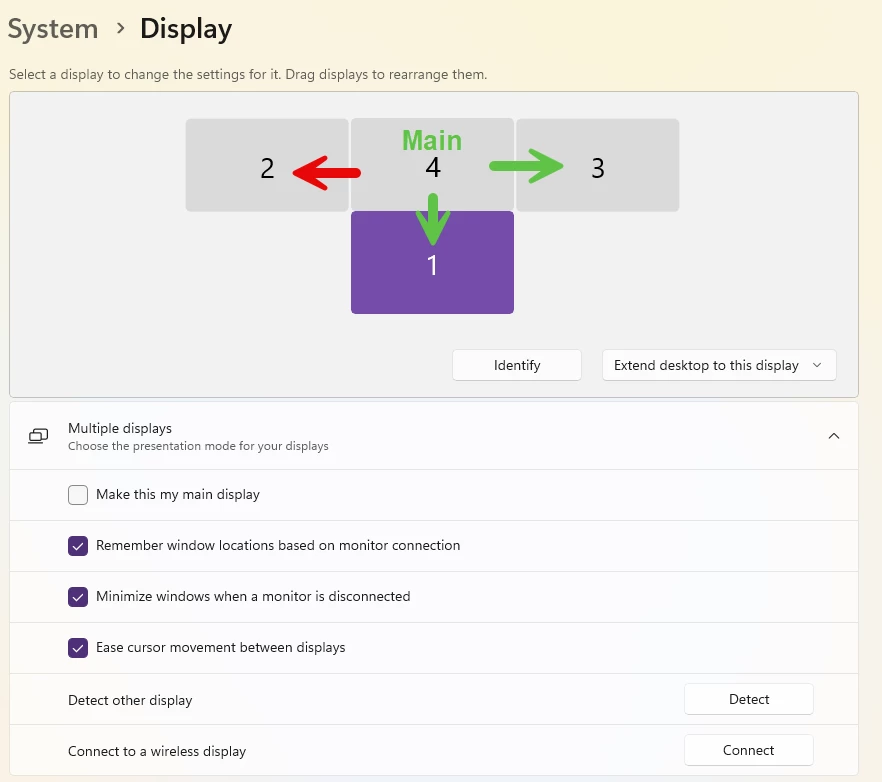
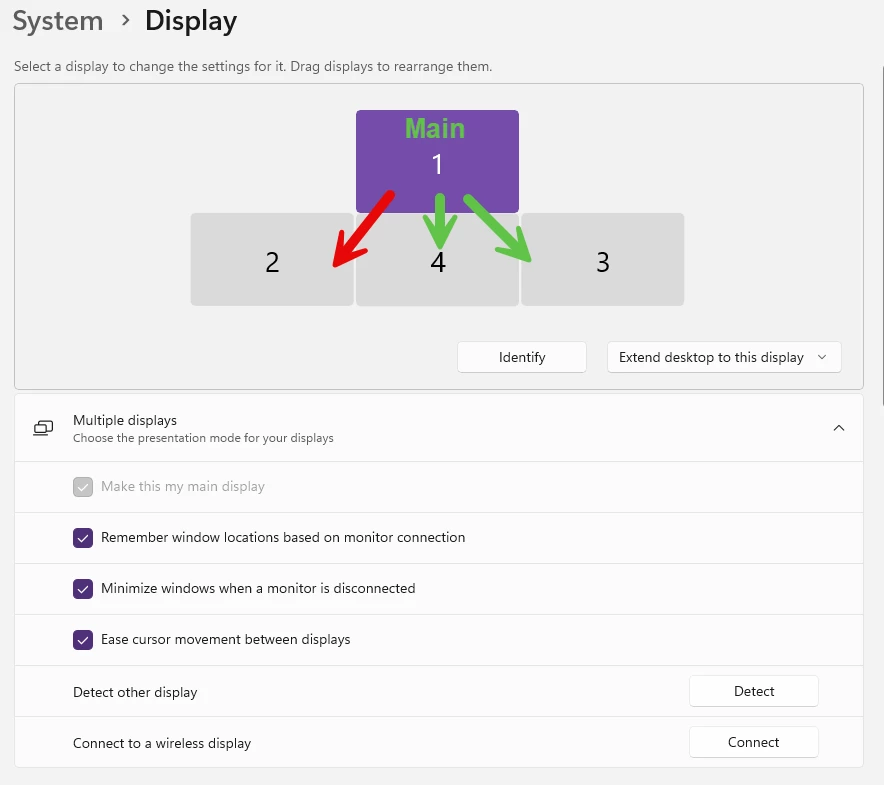
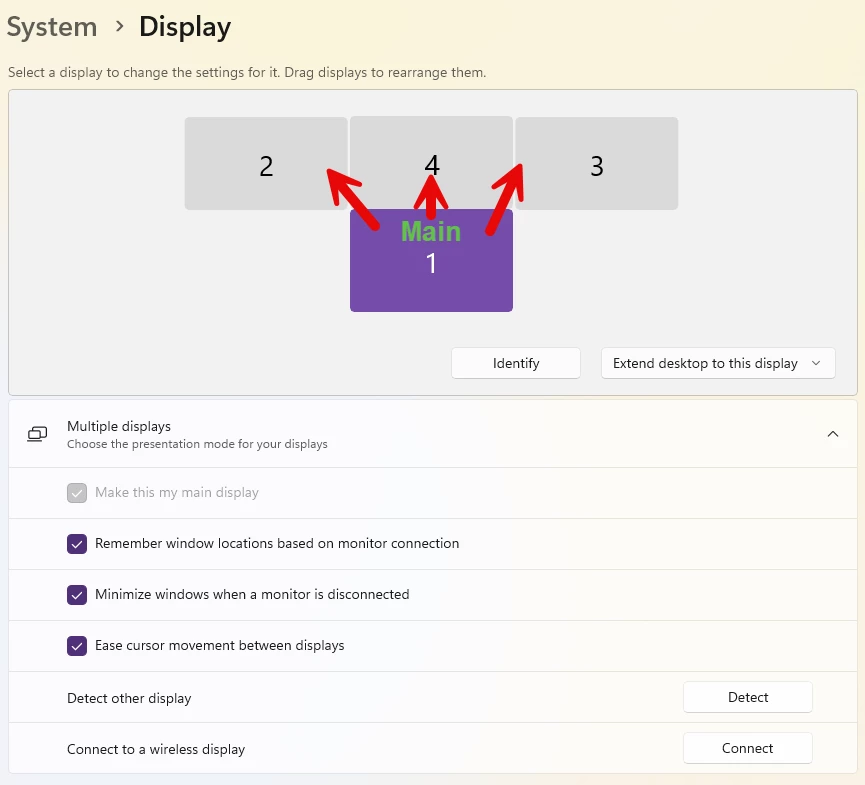
Ultimately, this is what we identified was causing the issue for her, and allowed me to reproduce the issue on my computer and others as well: On a Windows 11 computer, if you have more than one display, we had to set the far left , and top most display as the “Main Display”. If your “main display” is below or to the right of any other displays, it seems to break the click and drag as soon as you drag past the left or top edge towards the other display. I’m finding it difficult to explain that properly, so below are a few images showing display layouts I tried, and the results I received for those layouts. I indicate which display is set as the Main Display; I use a green arrow to indicate which screens I can drag to for that layout; and I use red arrows to indicate the screens I can’t drag to with that layout.
Hopefully someone else can use this information to actually solve the root cause, but in the meantime, my workaround for that user was to set her far left display (she had 3 total) as the Main Display, and that allowed the drag and drop feature to work on all 3 displays.
This had me incredibly frustrated for hours. I had all of the security settings correct but still could not drag and drop. Then I noticed the hand cursor turned to an arrow as I approached the edge of the page in preview mode. Once the cursor was an arrow I was able to click and drag. Not sure it's the same for everyone but for me, you can only click and drag by clicking on the border of a page on preview mode. Same for actually moving pages within the pdf in preview mode. Hope this helps.
Same problem here started on Monday. No security - all allowed. Not PW protected. Not working on any files. Have to export or print to pull one page into new file.




 AdChoices