
Participant
July 25, 2023
Question

Default mail program not recognized

  • July 25, 2023
  • 1 reply
  • 325 views

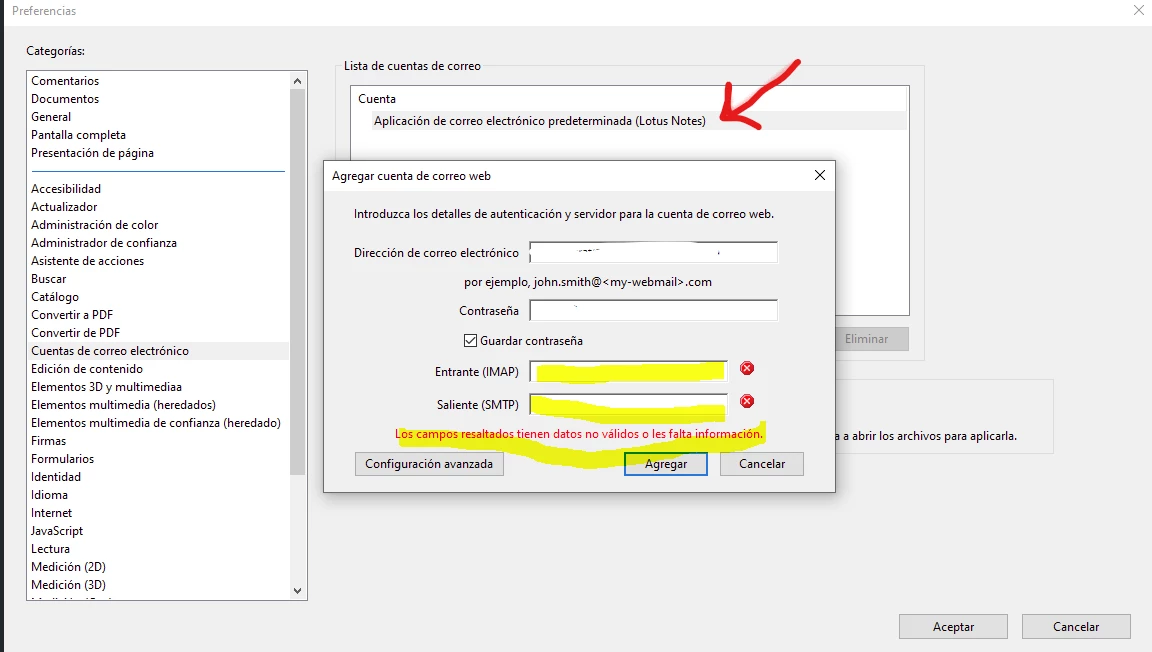
For some reason, the default mail client (Outlook in this case) is not recognized, and only the Lotus Notus client shows in the preferences.
 

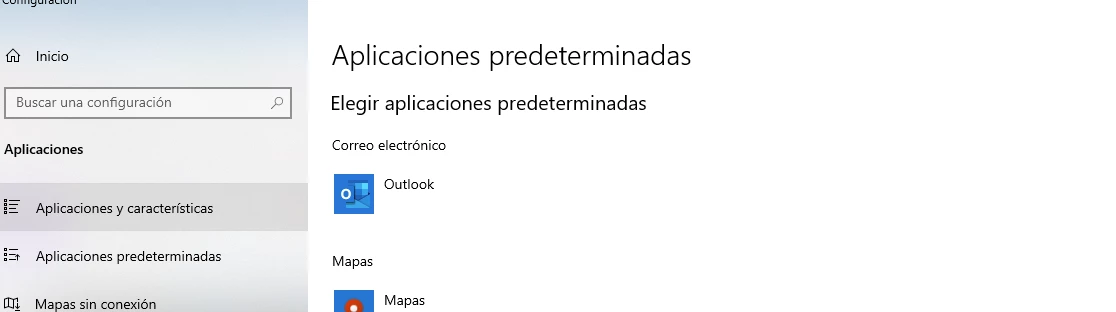
Default is set to oulook in Windows 10:
Originally, all apps where 32bit versions.

I've removed Adobe Acrobat and Office, and reinstalled 64bit versions of both. Problem Persist.


Saw similar unresolved issues in the community..

Please solve this.


regards

This topic has been closed for replies.

1 reply

Amal.
Legend
July 25, 2023

Hi @Hans312830980oiu 

Hope you are doing well and sorry to hear that


What is the version of the Acrobat DC you are using? To check the version go to Help > About Acrobat and make sure you have the recent version 23.03.20244 installed. Go to Help > Check for updates and reboot the computer once.

Also try to repair the installation from the help menu (Win Only) and see if that works.

Please try to reset the Acrobat preferences as described here https://community.adobe.com/t5/acrobat-discussions/how-to-reset-acrobat-preference-settings-to-default/td-p/4792082 and check


If it still doesn't work, please remove the application using the Acrobat cleaner tool https://www.adobe.com/devnet-docs/acrobatetk/tools/Labs/cleaner.html  , reboot the computer once and reinstall the application using the direct link
https://helpx.adobe.com/acrobat/kb/acrobat-dc-downloads.html


Let us know how it goes


Regards

Amal


Participant
September 1, 2023

Hi, update: the cleaner tool didn't resolve the issue. It's still not showing the Outlook client.

Any other ideas?

regards