Participant
March 31, 2024
Répondu

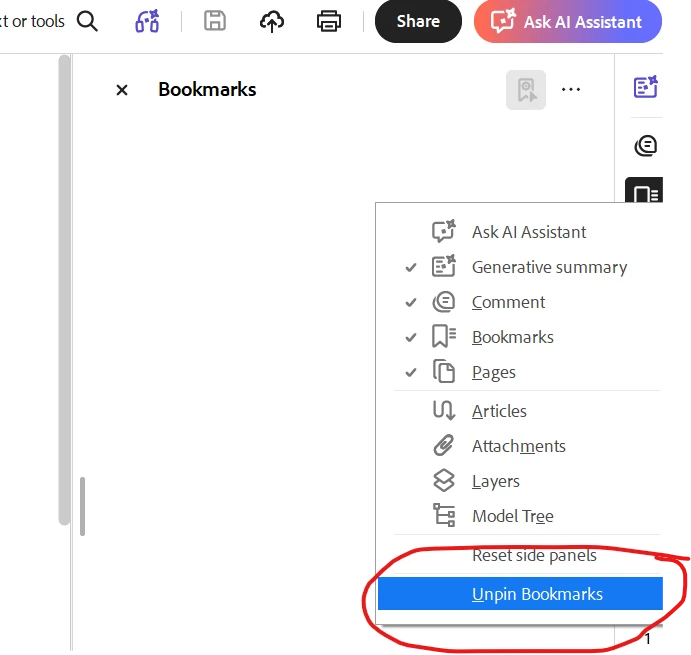
Disable "Bookmarks" Side Panel whenever opening a PDF

I would like the "Bookmarks" panel to NOT open when I first open an Adobe PDF.  How do I accomplish this?

Meilleure réponse par afrazminhas

Right click on right bar where you see bookmark with other icons and select “UNPIN BOOKMARK”, and close bookmark pane manually. it wont open bydefault again when you open pdf. Problem solved. 

Thanks

Afraz


50 commentaires

BarlaeDC
Community Expert
Community Expert
April 1, 2024

HI,


If you go to the properties of the document and select "Initial View" then you can set what should happen on the PDF opening.


Dave Creamer of IDEAS
Community Expert
Community Expert
October 16, 2025

This would work as long as you can save the document. If it is protected, it won't "stick".


David Creamer: Community Expert (ACI and ACE 1995-2023)