
Participant
April 29, 2021
Question

Error Saving When Using 'Organise Pages'

  • April 29, 2021
  • 2 replies
  • 836 views

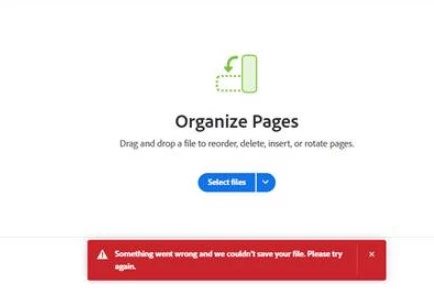
I am having trouble saving certain documents after re-arranging them using the 'Organise Pages' feature. It looks like it tries to load but at the last stage it fails to save and the below error appears. Error says 'something went wrong and we couldn't save your file. please try again' 


I have tried making a copy of the document and trying again but no effect. 

This also doesn't affect every document 

I have used this feature many times before. 


For clarity, this running via Windows Server 2016 Datacentre 


This topic has been closed for replies.

2 replies

Amal.
Legend
April 25, 2024

Hi there


Have started experiencing this issue recently?


Hi there

Hope you are doing well and sorry to hear that

Is this an issue with a particular PDF file or with all the PDFs? Please try with a different PDF file and check. If the file is stored on a shared network/drive please download it to your computer locally and then try again.

What is the version of the OS and the Acrobat DC you are using? To check the version go to Help > About Acrobat and make sure you have the recent version 24.02.20687 installed. Go to Help > Check for updates and reboot the computer once.

Also try to repair the installation from the help menu (Win Only) and see if that works.

Please try to reset the Acrobat preferences as described here https://community.adobe.com/t5/acrobat-discussions/how-to-reset-acrobat-preference-settings-to-default/td-p/4792082 and see if that works.


~Amal

Participant
April 25, 2024

I have this too