
Participant
April 9, 2015
Answered

File preview thumbnails aren't working for Acrobat DC files in Windows Explorer

  • April 9, 2015
  • 60 replies
  • 247112 views

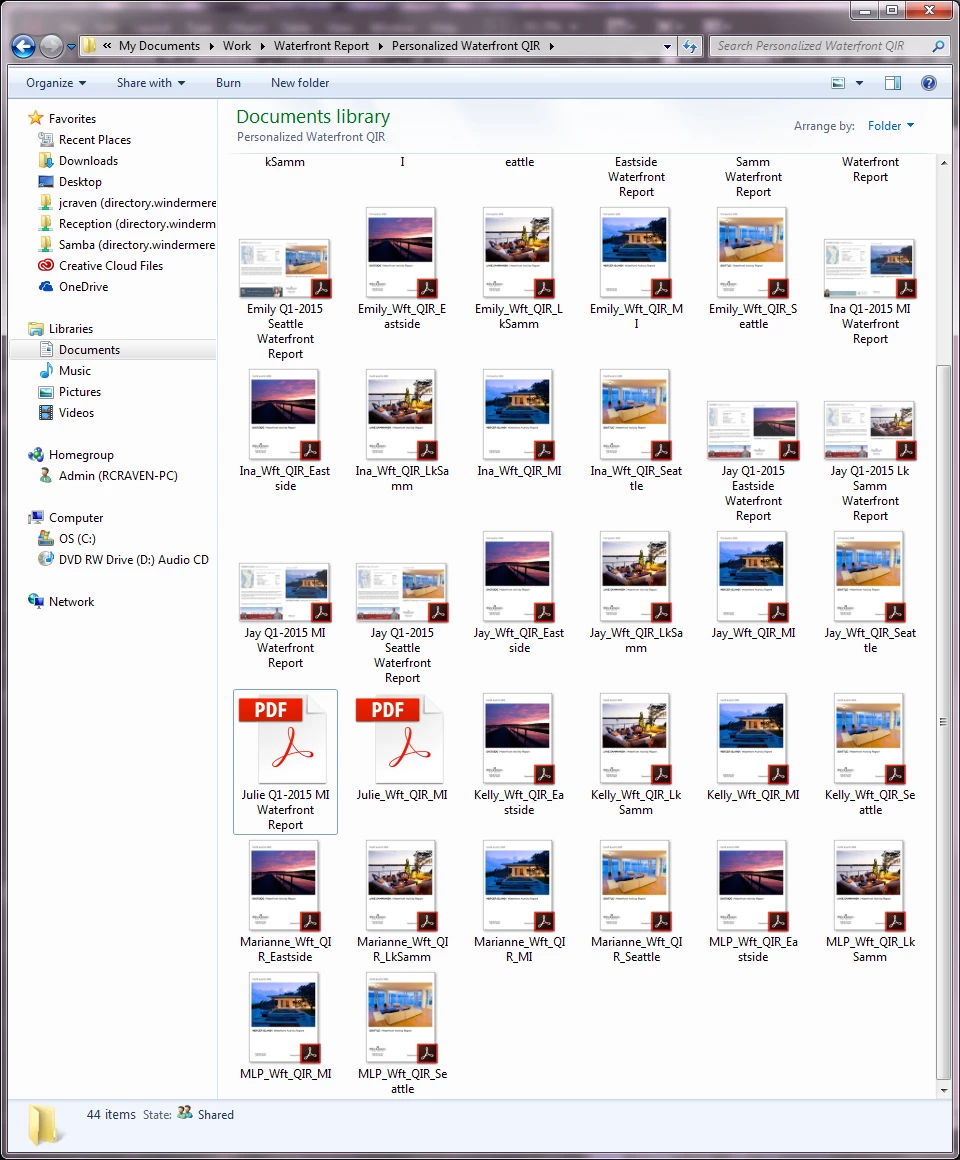
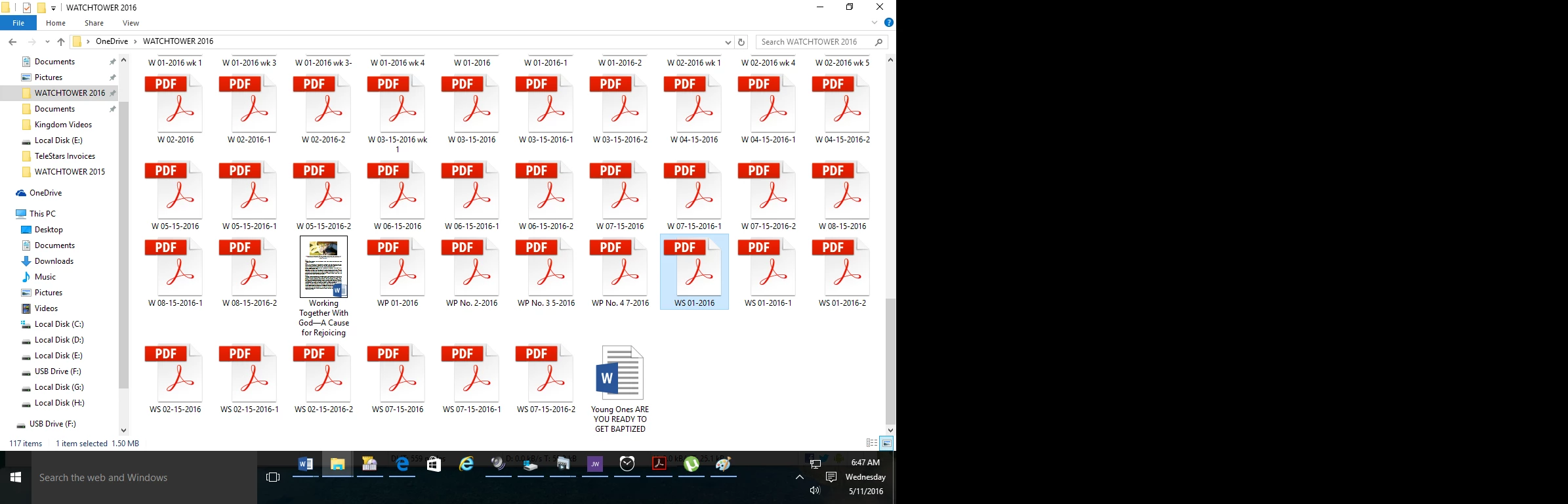
I just upgraded from Acrobat XI to Acrobat DC on Windows 7, and now any new PDFs I create display with a generic PDF icon rather than a thumbnail preview of the file.  Files created in Acrobat XI are displaying correctly (see screenshot).  Is anyone else experiencing this and is there a resolution?
This topic has been closed for replies.
Correct answer AshuMittal9644438

Yeah, this is still what I get!


Hi djbilly

This was fixed in our update released yesterday. Make sure you are on the latest update by visiting Help > Check for updates.

Next, to enable thumbnail previews go to Preferences > General and then select Enable PDF thumbnail previews in Windows Explorer.

Thanks,

-ashu

60 replies

gebhardc51546901
Participant
April 5, 2016

Hi, no problem! I'd the same problem and I got the following very good solution in the WWW: Download Foxit Reader - and all the missed Thumbs are back under acrobat reader DC!!! It's very simple!!! Good luck!!!

Participating Frequently
April 5, 2016

Is it not weird that the superpower that is Adobe is defeated by a feature that Foxit can deliver on?

gebhardc51546901
Participant
April 6, 2016

Yes, really. And the "Foxit"-solution is so very simple - You only must know about it. Now nobody has to wait, until Adobe give us a fix for that problem - if they do sometimes...

Participating Frequently
April 3, 2016

Is there a preview thumbnail solution?

I won't install Acrobat DC 64bit without it.

Rave
Community Manager
Community Manager
April 4, 2016

Hi All,

We are working on the thumbnail implementation on 64 bit machine in our next quarterly update.

Regards,
Rave

Participating Frequently
April 14, 2016

I hope so!  I have too many .pdf to be looking at adobe logos and reading each name to determine which file to open.

For a subscription, I should get what I need to work.  Thank you.

Participating Frequently
January 21, 2016

I can't answer for anyone else's situation, but "the foxit thing" works, IF you do it right.

1. Uninstall any and all adobe reader programs

     a. I use RevoUninstaller Pro to uninstall adobe, because there are a ton of residual files deep in the registry. Use the "Advanced" button to scan for the leftover files.

2. If you have installed "FoxIt", use Revo to uninstall that, as well.

3. Reboot your system.

4. Install "FoxIt PDF Reader", and set it as "default". The installer will prompt you to do that.

5. Go to your PDF folder, and you should see the thumbnails there.

6. Install the latest version of Adobe Reader DC. It, too, will ask you to set it to default. Click "No", or "Cancel", to get past that box. Proceed with the install.

7. After the program/App has installed, go back to your PDF folder, and right click on any thumbnail. Choose the "Open with..." prompt, and choose Adobe Reader DC. All of the PDF's will default to Adobe, and they will remain there. Any new PDF's will display the thumbnails immediately.

That worked for me in Windows 7, 8, 8.1, and now, 10.

Note: In "FoxIt", choose to NOT update. Unless, of course, you decide to use it as a backup, as Adobe has a crash issue on all of my systems.

January 21, 2016

I didn't use RevoUninstaller, I used the Adobe Reader Cleaner.

Anyhow, your instructions are/were useful and I finally ended up installing the DC version.

All works fine with Foxit installed.

Thanks.

Still, it is RIDICULOUS that we are forced to install another program for the sole purpose of having the thumbnail previews appear.

Participating Frequently
January 22, 2016

Yes, it IS ridiculous that Adobe would be so callous as to just ignore PLEAS of it's customers for help. But, that is what it is...

Known Participant
January 21, 2016

Genius! Thank you SO MUCH! A lot of the fixes I was finding were for Windows 7, but I'm now on Windows 10. This fix worked PERFECT!

So nice to have the previews back!

Inspiring
January 15, 2016

I just installed  Adobe Reader DC 15.010.20056 64 bits.

The option "Enable PDF Thumbnails in Windows Explorer" is still missing !!!

This option was implemented in the build 2015.009.20069 of Adobe Reader DC 32 bits version.

ADOBE, we are all waiting for this basic capability since long time now.

Please !!!

Participant
January 15, 2016

Rubbish isn't it, in the meantime I have tried Foxit and no thumbnails, SageThumbs but that doesn't work, MysticThumbs does work but you have to pay for it but get thumbnails for all files pretty much so I may just run with that as an eps thumbnail along with pdf etc is very handy!

MikeWierz
Participant
January 11, 2016

Previewing files in the Finder is VERY important to me as well. Pretty much ALL other programs can be previewed - please fix this Mr. Adobe !!

January 11, 2016

For now I've given up.

I went back to using version XI with this fix (so you can see thumbnails) for 64-bit computers:

http://www.pretentiousname.com/adobe_pdf_x64_fix/Adobe_Reader_x64_fixes_v3_001_installer.zip

*Tip:

Delete the appropriate Adobe Acrobat or Reader folders & files in your AppData folder when wanting to install other versions of Adobe Reader. Or like me, you might have issues installing.

On Windows 7 machines, AppData can be found by typing %appdata% in the Run command.

Participant
January 8, 2016

I agree with SignLine in thread 165.

Adobe have never bothered to make this work for 64bit windows since its widespread use over seven years ago. Now the Fix Handler does not appear to work either for me.  Even more annouying.

Thread 171 above is very optimistic in believing they will actually get this working.

The preview in windows explorer is also terrible as it locks the file so edits, overwrites are always a battle.

Certainly would not use my own money to buy this software.

Inspiring
December 17, 2015

This is ridiculous!

I just got a new computer and upgraded from CS6 to CC 2015

For some reason Windows 10 is not showing me my pdf thumbnails! how weird...!

Until I chanced on this thread which enlightened me that it's Adobe who decided to remove it. I am going bananas - I cant find anything. Instead everything is just this one generic icon - its painful! And all because I decided to pay for CC!!!

I've tried all the suggestions in this thread, for some reason nothing worked for me.

Actually, the only thing that did work was totally uninstalling Acrobat DC etc. but when I reinstalled it (because I need it for workflow), I lost all thumbnails again!

Are there any more suggestions? Guidance? Adobe? (Just add that little checkbox already in the 64 bit version and we'll all be happy!)

Participant
December 17, 2015

I installed foxit and it fixed the thumbnails back to where I could see them again

Sent from poppa bear

Inspiring
December 17, 2015

Just installing Foxit did it for you? Nothing else?

You didnt have to uninstall DC?

Did you have to install any other codecs or fixes?

Which Windows are you running?

This is driving me nuts!

Sam_G
Participant
December 15, 2015

Just had an uneventful discussion with support on this matter. The most I could get out of the person was "Acrobat DC does not contain this feature." I have the transcripts of the discussion if anyone is curious, but Adobe appear to give two craps about this feature and the impact to it's paying and non-paying customers.

Sad that my employer just bought me Acrobat DC Standard and this version is missing a very popular feature from prior versions. Looks like it's time to find a working alternative. Shame on you Acrobat dev team.

December 16, 2015

Please share, if you wish.

Yes, they don't care because it would take them minutes to resolve the issue and restore the damn thumbs!

People work with loads of PDFs and the thumbs are (were) there to make it easier for us to find what we need, when we need it.

But, as many have said over and over again, ADOBE DON'T CARE WHAT WE THINK.

Well know what Adobe? WE WILL STOP CARING ABOUT YOU!

P.S. I will NEVER pay for one of their products. Always have used free versions of Reader, etc.

       What's “great” is now it seems we can't even download the older version since it gives install problems.... PATHETIC.

Participant
December 11, 2015

Found a work around installed Foxit reader and it will repopulate the thumbnails since adobe does not care.