
Participant
April 9, 2015
Answered

File preview thumbnails aren't working for Acrobat DC files in Windows Explorer

  • April 9, 2015
  • 60 replies
  • 247026 views

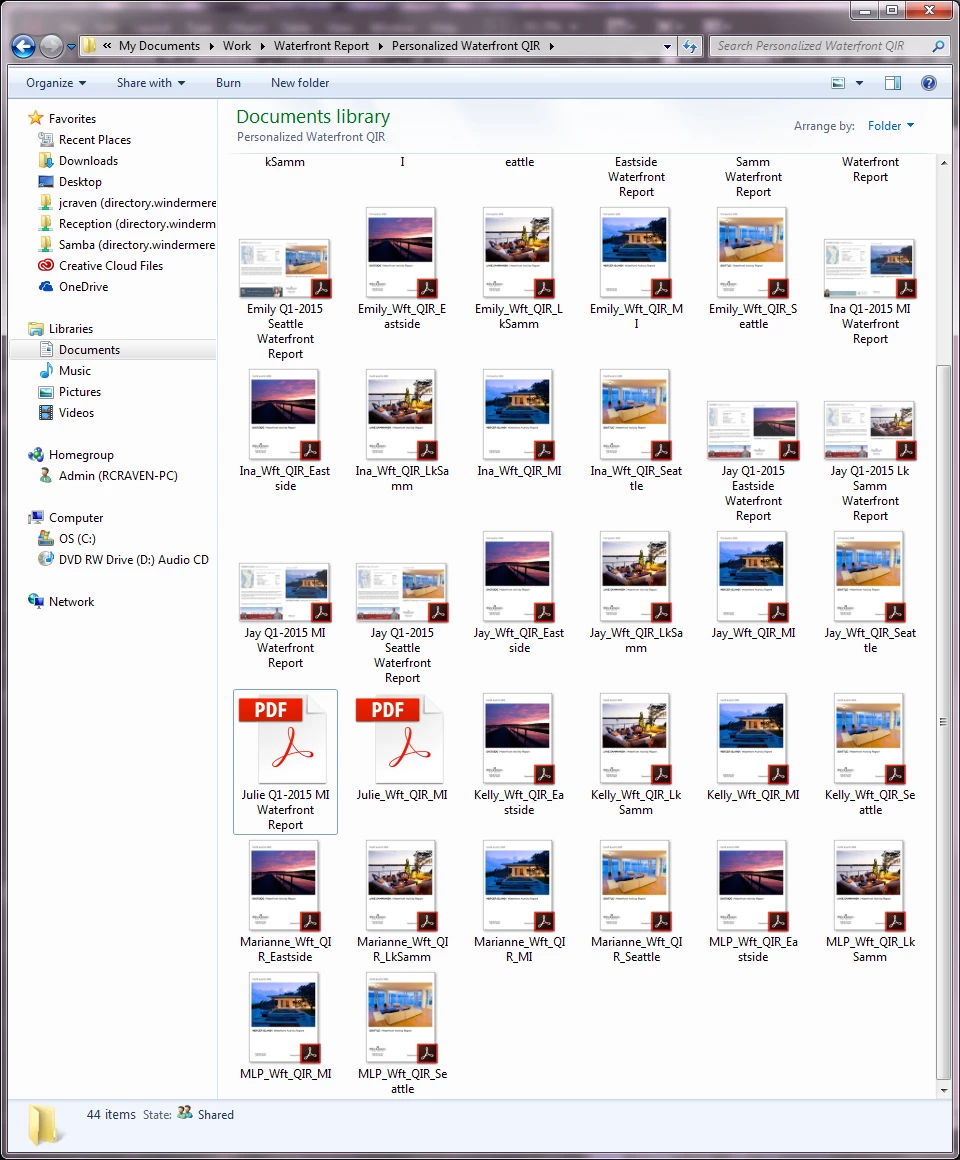
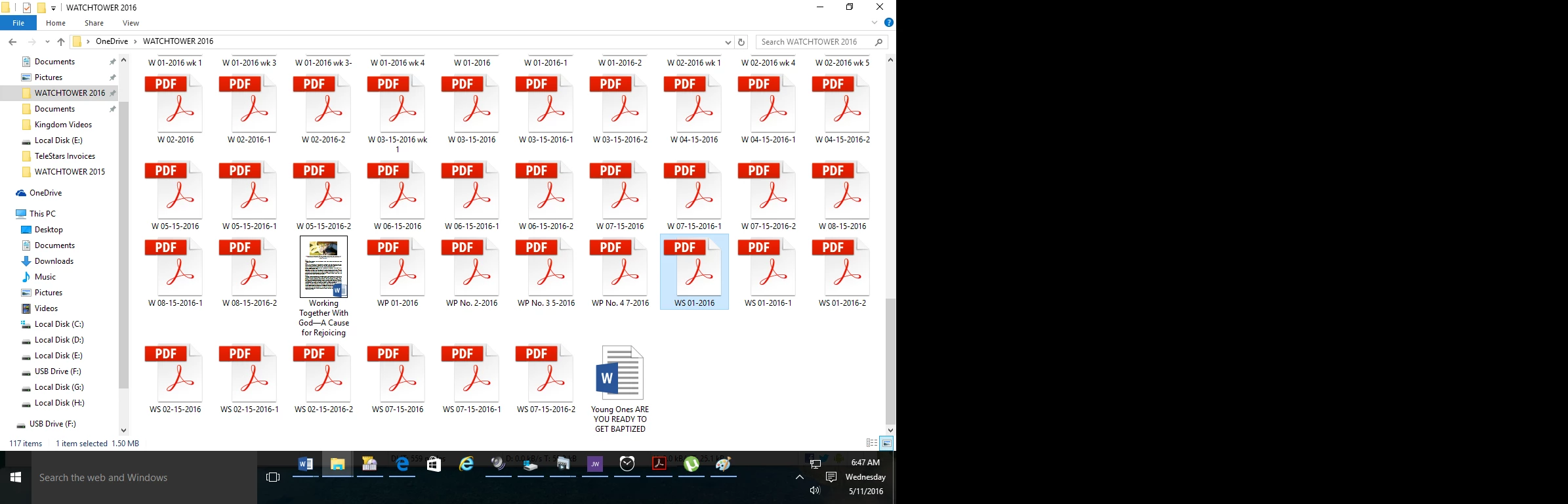
I just upgraded from Acrobat XI to Acrobat DC on Windows 7, and now any new PDFs I create display with a generic PDF icon rather than a thumbnail preview of the file.  Files created in Acrobat XI are displaying correctly (see screenshot).  Is anyone else experiencing this and is there a resolution?
This topic has been closed for replies.
Correct answer AshuMittal9644438

Yeah, this is still what I get!


Hi djbilly

This was fixed in our update released yesterday. Make sure you are on the latest update by visiting Help > Check for updates.

Next, to enable thumbnail previews go to Preferences > General and then select Enable PDF thumbnail previews in Windows Explorer.

Thanks,

-ashu

60 replies

Perpetual_Writer
Participant
December 2, 2015

Your comment

"Since you didn't leave that option open i am informing you that as a customer i am leaving all your products and switching to other solutions untill further notice.

and regards with hope that in the future you will have more understanding for your customers' needs."

The problem is -- I don't think Adobe is monitoring this important thread anymore.  And, frankly, I don't think they care about this important productivity issue.   I uploaded Foxit (thanks folks).   They seem to have a handle on this and it has some other functionality.  For instance, I like that they call Mail (to send the PDF) "Share" .  Very 2016 Soc Media --   There are some shortcomings like having to take an extra step to get to My Files. This thread was helpful.

Perpetual_Writer
Participant
November 28, 2015

Adobe should be ashamed.   Productivity has been totally ignored.   Thanks to Tim, I added Foxit Reader.   I have Adobe 10 Pro with thousands of PDF files.  It's impossible to view the correct files without preview.  What were they thinking?  They were not thinking.  I agree with one post that said, "This is so Microsoft. Not Adobe."

Foxit Reader is the solution in case you are late to this thread.

At least for now.

And there is not a "preferences" in 10 Pro.  So, I'm assuming there has not been a fix for all products, as of yet.  

Participating Frequently
November 25, 2015

Pathetic: This is the second time I've had to find a work around to make thumbnails visible. There should have been a huge warning when the upgrade was brought in. THIS VERSION WILL  So annoying! The basis of pdf is that is a cross platform format. For that to be thumbnails are an essential component. Going back to previous version and will turn off auto-updates until Adobe comes up with a solution.

Sachin Soni
Adobe Employee
Adobe Employee
November 19, 2015

Hi,

We would like to let you know that support for PDF Thumbnails on 32 bit system is already available with the October release of Acrobat DC and we are working on adding the support of the same for 64 bit system

Thanks & Regards

Sachin Soni

November 19, 2015

good news, I'm waiting for 64 bits, while this doesn't come, foxtit reader is the option

November 15, 2015

Software is continuously changed and adapted to suit the user - in this case NOT!!! Adobe DC with no thumbnails is a problem that Adobe needs to fix and soon!! Thanks for all the comments posted, I have chosen to keep Adobe but have reverted to version XI and installed the plugin as I had before to work with 64-bit AND I ticked the manual update box so until this is fixed, no more updates. Please Adobe, please listen to your users.

November 15, 2015

Sorry, dear users, but the tips I had gave here of mixing versions "suddenly didn't function any more, so, I came back to zero stage, no Thumbnails. Going to Plan B: Foxtit reader ( I hope it function better than Adobe DC). I have too much books in many HDS, and can't survive in my work without thumbnails.

Participant
November 14, 2015

FIX IT, ALL I'M HEARING IS EXCUSES.

YOU TOOK IT OUT, NOW TAKE THAT HEXIDECIMAL CODE AND PUT IT BACK IN.

Participant
November 10, 2015

THIS IS BEYOND UNACCEPTABLE THIS MAKES ADOBE USELESS.  Your programmers are  IDIOTS.  Every time a "new" but never improved version comes out you cram is garbage that no one will use and break the function of the most useful options. I swear you must have a circle jerk and and plan on how you can design the most useless aggravating piece of garbage you and and pass it off as something everyone needs. 

whocandothis
Participant
November 10, 2015

I can understand your frustration mantis01. Likewise.

Switch to FotIt like I did. I've been using it for a few weeks now. The PDF printer offers more options and smaller file size. The Extra Large Icons are back. The task bar is personalised (my problem with Adobe is the "rotate left" was on the right and the "rotate right" was on the left .. Americans ....) so all in all it seems much better.

I haven't purchased the editor software but maybe later.

lynnb54567344
Participant
November 8, 2015

Well like others I did the foxit fix. But hmmmmmm now that I have it maybe I'll explore it. Nothing like sending us running to a competitor.

November 8, 2015

foxtit would be my next option, if i hadn't solve the problem

November 7, 2015

Hi all, greetings from Brazil. I had a acrobat XI Pro on my PC with thumbnail installed. I have 11 TB in books in several HDs. M ost of my books aren't identified with correct title names, for this reason thumbnail is fundamental for me. This week I received Adobe notification to update my XI version and for my surprise I received the new DC version, much more cooler than XI, but as Adobe always do with a new product without the thumbnail. I think I solved the problem (at least mine) the PC will be heavier than  before, but functions until the thumbnail to DC version appear.

After install the new Acrobat DC (you will see thumbnails will vanish), than just re-install the XI pro again, you will have the two versions installed XI and DC, restart the PC, and automatically will mix the two versions, and the thumbnails will appear again. I'm saved Thanks heaven thumbnail exist. Good luck you all