
Participant
May 26, 2022
Question

Fill and Sign will not save read only pdf

  • May 26, 2022
  • 1 reply
  • 1240 views

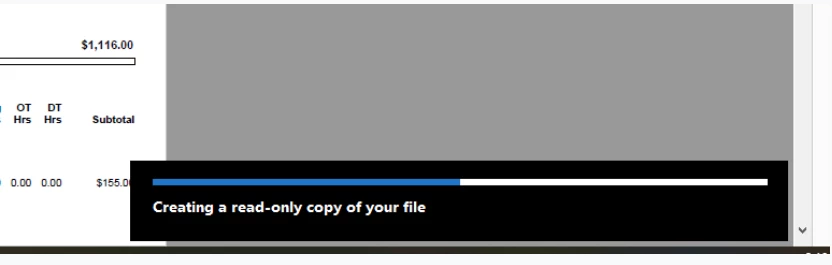
My system doesn’t allow me to save/create a read only pdf for when I’m signing documents.
After I hit save, the below pops up in the bottom right corner and sits that way for several minutes.   It’s currently been on my screen this way for 10 minutes showing halfway complete.
 

This topic has been closed for replies.

1 reply

Amal.
Community Manager
Community Manager
May 26, 2022

Hi there


Hope you are doing well and sorry to hear that.


Is this an issue with a particular PDF file or with all the PDFs? Please try with a different PDF file and check. If the file is stored on a shared network/drive, please download it to your computer locally and then try again.


Would you mind sharing the version of the Acrobat DC you are using? To check the version go to Help > About Acrobat and make sure you have the recent version installed. Go to Help > Check for updates and reboot the computer once.


Also try to repair the installation from the help menu (Win Only) and check.


Also please try to logout of the application reboot the computer once and relogin and check.You may also try to reset the Acrobat preferences as described here https://community.adobe.com/t5/acrobat-discussions/how-to-reset-acrobat-preference-settings-to-default/td-p/4792082


Regards

Amal

Dewaldt5E28
Participating Frequently
July 11, 2023

Here is the solution:


https://youtu.be/Z5vh6kQ_vHU