Participant
August 21, 2023
Question

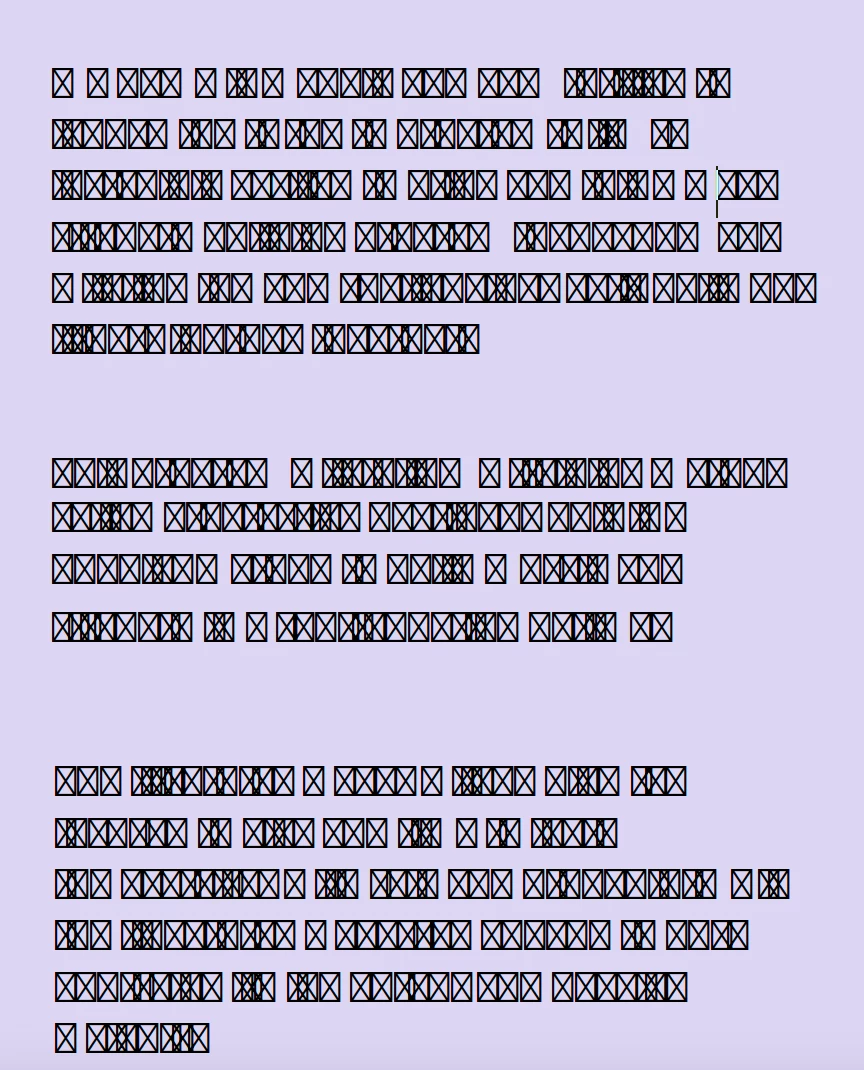
HELP! Text turned to boxes with x's through them

  • August 21, 2023
  • 2 replies
  • 7907 views

Hi all,

The text on my adobe acrobat PDF i am working on turned into this! Let me know how i can fix this.



2 replies

Participant
August 29, 2024

This is crazy. Getting the same issue with boxes. Every since last week when we got a message in Acrobat stating: Type 1 fonts will no longer be supported starting 2023. Your document contains Type 1 fonts. We get PDF files most of the time from our clients and Arial MT/Courier New SOMETIMES comes over with those boxes but always EMBEDDED. How is this possible????? I can remap font in PDF but need to know why this is happening. I also tried to Repair Installation and think it did it but not positive. HELP! LOL

S_S
Community Manager
Community Manager
September 10, 2024

Hi @Dawn33168716mn47,


Hope you are doing well. Sorry for your experience with Acrobat!


We released an update that contained a fix for this issue with rendering Type 1 fonts(ver. 2024.003.20054). Would you mind updating the application to the latest version and letting us know if that worked?


Also, if these are not Type1 and you still see the issue, please share a screenshot of the view you see and the Document Properties-> Font tab, so we can get it checked.


-Souvik

Participant
December 20, 2024

Hello Everyone, 


We are live with the next release(2024.003.20112).


Please update the app to the latest version and let us know if the issue is fixed.


Thanks,

Souvik


Hello! I am getting this issue and when I check for updates it says there are none and that version (24.005.20320) is installed. I am getting this issue when I copy text from a google doc. Any thing I can do? Thank you!

Bevi Chagnon - PubCom.com
Legend
August 21, 2023

The "tofu" boxes with X indicate that the fonts used in the original source file (such as in MS Word) were not embedded into the PDF when it was exported.


Three solutions:

  1. Figure out which fonts are missing in the PDF and install them on your computer. You can view the PDF's fonts in File / Properties / Fonts tag.
  2. Return to the original source file (MS Word or something else), and re-export the document to PDF, this time checking the options to embed all fonts.
  3. You can try to force-embed the fonts into the PDF with Acrobat's built-in Preflight utility, but you may or may not have the original fonts on your computer to do that.


See detailed instructions in this other post: https://community.adobe.com/t5/acrobat-discussions/scrambled-text-when-viewing-pdf-documents-in-acrobat-standard-xi/m-p/10651537#M152983


|    Bevi Chagnon   |  Designer, Trainer, & Technologist for Accessible Documents ||    PubCom |    Classes & Books for Accessible InDesign, PDFs & MS Office |
Participant
March 7, 2024

I had the same thing happen, but it was a PDF that I had edited, adding text boxes, and then I scanned pages into the end of the document and all of the text turned to "tofu" boxes.  Is there a way to prevent this?  I was using Courier Std or another regular text font.