


Answered
How do I move the quick actions toolbar in Acrobat Pro 2022.003.20281 on a Mac?
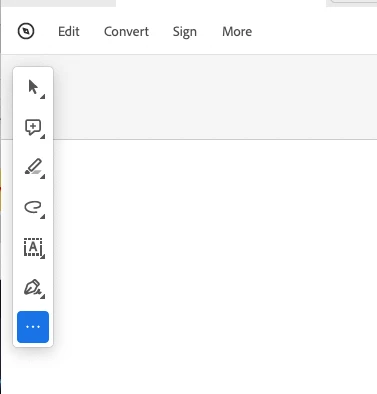
I'm using Acrobat Pro 2022.003.20281 on a Mac OS 12.5. In past versions I could dock the Quick Actions Toolbar to the top of the window, but in this version of Acrobat, it hovers in the upper left, sometimes covering art that I need to see when zooming in. Is there a way to dock it so it isn't hovering, or at least temporarily hide it? The attached image shows how it is "floating" above the window. I need it to not float so it doesn't cover my PDF workspace. Thanks!

 AdChoices