

Know more about the Sign Enhancements with Acrobat DC’s latest version.
Acrobat DC’s latest release introducing a couple of exciting Sign enhancements. Let’s study about them one by one:
New Sign options in the right-click context menu in Acrobat DC
The new Sign options in the right-click context menu help you quickly start the signature process from the viewer: Request Signatures and Sign Yourself.
Note: This feature is being rolled out as an experiment in Acrobat DC, and the menu options may not be available to all users.
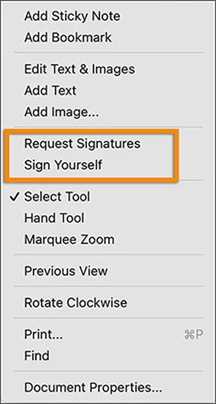
New Sign description
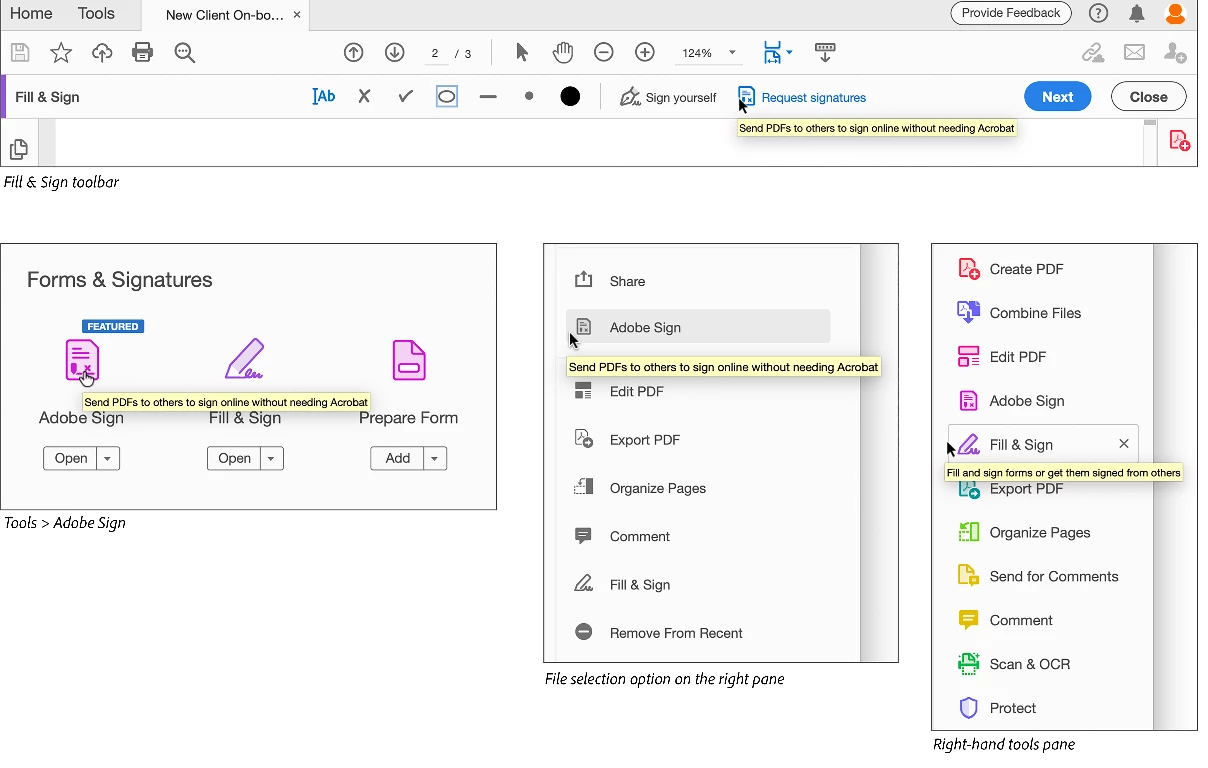
The Fill & Sign or Adobe Sign tooltip now clearly indicates that recipients don't need Acrobat and can sign the documents online.
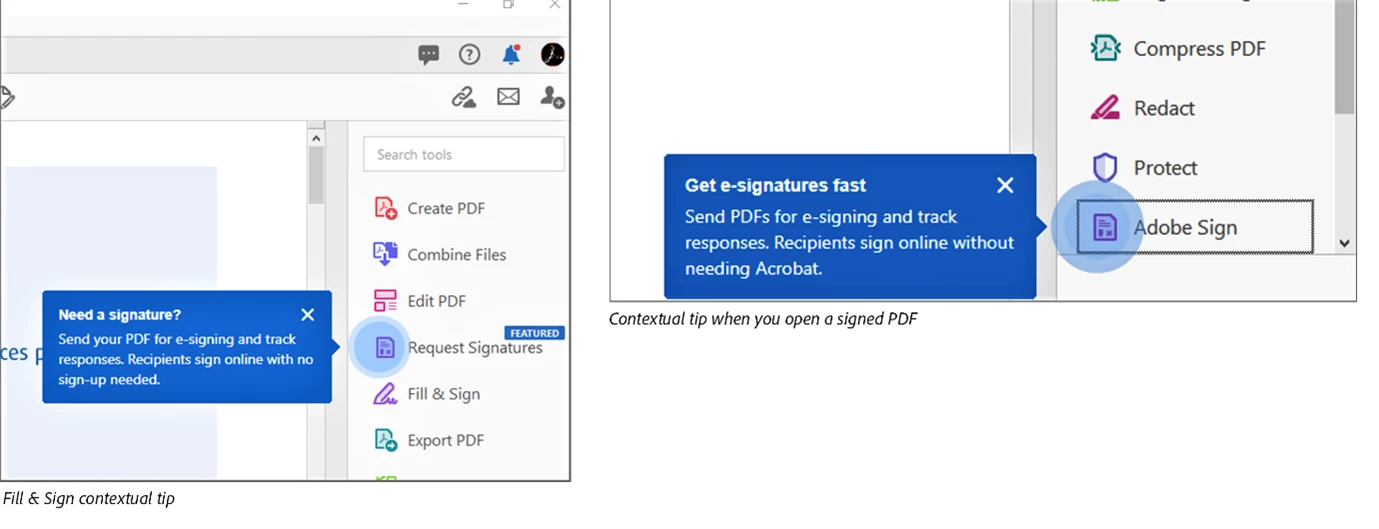
Contextual tips to quickly start the signature process after you edit, create, combine, or organize a PDF
When you edit, create, combine, or organize a PDF, Acrobat prompts you to send the document to get signatures from others. If you open a signed document, Acrobat recognizes and prompts you to use Adobe Sign.

New Sign menu
You can now easily discover the available Sign options from the new Sign menu.


Hope you liked the new changes. Have further suggestion? Then please join the conversation here. Your feedback is valuable for us!
For other great resources click here: Cannot verify your subscription status-Adobe Acrobat DC | Understand how and when we can display PDF in web browser-Acrobat DC


 AdChoices