
Participant
April 26, 2022
Question

PDF document could not be saved? Then file deleted?

  • April 26, 2022
  • 1 reply
  • 725 views

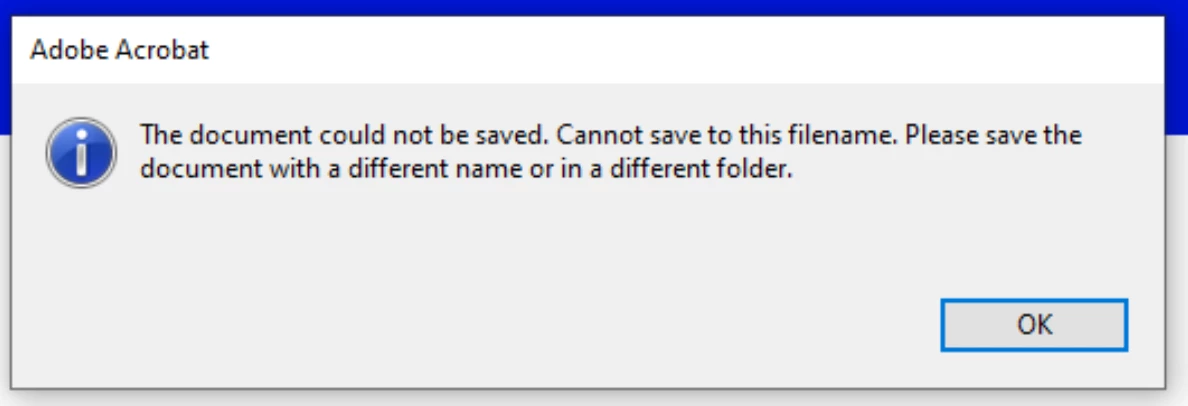
I just ran a windows update now on my desktop and laptop I get an error message that "The document could not be saved. Cannot save to this filename. Please save the document with a different name or in a different folder." If I dont save as a different name, and just close the file, then it is completely deleted, including the original PDF doc that I started to work on. Has anyone else experienced this issue lately? How do I resolve it? 
This topic has been closed for replies.

1 reply

Amal.
Community Manager
Community Manager
April 27, 2022

Hi there


Hope you are doing well and sorry to hear that.


Would you mind sharing the steps you are doing to save the PDF file?


Is this a behavior with a particular PDF file or with all the PDFs? Please try with a different PDF file and check.


Also, try to repair the installation from the help menu > repair installation and see if that works.


You may also try to reset the Acrobat preferences as described here https://community.adobe.com/t5/acrobat-discussions/how-to-reset-acrobat-preference-settings-to-default/td-p/4792082 and make sure you have the

recent version of the application 22.1.20117 installed. Go to help > Check for updates and reboot the computer once.


Also, please check the similar discussion https://community.adobe.com/t5/acrobat-discussions/can-t-save-quot-the-file-may-be-read-only-or-another-user-may-have-it-open-please-save-the-document/m-p/8797519 and see if that works for you.


Regards

Amal