Participant
September 17, 2021
Answered

Problems opening PDF files

  • September 17, 2021
  • 2 replies
  • 1371 views

Hello everyone,

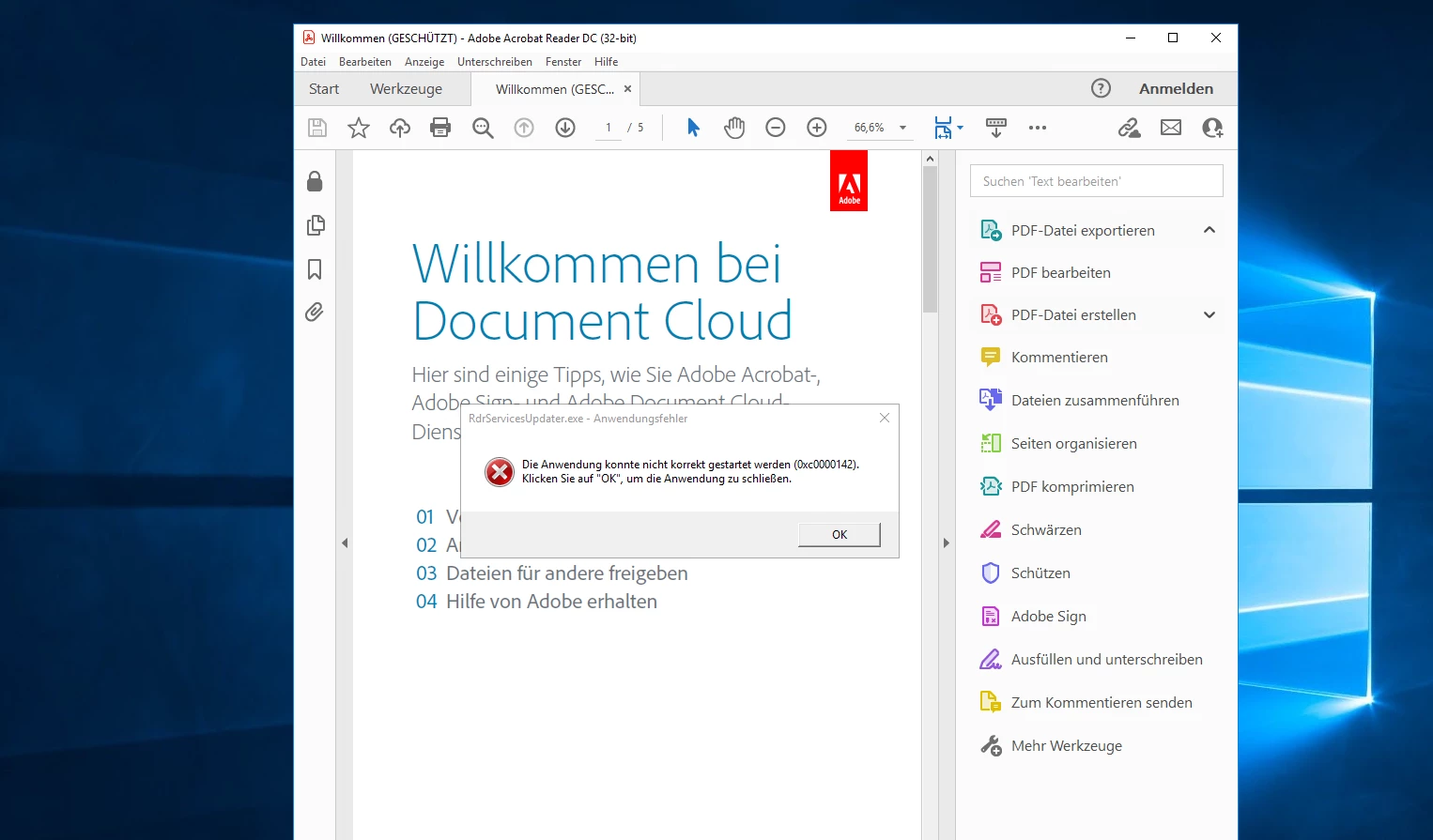
Unfortunately there is a problem loading PDFs with Acrobat Viewer (2021.007.20091). The RdrServicesUpdater generates an error 0xc0000142. Does anyone know advice

OS Windows 2016 Server
 

This topic has been closed for replies.
Correct answer Amal.

Hi there


Sorry to keep you waiting. The optional update for Adobe Acrobat/Reader  version 21.07.2009x is now available addressing your issue. Please update the application from the help menu > Check for updates and reboot the computer once.


For more details please check the help article - https://community.adobe.com/t5/acrobat-discussions/adobe-acrobat-and-reader-21-007-2009x-optional-up...


Regards

Amal

2 replies

Amal.
Amal.Correct answer
Legend
October 1, 2021

Hi there


Sorry to keep you waiting. The optional update for Adobe Acrobat/Reader  version 21.07.2009x is now available addressing your issue. Please update the application from the help menu > Check for updates and reboot the computer once.


For more details please check the help article - https://community.adobe.com/t5/acrobat-discussions/adobe-acrobat-and-reader-21-007-2009x-optional-up...


Regards

Amal

Amal.
Legend
September 17, 2021

Hi there


Hope you are doing well and sorry for the trouble. As described, you are unable to open the PDF with Acrobat Viewer (2021.007.20091). The RdrServicesUpdater generates an error 0xc0000142.


Please try the following steps to resolve the issue and see if that works for you:


  1. Save your work and close all the applications.
  2. Run the repair for the of Microsoft visual C++ 2013 Redistributable(x64&x86) and try again. To repair: Go to > Control Panel > All Control Panel Items > Programs and Features > Visual C++ Redistributable 2013 (right click            and repair)
  3. If the above step doesn't help. Uninstall it completely and try reinstalling it.
  4. You may download the setup using this link from Microsoft Download Centre: https://www.microsoft.com/en-in/download/details.aspx?id=40784
  5. edistributable Packages for Visual Studio 2013 from Official Microsoft Download...
  6. Restart the computer.
  7. Locate the application icon>right click on it>choose run as an administrator.
  8. Follow the steps from the following KB doc to run the application as administrator permanently https://helpx.adobe.com/x-productkb/global/run-program-administrator-windows-7.html (This is also applicable to Windows 10 operating system)


Regards

Amal
