


Participant
August 30, 2021
해결됨

Reopen PDFs from last session option greyed out

  • August 30, 2021
  • 2 답변들
  • 3066 조회

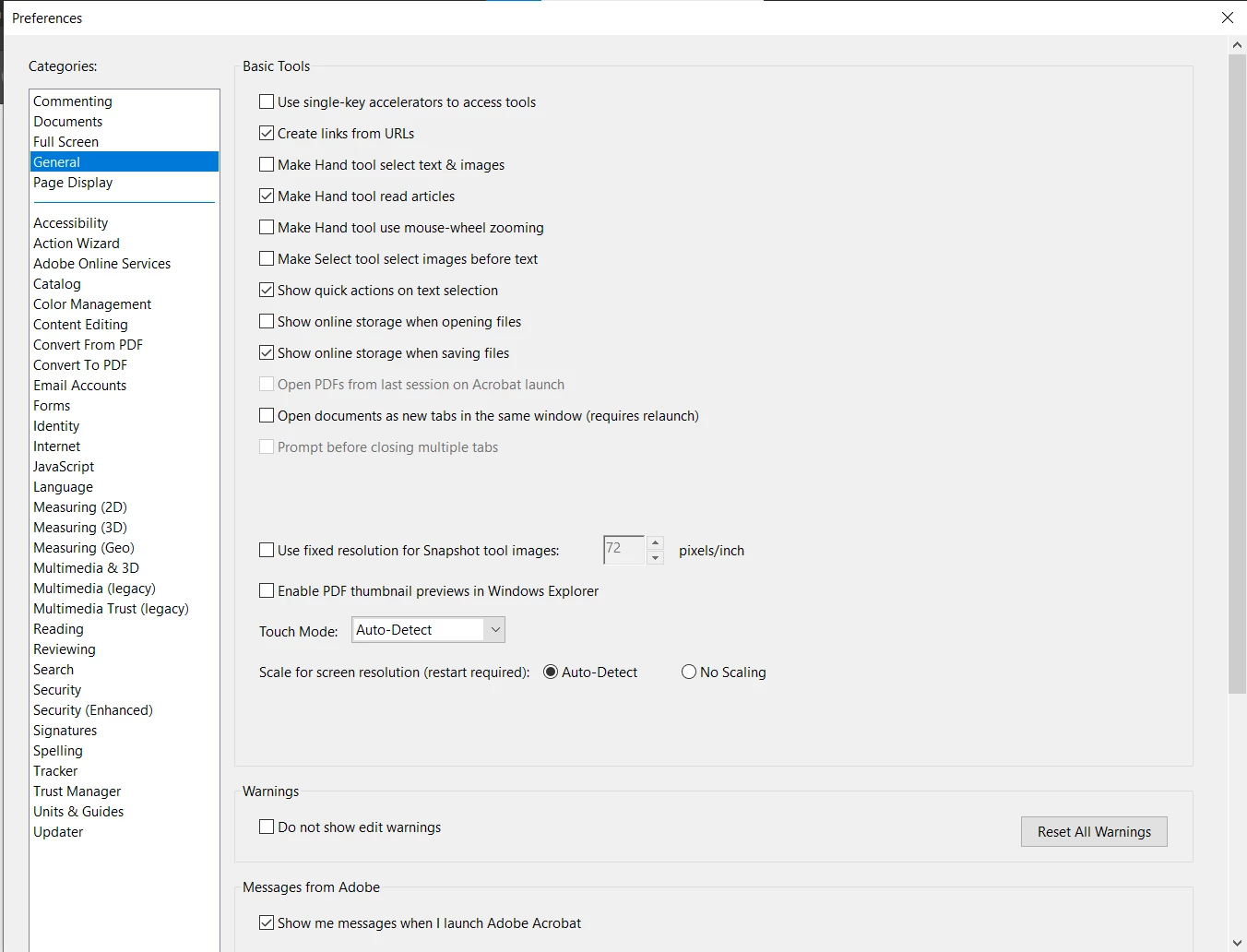
I can't seem to select the "Open PDF's from last session on Acrobat launch" option (screenshot below). The option is always greyed out for me. Please advise on how to fix this as it seems rather archaic to have to open all of the PDFs I previously had open each time my computer or Adobe restarts. 


I am running Windows 10 and have Adobe Acrobat Pro 2020. 
최고의 답변: Bernd Alheit

Enable the option below this option.

2 답변

Participant
June 5, 2025

I have the same issue AND the lower option (open documents as new tabs) is checked in my case?

{Windows 11 Pro 64bit; Acrobat 2025.001.20521}


Community Manager
June 6, 2025

Hi @rob_6952


Sorry for the troubled experience. 
I see you have both options enabled. Could you confirm since when the issue has been happening at your end? 

If possible, could you share with us a video showing the problem? 


~Tariq

Participant
October 23, 2025

I have the  same issue as well. 

Bernd Alheit
Community Expert
Community Expert
August 30, 2021

Enable the option below this option.

RC87작성자
Participant
August 30, 2021

Is there any other way? Working with tabs doesn't suit my workflow. 

Bernd Alheit
Community Expert
Community Expert
August 30, 2021

There is no other way to activate the option.