Participant
August 3, 2022
Answered

Resize text and images as they are / no formatting

  • August 3, 2022
  • 2 replies
  • 586 views

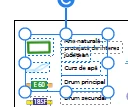
Hello, is there any possibility to resize text and images as they are? Just scaling, no modify the align or other arrangements of the text? I was able to do this but suddenly I cannot do anymore... When I try to scale, the text is changing... What setting I changed?  Thank you!


This topic has been closed for replies.
Correct answer try67

Hold down Shift and click and drag from one of the corner points and it will only allow you to resize it in scale.

2 replies

try67
Community Expert
try67Community ExpertCorrect answer
Community Expert
August 4, 2022

Hold down Shift and click and drag from one of the corner points and it will only allow you to resize it in scale.

Participant
August 11, 2022

Thank you very much! I didnțt found this simple answer in Adobe's help!

Amal.
Legend
August 4, 2022

Hi there


Hope you are doing well and sorry to hear that.


Is this an issue with a particular PDF file or with all the PDFs? Please try with a different PDF file and check.


What is the version of the OS you are using, also make sure you have the recent version 22.1.20169 of Acrobat DC installed? Go to Help > Check for updates and reboot the computer once.


Please try to repair the installation from the help menu (Win Only) and see if that works.


Also, try to reset the Acrobat preferences as described here https://community.adobe.com/t5/acrobat-discussions/how-to-reset-acrobat-preference-settings-to-default/td-p/4792082


You may also try to create a new test user profile with full admin rights in Win or enable the root account in MAC and try using the application there and check.


Regards

Amal