
Participant
October 29, 2023
Question

Sonoma: cannot print PDF within Acrobat

  • October 29, 2023
  • 3 replies
  • 1551 views

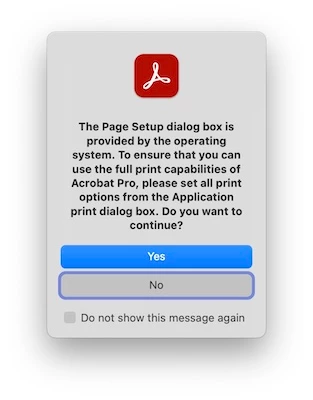
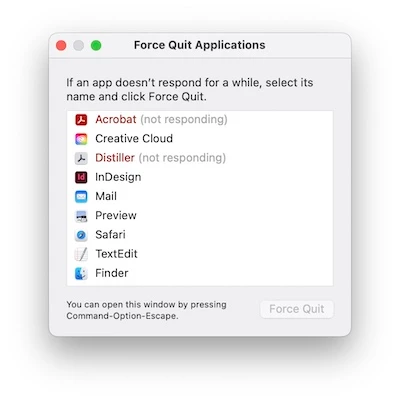
With macOS Sonoma 14.1, I cannot print a PDF within Adobe Acrobat Pro (version 23.006.20360) - I get the attached Page Setup box, then the dreaded whirling pizza. Eventually, I have to Force Quit, again as attached. But why has Distiller launched anyway? However, I can print a PDF within Preview. What's the answer please?
This topic has been closed for replies.

3 replies

JR Boulay
Community Expert
Community Expert
October 31, 2023

It's a well known bug in Sonoma, see:

https://community.adobe.com/t5/forums/searchpage/tab/message?advanced=false&allow_punctuation=false&q=Sonoma


The only thing to do is wait for a future update.

Acrobate du PDF, InDesigner et Photoshopographe
Participant
November 1, 2023

Many thanks for your kind replies, but all my colleagues have also upgraded to Sonoma and can print PDFs within Acrobat.  I reset Acrobat preferences and also uninstalled and reinstalled Acrobat, but no progress.  I'm not sure it's actually a Sonoma or Acrobat issue, but maybe something very small on my Mac that is causing the issue, even a rogue or ancient file somewhere.  Any further ideas please? Any help much appreciated.

Participant
October 31, 2023

Many thanks Amal for your reply.

I've run a design company using Macs since 1992 and have never had issues with printing PDFs within Acrobat (latest v.2023.006.20360). Only when I upgraded to macOS Sonoma 14.1 did the issue start. My colleagues have also upgraded to Sonoma but are able to print PDFs within Acrobat. I can print PDFs within Preview.

I tried to "Reset Preferences on macOS" but the file “com.adobe.acrobat.pro.plist” was not there, as attached. Also attached are quit logs as requested.

What's my solution please? Any help much appreciated.

Amal.
Legend
October 30, 2023

Hi @Ross Thomson 


Hope you are doing well and thanks for reaching out.


What happens when you click on Yes?


Is this an issue with a particular PDF file or with all the PDFs? Please try with a different PDF file and check.

As you have the latest version of the application, try to reset the Acrobat preferences as described here https://community.adobe.com/t5/acrobat-discussions/how-to-reset-acrobat-preference-settings-to-default/td-p/4792082 and reboot the application once and check.


Please collect the Crash/freeze logs https://helpx.adobe.com/acrobat/kb/collect-logs-crash-freeze.html  and share them via any cloud storage. Just upload the log file to the cloud and generate the link and share that link with us for further investigation.

Regards
Amal