Participating Frequently
January 19, 2025
Answered

Stop with panels everywhere and IA !

  • January 19, 2025
  • 1 reply
  • 305 views

Seriously, Adobe, can't we just have access to what we want without panels over content ?

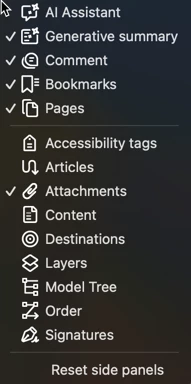
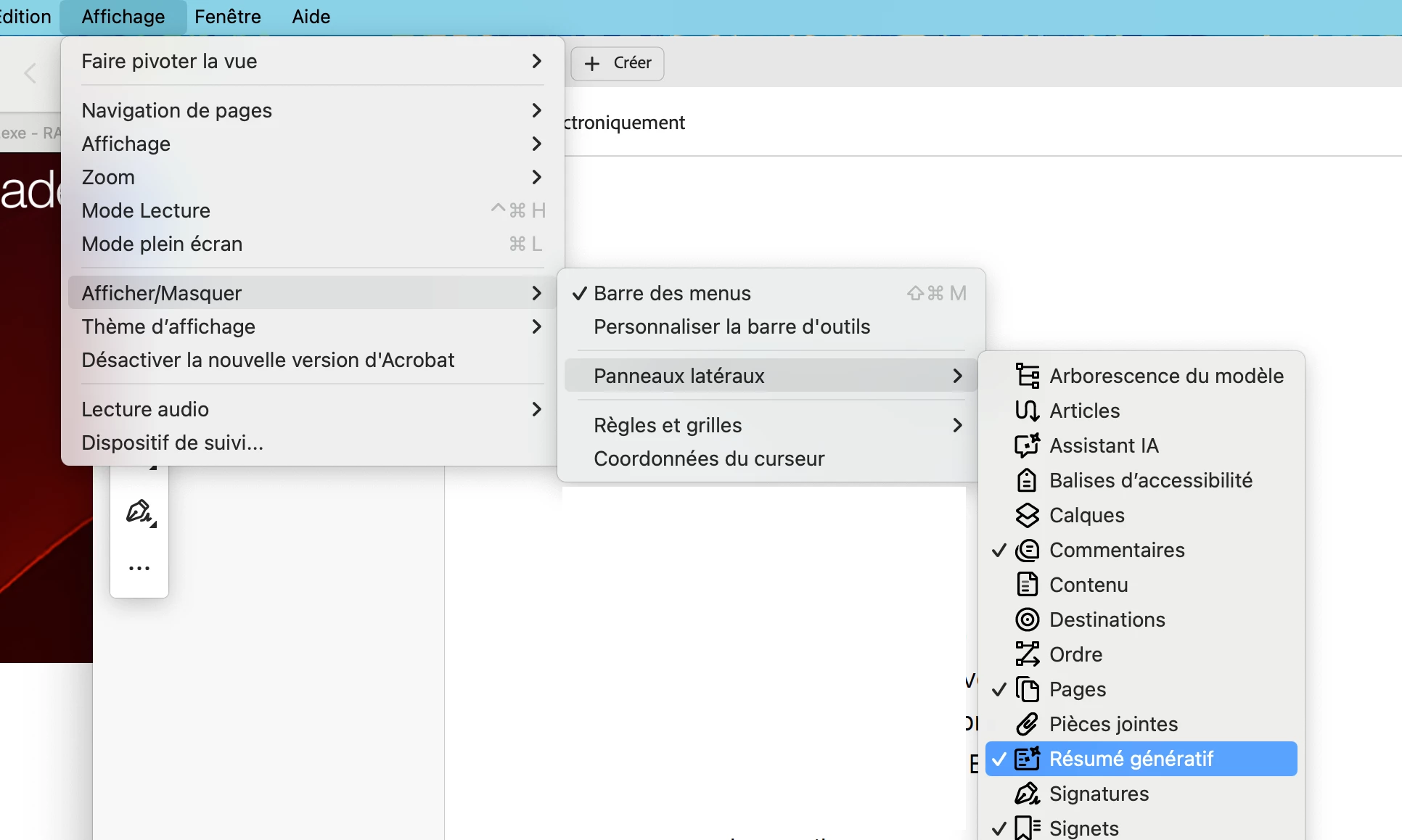
If I try to remove this, the right panel for an IA resume appears. The menu items can't be unchecked.
 

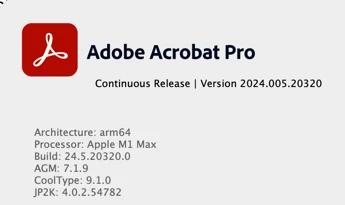
Current Acrobat release :

Architecture: arm64

Processor: Apple M1

Build: 24.5.20320.0

AGM: 7.1.9

CoolType: 9.1.0

JP2K: 4.0.2.54782

Correct answer Barb Binder

Hi @PatrickPremartin:


When I hide the AI toolbar at the bottom of document window, the Generative Summary side panel opens. But I can just click it closed using the icon at the top of the sidebar panel. Similar setup to you:


You are right though, I can't remove the icon—some of them can't be removed.


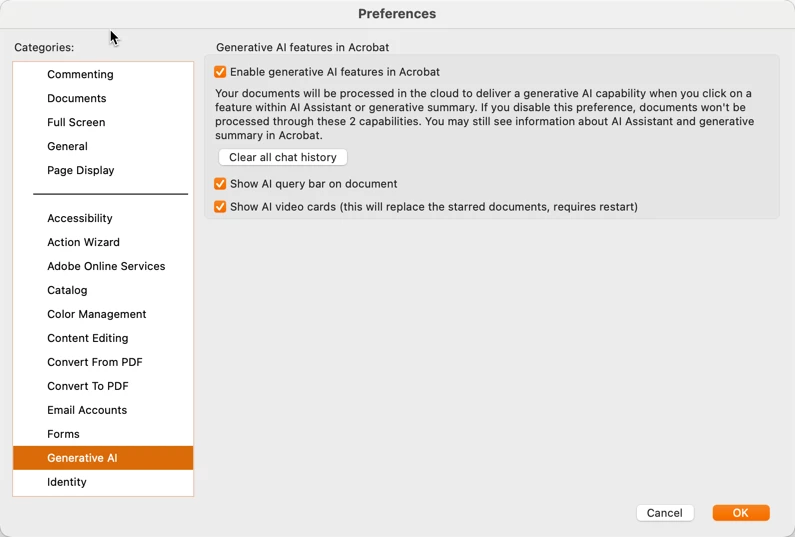
And if an unstated yet underlying issue is that you just don't want use the AI features, you have some control in Preferences:


Finally, you can still return to the old interface: View > Disable new Acrobat and all of this is gone for now.


~Barb


1 reply

Barb Binder
Community Expert
Barb BinderCommunity ExpertCorrect answer
Community Expert
January 28, 2025

Hi @PatrickPremartin:


When I hide the AI toolbar at the bottom of document window, the Generative Summary side panel opens. But I can just click it closed using the icon at the top of the sidebar panel. Similar setup to you:


You are right though, I can't remove the icon—some of them can't be removed.


And if an unstated yet underlying issue is that you just don't want use the AI features, you have some control in Preferences:


Finally, you can still return to the old interface: View > Disable new Acrobat and all of this is gone for now.


~Barb


~Barb at Rocky Mountain Training
Participating Frequently
November 11, 2025

I finally managed to disable all Acrobat. It's been turned into a virtually useless, sluggish piece of software. There's a moral obligation of letting the user easily disable IA. We users have the right not to allow any IA to train from our texts and personal data. Adobe started doing a good job with its moral approach to IA, but right now crossed a line, and it crossed it with a tank. I am an experienced user. I've been in the Adobe ecosystem for the last 30 years. I spent 2 hours trying to find out how to prevent Adobe from reading my documents. 
As a film editor, I have now switched to different platforms until I can be sure Adobe is not watching my edits and reporting whatever it considers inappropiate (for instance, not being an active supporter of certain countries is a crime now in certain countries, but not everywhere. What if I'm editing a documentary on racism that is legal in Germany, but illegal in Chile? What if I allow a journalist to say in my timeline something that is illegal in Turkey, but legal in Sweden? How can I know that we're safe in this hostile environment anymore?
No IA should be compulsively imposed on the users. This will be the end of the subscription method as soon as IA ends it's 'lovely toy' stage and shows its true colors of a really really expensive tool for things we don't need in the first place. 
And I am well predisposed to pay for IA services at any rate if they allow me to do something I need to do in a safer, faster or better fashion, but sharing ONLY what I decide to share. Spyware has gone to far these days.


___________________________Damian Bericat (SAE)
Barb Binder
Community Expert
Community Expert
November 11, 2025

No IA should be compulsively imposed on the users.

_______


Your feedback matters—and we’ve listened.


We understand that not everyone requires AI assistance in their workflow. Many of you shared concerns about intrusive prompts and lack of control, and we’ve taken action. Now, Acrobat gives you complete control over AI features through Preferences. You decide what stays on and what turns off—no enforcement, no surprises — just flexibility. 

For more information on preferences, please check this out: https://community.adobe.com/t5/acrobat-discussions/we-heard-you-full-control-over-ai-features-in-acr... 

Best regards,
Tariq | Adobe Community Team


https://community.adobe.com/t5/acrobat-discussions/how-can-turn-off-the-ai-assistant/m-p/14895632:

_______


~Barb

~Barb at Rocky Mountain Training