
Participant
January 11, 2022
Question

Tools not installing in Adobe Pro DC

  • January 11, 2022
  • 1 reply
  • 342 views

Hi


I am trying to use some of the tools and one of the ones is the optimise tool. if I click on Save as Other it says 
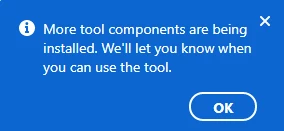
and if I click on the icon 
it says this 
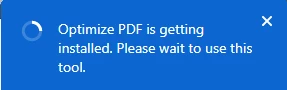
 

I have reinstalled, repaired the install Adove Pro DC and also tryed a new download from the website. It doesn't matter how long I leave it, it just closes off and when trying again later it still comes up with that.


If any one could advise, would be greatly appreciated. I have had no luck searching online to resolve the issue.


Regards


This topic has been closed for replies.

1 reply

Amal.
Legend
January 11, 2022

Hi Georgerlot,


Hope you are doing well and sorry for the trouble. As described you are unable to use the tools in Acrobat DC.


Would you mind sharing the version of the Adobe Acrobat you are using? To check the version go to Help > About Acrobat and make sure you have the recent version 21.11.20039. Go to Help > Check for updates and reboot the computer once.


You may also try to repair the installation form the help menu (Windows Only) and reboot again.


If you have any third party plugins present, please disable them and try to turn off the protected mode windows only (FOR TESTING). Go to Edit > Preferences > Enhanced Security > Uncheck 'Enable protect mode at startup', turn off the protected mode and uncheck 'Enhanced Security' > Click OK and reboot the computer.
Note: Please turn on the security after testing to avoid any security risk.


Please try to reset the Acrobat Preferences as described here https://community.adobe.com/t5/acrobat-discussions/how-to-reset-acrobat-preference-settings-to-default/td-p/4792082


Also try to create a new test user profile with full admin rights in Windows or enable the root account in Mac and try using the application there and check.


Regards

Amal