

Upgraded your macOS into Catalina 10.15 and want to install/update Acrobat? We’re here to help!
The new macOS Catalina 10.15 is compatible with your Acrobat DC, Acrobat 2017 & Acrobat 2015 and can easily be installed or updated.
Acrobat DC, Acrobat 2017, Acrobat 2015 & Reader DC is compatible with new macOS 10.15 Catalina, macOS v10.14, macOS v10.13, macOS v10.12. Check your OS compatibility information here Acrobat Pro DC & Adobe Reader DC.
If it is compatible, download Acrobat DC from here.
During installation and while using Acrobat, you may come across the following scenarios/notifications/prompts.
- Installation
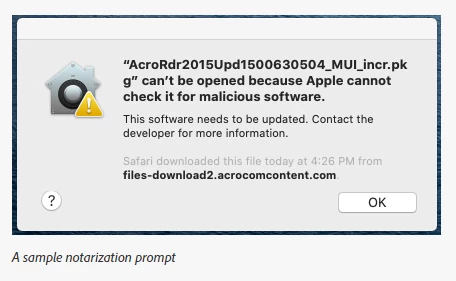
Please note: To begin the installation, right-click the installer and choose Open.
You may encounter this scenario if you have download Classic 2015 Acrobat or Reader patches from the release notes or the FTP site, you see a notarization prompt and the installation is blocked. It's general behavior for all installer packages downloaded using a browser and not from the Mac App Store.
- Notification
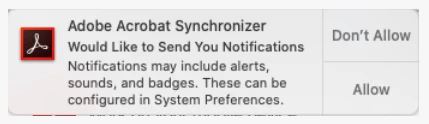
Please note: Click Allow to enable notifications if a permission prompt appears on the upper-right corner.
- Home View (Recents)
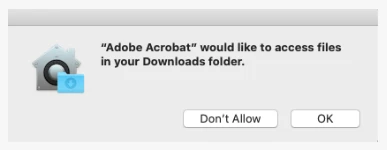
Please Note: Click OK to continue if an OS permission prompt is shown if you open files from Recent, which were added in Recent before you upgraded to Catalina.
If you Don't Allow, you see an Acrobat prompt showing information on what to do next.
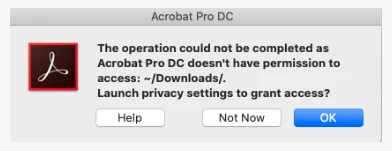
- Create PDF from Acrobat ribbon in Word and PowerPoint
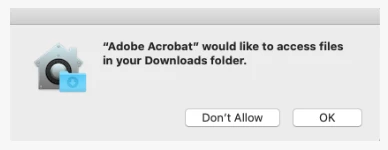
Please note: Click OK to continue if an OS permission prompt is shown.
If you Don't Allow, you see an Acrobat prompt showing information on what to do next.
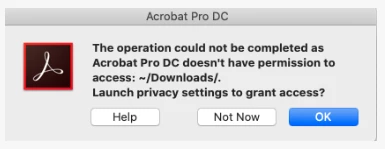
- PostScript to PDF conversion
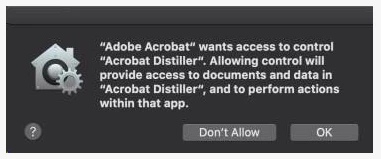
Please note: Click OK to continue if an OS permission prompt for Acrobat is shown.
If you don't allow, you see an Acrobat prompt showing information on what to do next.
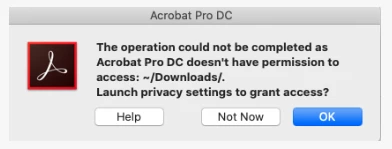
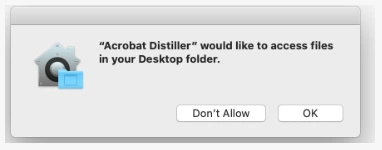
An OS prompt for Acrobat Distiller is shown. Click OK to continue.
Tell us if these helped you use Adobe Acrobat better. Join the conversation here. We are listening!
To discover a host of other great features – Go straight to: Edit text and images in PDF files | Combine or merge files into single PDF
 AdChoices