

Participant
Nov 13, 2019 2:08 AM UTC
Answered

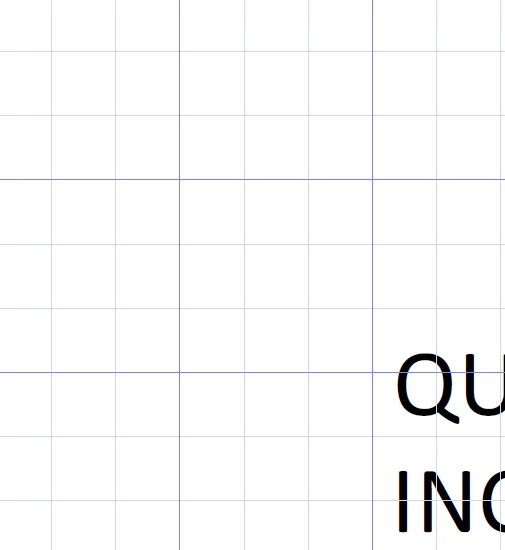
Weird grid lines showed up, how do I turn off?

My PDFs have this grid on and I have no idea why it started, but I would like to turn it off.


C3ChristopherCorrect answer
Participant
Oct 11, 2023 8:07 AM UTC

Amal,

Great, thank you for the answer.

I also used " Ctrl+U "


Hi mike,


Thanks for reaching out. A described above, you want to turn off the grid in the PDF.


Please try the following settings:


Open the PDF > Go to View > Show/Hide > Rulers & Grids > Uncheck, Grid.


Let us know how it goes


Regards

Amal

35 replies

Participant
Sep 30, 2026 7:14 PM UTC

THANK YOU!!!!


Translate
Participant
Sep 28, 2026 12:49 PM UTC

THANK YOU!!


Translate
Participant
Aug 18, 2026 4:57 PM UTC

Thanks so much. How do you learn about these tips and tricks?

Translate
Participant
Dec 9, 2024 6:24 AM UTC

I share the frustration; how did the grids get turned on to begin with?  So frustrating.  I wish Adobe would just display it's menu as it has in the past ... instead of putting everyone through Adobe school. 


Translate
Participant
Aug 28, 2024 12:48 PM UTC

Phew!  This worked for me....I didn't even know that was a feature.  I noticed that you can turn the grids on/off by using the CTRL+U keyboard shortcut.  That's what I must have done because I was attempting to underline a word on my form, i.e the CTRL+U toggles underlining in most MS Office apps.....apparently not in Adobe.

Translate
kindrasimon
Participant
Mar 21, 2026 4:42 AM UTC

This worked. Thank you!  Those weird lines were so distracting, but I couldn’t turn them off.

Translate
Participant
Nov 2, 2026 2:02 AM UTC

Thank you That worked!!

Translate
Participant
Jun 30, 2024 12:41 PM UTC

Thank you

Translate
Participant
Mar 17, 2024 9:13 PM UTC

Much obliged for  your help. 

Had no idea how I got the grid lines and less of an idea of how to get rid of them.

THANKS!

Translate
Participant
Mar 3, 2024 7:43 PM UTC

Did work well.

Thank you

Translate
Participant
Nov 9, 2023 11:41 AM UTC

Thanks for your succinct reply. I was going crazy trying to manage.


Translate
C3ChristopherCorrect answer
Participant
Oct 11, 2023 8:07 AM UTC

Amal,

Great, thank you for the answer.

I also used " Ctrl+U "


Hi mike,


Thanks for reaching out. A described above, you want to turn off the grid in the PDF.


Please try the following settings:


Open the PDF > Go to View > Show/Hide > Rulers & Grids > Uncheck, Grid.


Let us know how it goes


Regards

Amal

Translate
Amal.
Legend
Oct 13, 2023 4:45 PM UTC

We are glad to hear that 😊 Feel free to contact us for any assistance in the future.


~Amal

Translate
