Participant
November 13, 2019
Answered

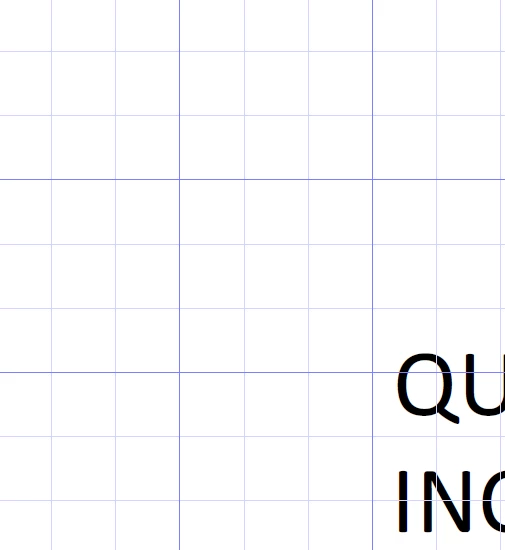
Weird grid lines showed up, how do I turn off?

  • November 13, 2019
  • 31 replies
  • 154901 views

My PDFs have this grid on and I have no idea why it started, but I would like to turn it off.


Correct answer C3Christopher

Amal,

Great, thank you for the answer.

I also used " Ctrl+U "


Hi mike,


Thanks for reaching out. A described above, you want to turn off the grid in the PDF.


Please try the following settings:


Open the PDF > Go to View > Show/Hide > Rulers & Grids > Uncheck, Grid.


Let us know how it goes


Regards

Amal

31 replies

Amal.
Legend
November 13, 2019

Hi mike,


Thanks for reaching out. A described above, you want to turn off the grid in the PDF.


Please try the following settings:


Open the PDF > Go to View > Show/Hide > Rulers & Grids > Uncheck, Grid.


Let us know how it goes


Regards

Amal

Participant
March 29, 2022

I have tried the uncheck, but it's still showing the grid lines. What am I doing wrong?

Amal.
Legend
March 29, 2022

Hi Suzan


Hope you are doing well and sorry to hear that. Is this a behavior with a particular PDF file or with all the PDFs? Please try with a different PDF file and check.


Also, make sure you have the recent version 22.1.20085 installed for Acrobat. Go to Help > Check for updates and reboot the computer once.


Also try to repair the installation from the help menu (Win Only) and see if that works.


You may also try to reset the Acrobat preferences as described here https://community.adobe.com/t5/acrobat-discussions/how-to-reset-acrobat-preference-settings-to-default/td-p/4792082


Also, try to create a new test user profile with full admin rights in Win or enable the root account in MAC and try using the application there and check.


Regards

Amal
