

Weird lines created within the ruler when moving mouse over document
Hello All,
Couple days ago, my Acrobat Pro started creating weird lines withing the ruler when I move the mouse over the document. The more I move over the document, the more lines, until they completely saturate the ruler beyond recognition. I uninstall Acrobat Pro through the Creative Cloud Desktop and reinstalled; and it was working fine for a couple documents but has now returned. I do not have grid lines enabled, any ideas…?
I have included 3 pictures…
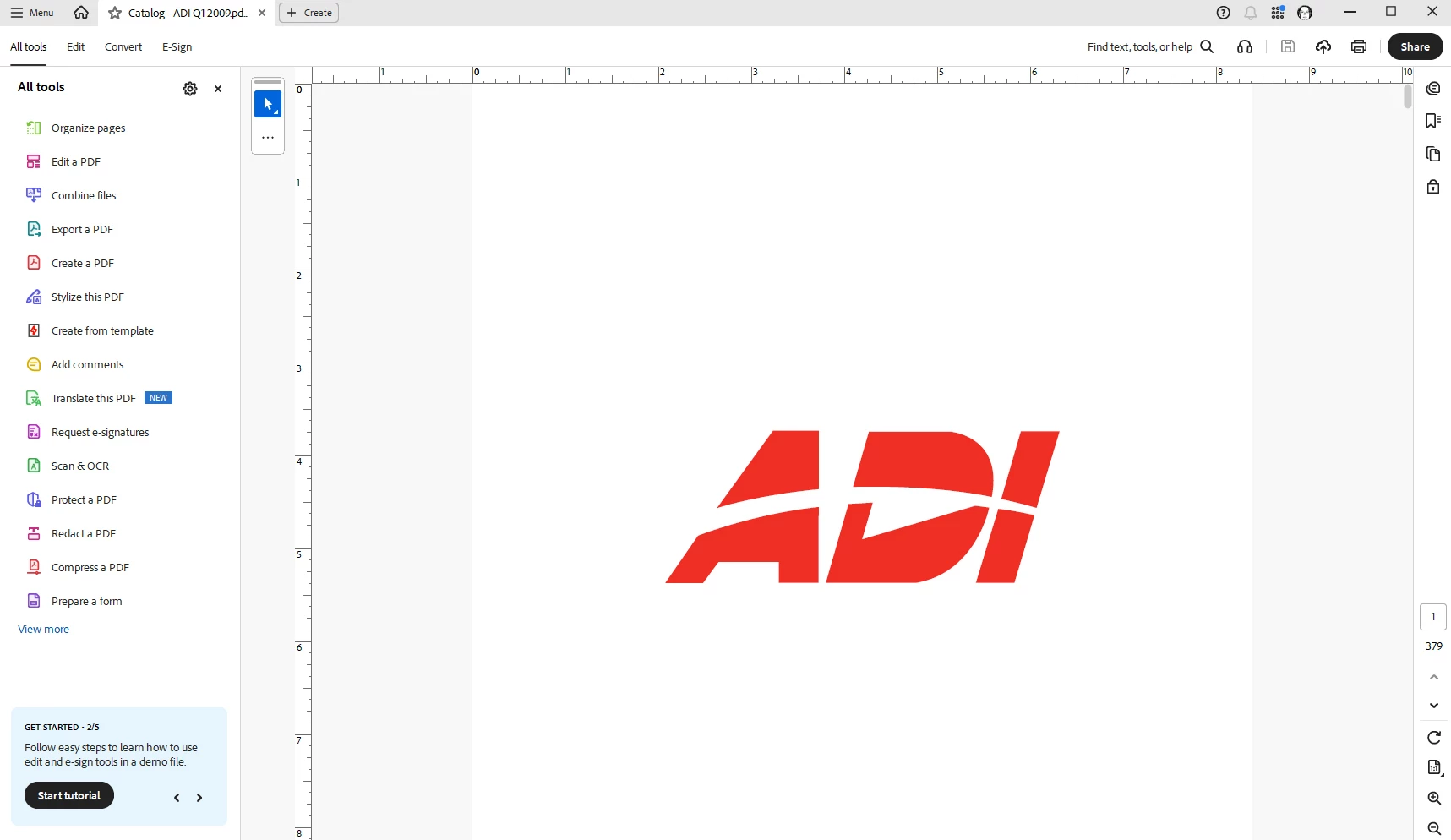
First picture is when I open the document, everything is normal.
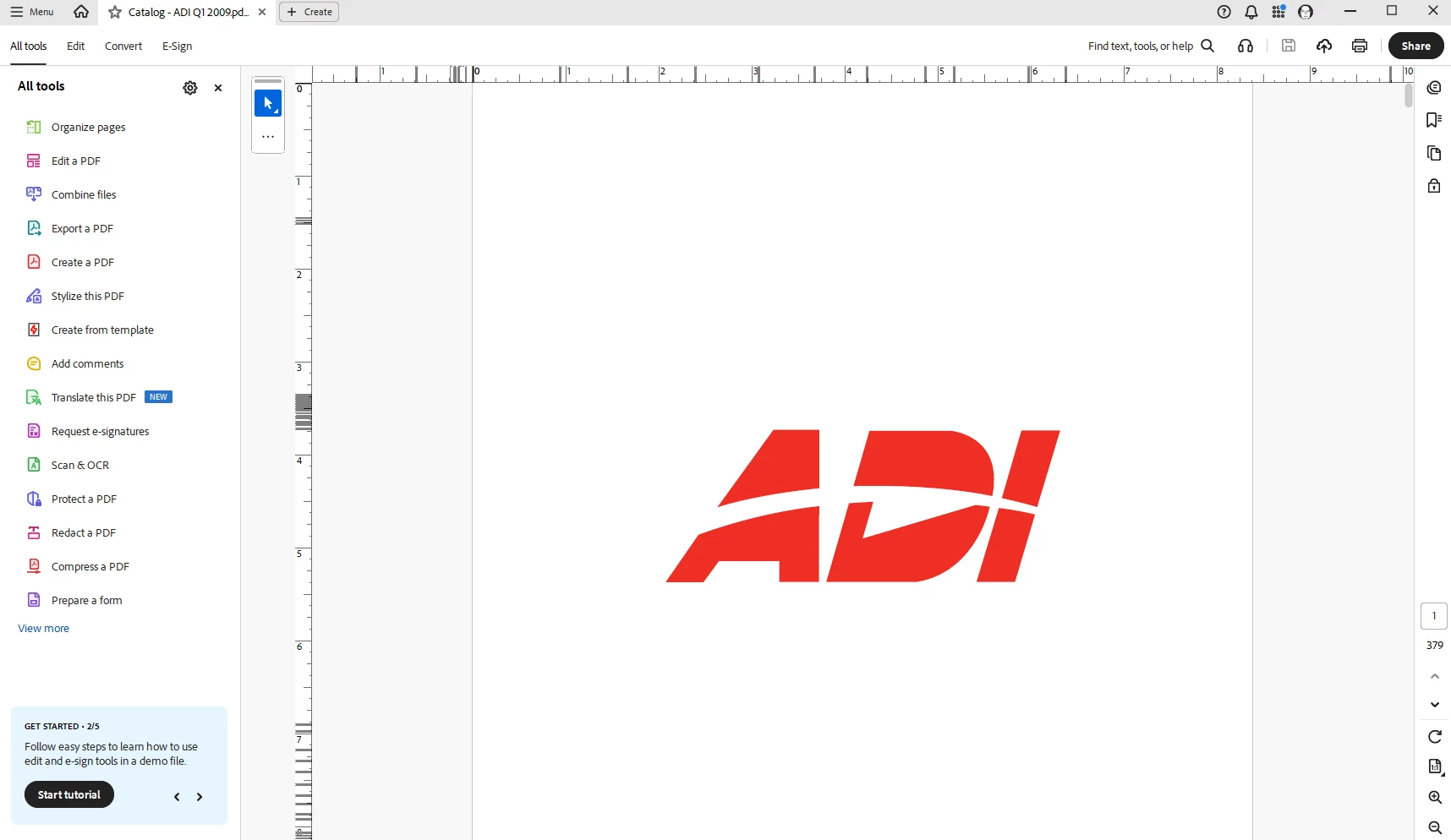
Second picture, just a quick movement of the mouse over the document, weird lines are starting to appear on the ruler.
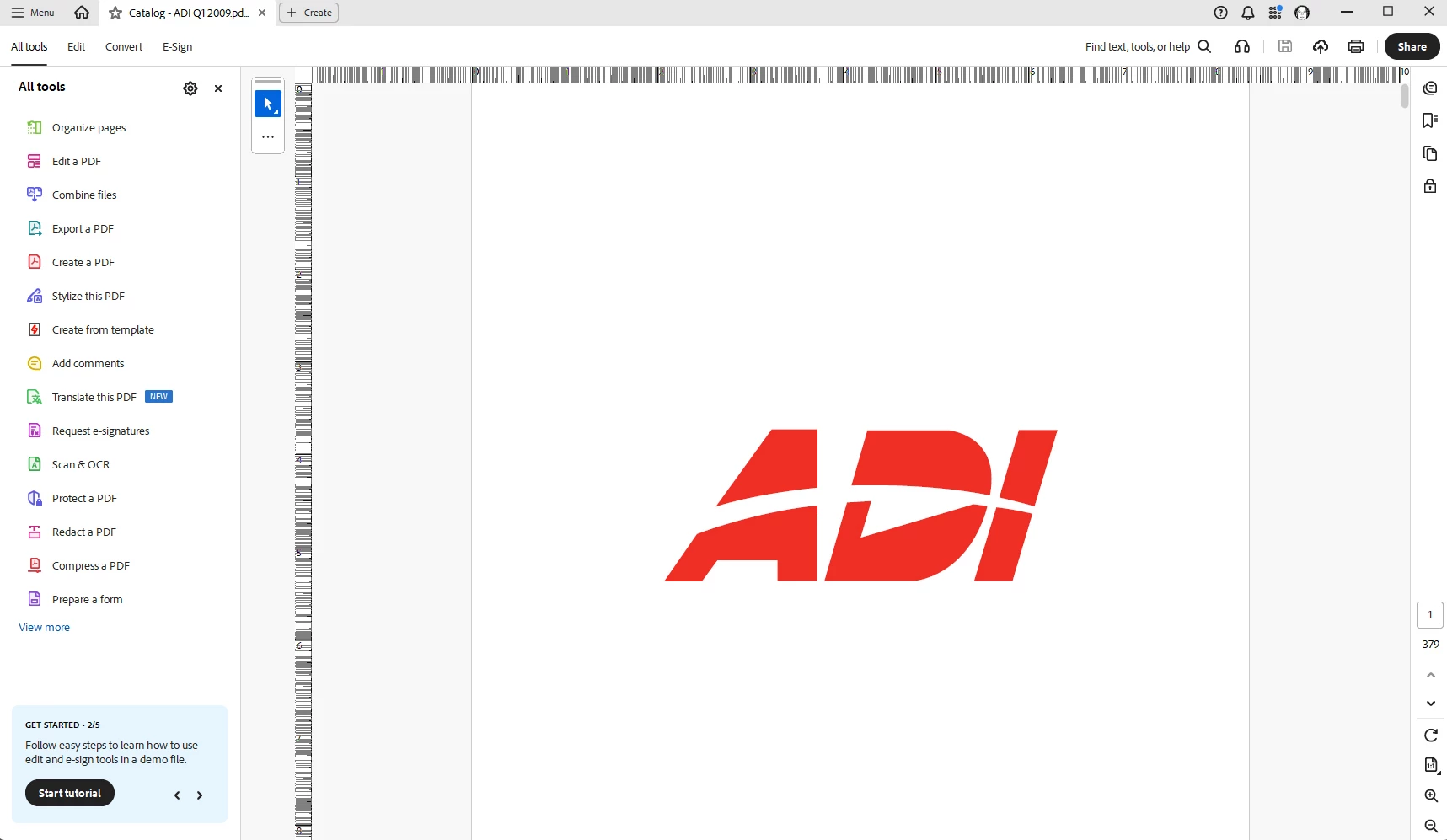
Third picture, continuing to move the mouse over the document (no clicking, just scrolling) and it completely saturates the ruler beyond recognition.
I have also closed out of Acrobat, shutdown the computer and restarted, same result.
Thanks for any help.


 AdChoices