Tessellate
Participating Frequently
April 3, 2026
Answered

Weird lines created within the ruler when moving mouse over document

  • April 3, 2026
  • 31 replies
  • 2458 views

Hello All,

Couple days ago, my Acrobat Pro started creating weird lines withing the ruler when I move the mouse over the document. The more I move over the document, the more lines, until they completely saturate the ruler beyond recognition. I uninstall Acrobat Pro through the Creative Cloud Desktop and reinstalled; and it was working fine for a couple documents but has now returned. I do not have grid lines enabled, any ideas…?


I have included 3 pictures…

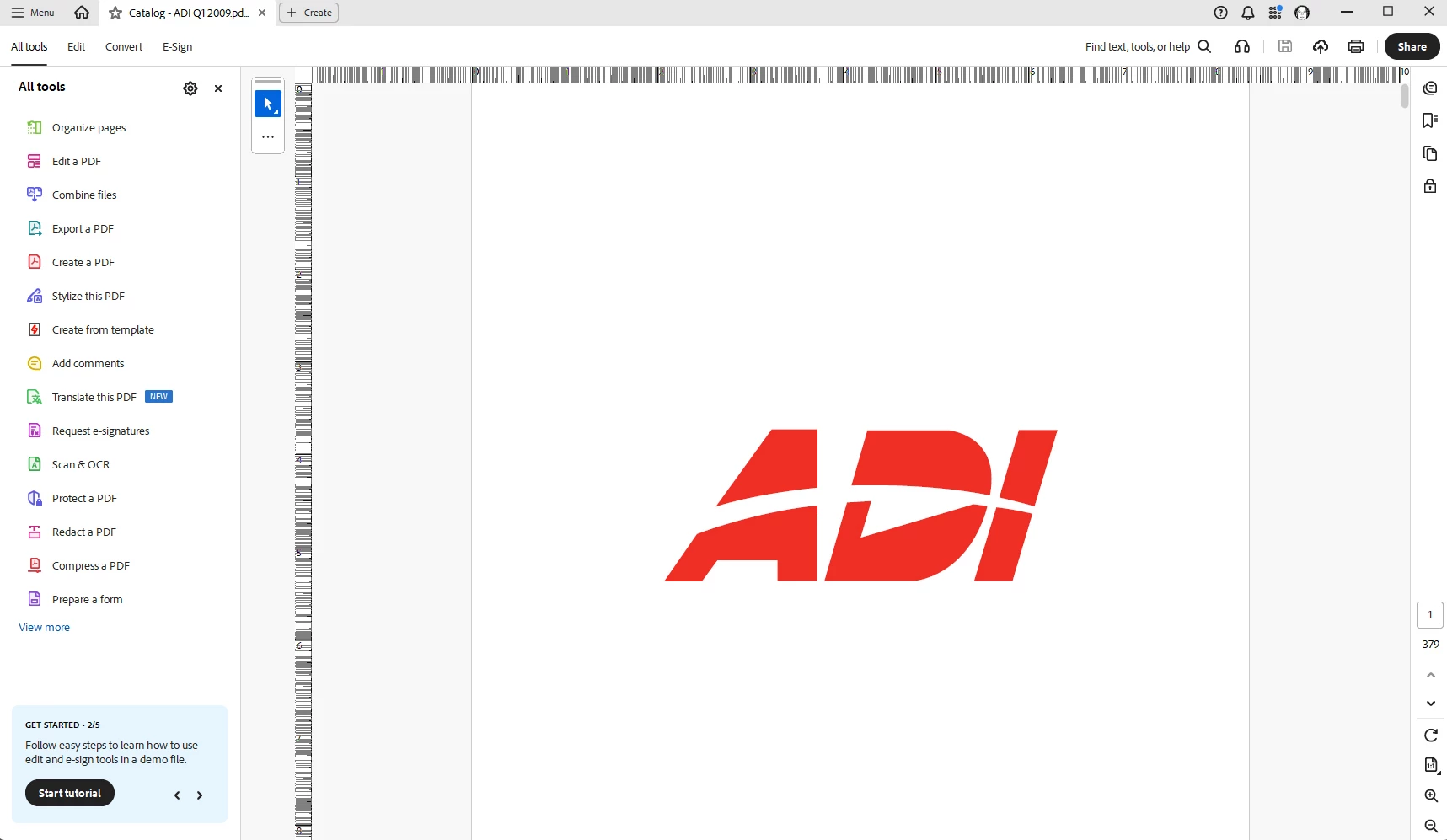
First picture is when I open the document, everything is normal.

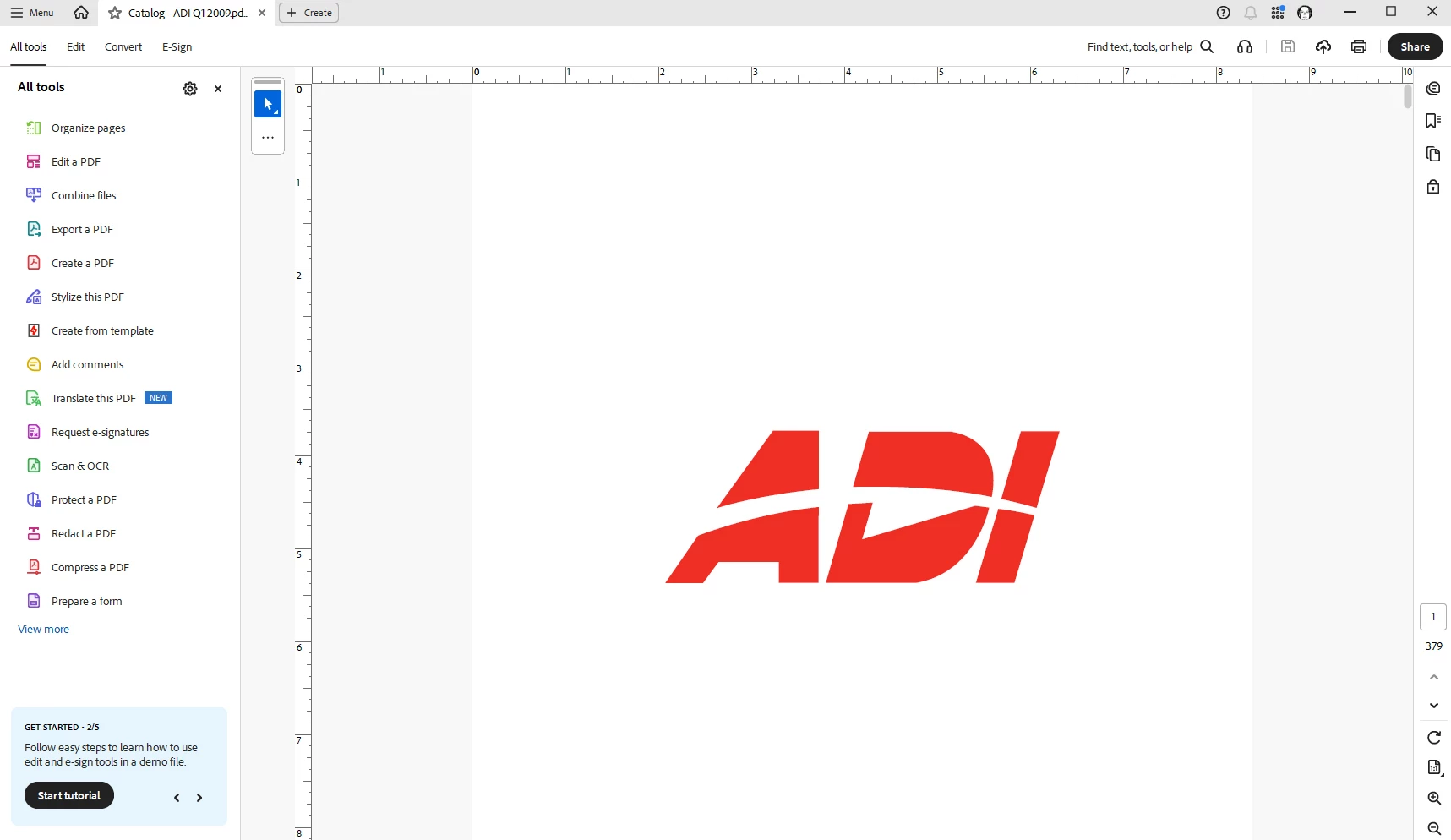
Second picture, just a quick movement of the mouse over the document, weird lines are starting to appear on the ruler.

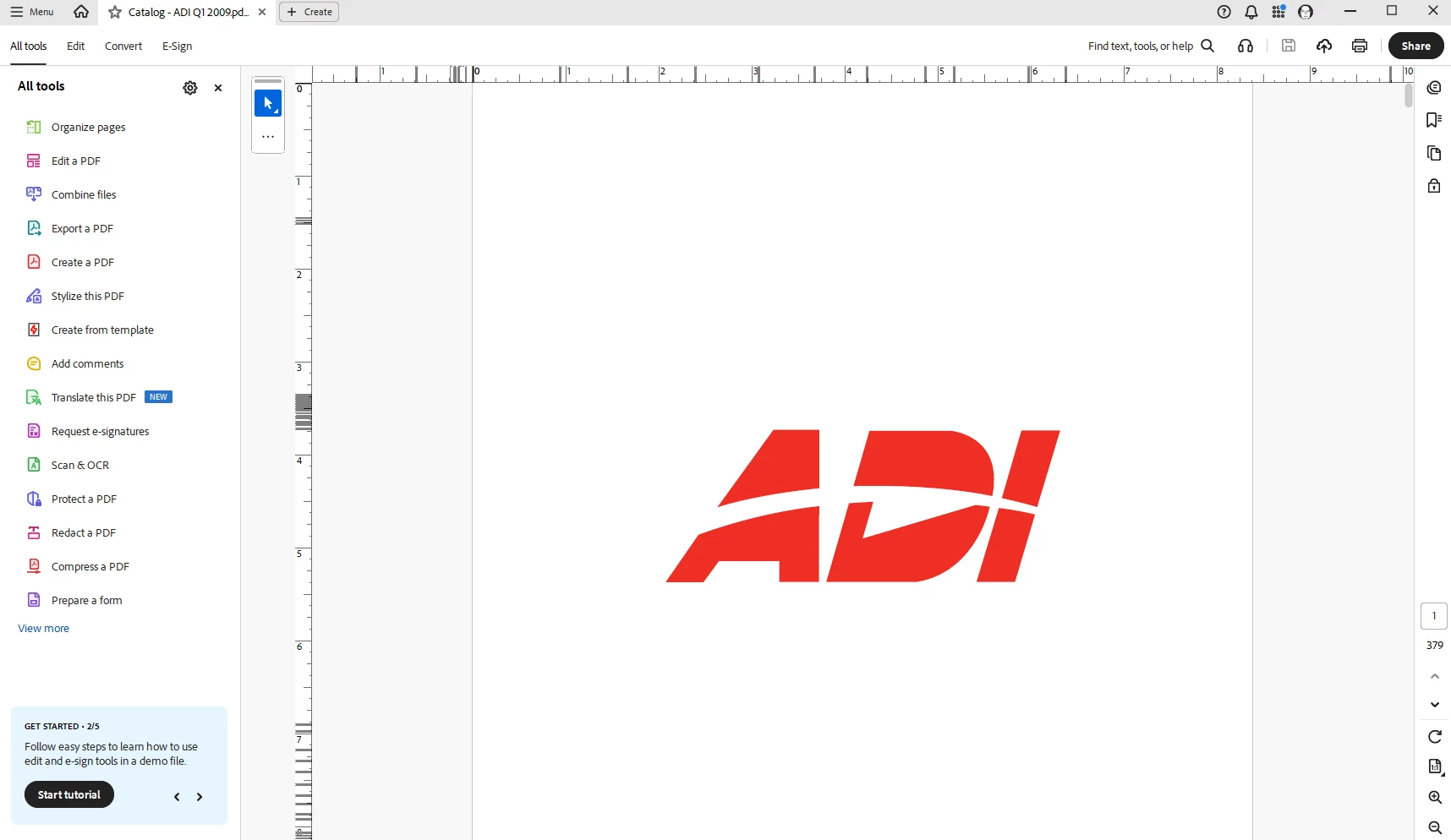
Third picture, continuing to move the mouse over the document (no clicking, just scrolling) and it completely saturates the ruler beyond recognition.


I have also closed out of Acrobat, shutdown the computer and restarted, same result.

Thanks for any help.

    Correct answer Tariq Ahmad Dar

    Hi all, 

    Thank you for your patience. 
    This is to update that this issue has been fixed and is available with the latest release: https://www.adobe.com/devnet-docs/acrobatetk/tools/ReleaseNotesDC/continuous/dccontinuousapr2026.html 

    Ensure your copy of Acrobat is updated, to check for pending updates:

    • Launch Acrobat
    • Help > Check For Updates.

    Let us know how it went. 


    ~Tariq


    31 replies

    Karl Heinz  Kremer
    Community Expert
    Community Expert
    April 3, 2026

    This looks like a refresh issue - it is not clearing the line that it is drawing. This could be an issue located anywhere between your hands moving the mouse and your eyes seeing the lines, so not straight forward to debug: Operating system, Acrobat, graphics card driver, graphics card - all these could be involved, and it’s likely two of them not getting along with each other. Did you update Acrobat last week? There was a new release that came out very recently, and that might be what triggered this issue. 

    Karl Heinz  Kremer
    Community Expert
    Community Expert
    April 3, 2026

    Can you clear this by hiding and showing the ruler again (Ctrl-R or Cmd-R on a Mac)? 

    Tessellate
    Participating Frequently
    April 3, 2026

    Hiding and showing the ruler did nothing, still there.

    I am running 2026.001.21346

    I would think I am running the most current version since I just reinstalled it,

    but I will attempt to push an update.