Tessellate
Participating Frequently
April 3, 2026
Answered

Weird lines created within the ruler when moving mouse over document

  • April 3, 2026
  • 31 replies
  • 2457 views

Hello All,

Couple days ago, my Acrobat Pro started creating weird lines withing the ruler when I move the mouse over the document. The more I move over the document, the more lines, until they completely saturate the ruler beyond recognition. I uninstall Acrobat Pro through the Creative Cloud Desktop and reinstalled; and it was working fine for a couple documents but has now returned. I do not have grid lines enabled, any ideas…?


I have included 3 pictures…

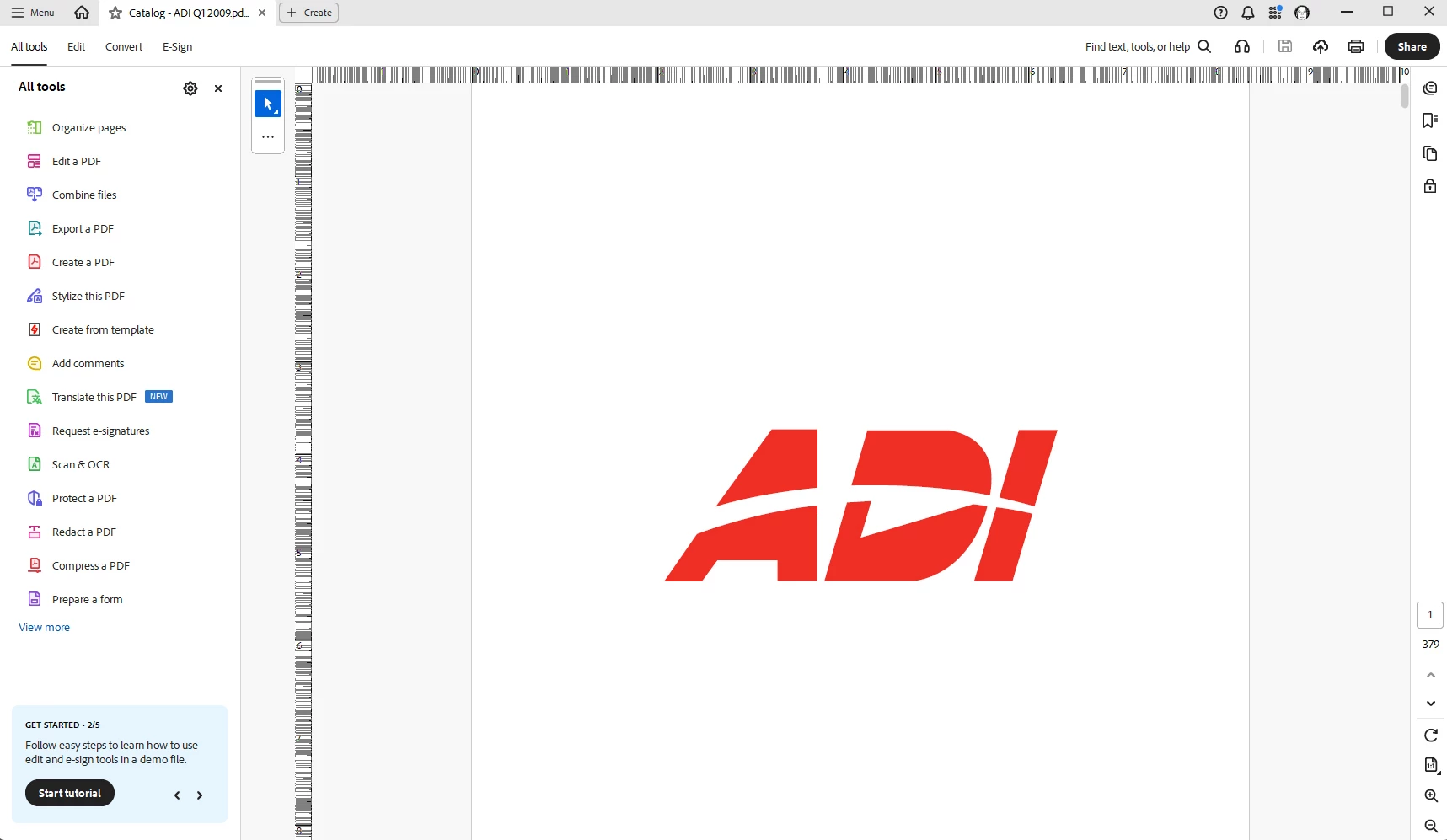
First picture is when I open the document, everything is normal.

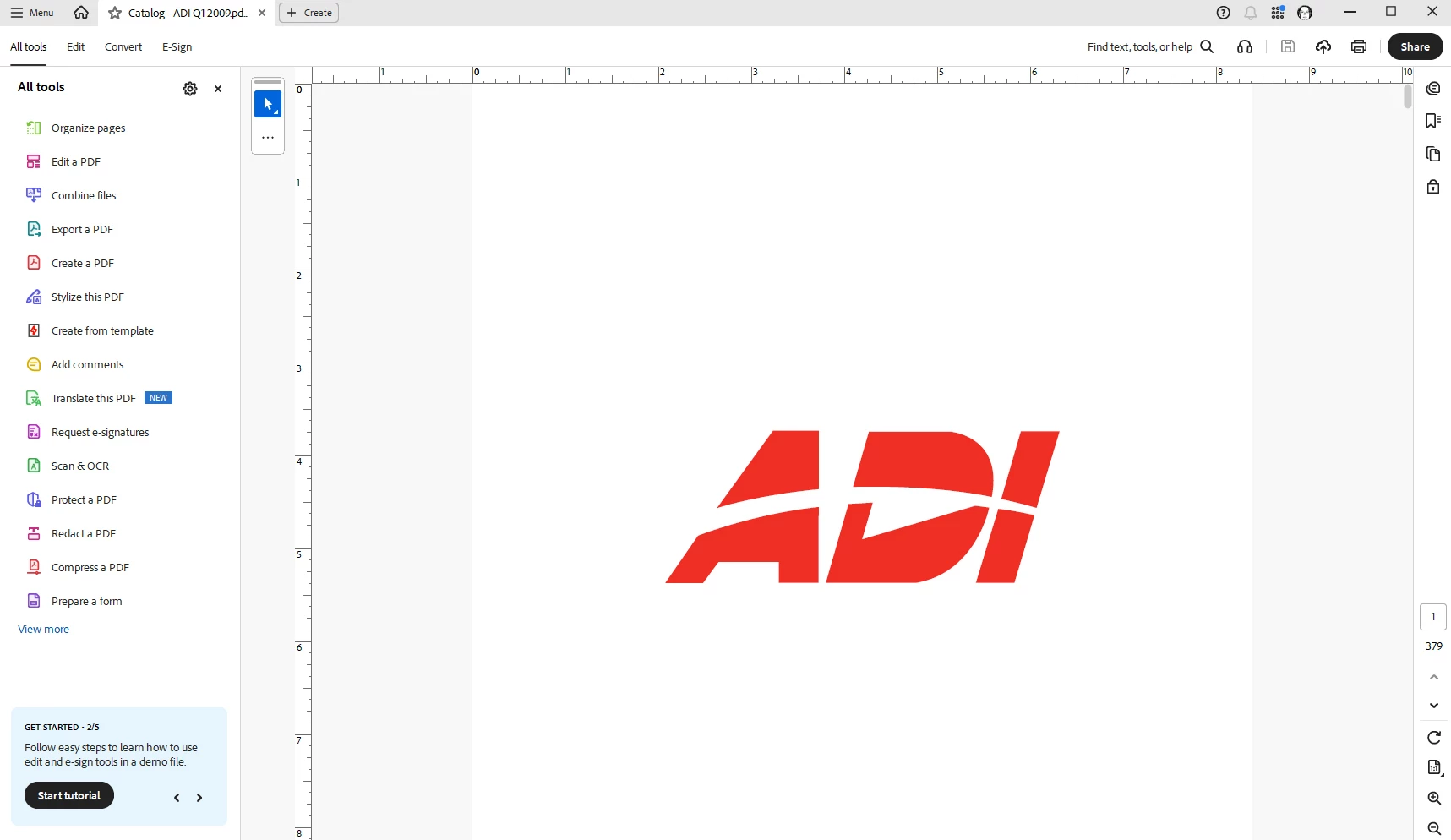
Second picture, just a quick movement of the mouse over the document, weird lines are starting to appear on the ruler.

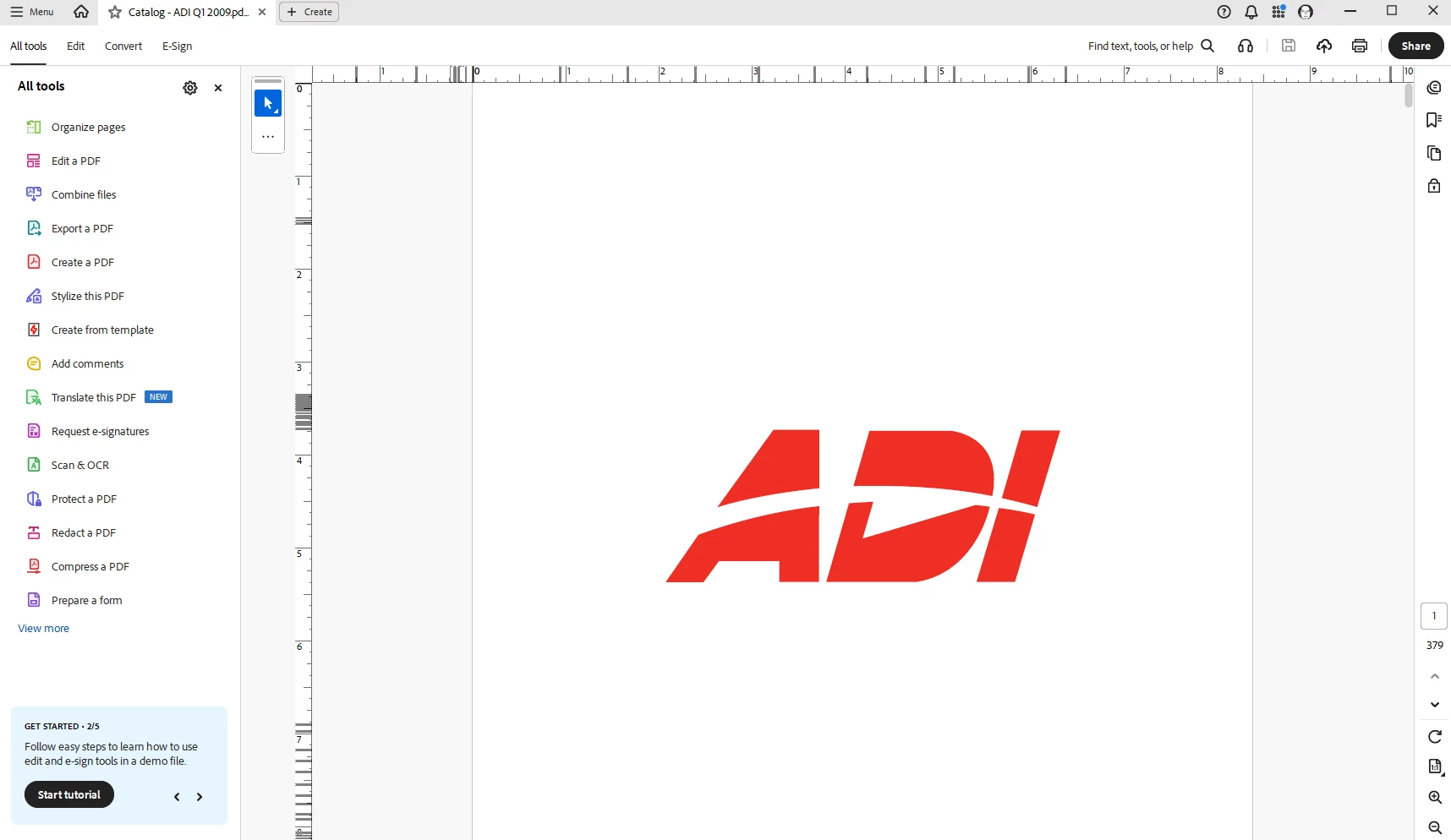
Third picture, continuing to move the mouse over the document (no clicking, just scrolling) and it completely saturates the ruler beyond recognition.


I have also closed out of Acrobat, shutdown the computer and restarted, same result.

Thanks for any help.

    Correct answer Tariq Ahmad Dar

    Hi all, 

    Thank you for your patience. 
    This is to update that this issue has been fixed and is available with the latest release: https://www.adobe.com/devnet-docs/acrobatetk/tools/ReleaseNotesDC/continuous/dccontinuousapr2026.html 

    Ensure your copy of Acrobat is updated, to check for pending updates:

    • Launch Acrobat
    • Help > Check For Updates.

    Let us know how it went. 


    ~Tariq


    31 replies

    PresortFC
    Participant
    April 9, 2026

    Also having this issue after the most recent Acrobat update. I heavily use the ruler throughout my work day so this is a massive disruption for me. I wish Adobe would address it quickly. Seems like a small patch would do the trick. If they would knock-off all that background license checking, maybe it would run properly instead of frustrate everyone.

    DBowker3D
    Inspiring
    April 8, 2026

    Identical behavior which oddly just started today, 4 days later than the original post. No Windows 11 updates in the last week, nor do I see anything in the admin log...

    freduce
    Participant
    April 8, 2026

    Hi, i have the same issue, started recently (in the last few days)

    Hoping this will get fixed soon!

    thanks

    funny_hearted5FAE
    Participant
    April 8, 2026

    The same thing has been happening to me for at least a week. And it is legit driving me insane.

    Different version same problem 2026.001.21367

    I've tried Troubleshooting Acrobat,  ran an installation repair, checked for updates, sent like 4 system reports, I even tried disabling new Acrobat, but it just keeps happening.

    It is ridiculously obnoxious.

    Progress, always. In all ways.
    Drew_LMP_8028
    Participant
    April 7, 2026

    Having the same issues after an automatic update in Acrobat Pro occurred. Figured it to be the result of a “not so ready” update being released. Trying to be patient and wait for the fix to come out, but it does drive one crazy and makes the rulers useless real quick.

    Note: Scrolling up or down to other pages cleans them up momentarily. 

    delaypilot
    Participant
    April 7, 2026

    Same here, drives me crazy.

    Amal Jaiswal
    Community Manager
    Community Manager
    April 7, 2026

    Hi All


    Hope you are doing well and sorry for the trouble this may have caused.


    We have logged a ticket with the engineering team to further look into this issue, the fix will be available in the future updates.
     

    Thanks for your time and patience 


    ~Amal

    Graphic Squirrel
    Inspiring
    April 7, 2026

    Appreciate the work on this issue.  It is a necessity.  When can we expect the next update?  

    Participant
    April 14, 2026

    Can you at least help us revert back to the previous update pryor to V 26.001.21411


    Graphic Squirrel
    Inspiring
    April 6, 2026

    Also happening to me, making the ruler useless.  If it is happening to so many folks using different systems, seems like it must be adobe.  I have tried the suggestions, and nothing has helped.  

    kaseylcw
    Participant
    April 6, 2026

    This is happening to me also. It’s driving me crazy! I use acrobat for graphics and this is not going to work! Need a bug fix as soon as possible! I can’t control my acrobat. Its locked down by my employer.

    ahammondjq
    Participating Frequently
    April 3, 2026

    I’m experiencing this too. It appears to be caused by the recent app upgrade (2026.001.21367 64-bit). I’ve tried untoggling/retoggling the associated Show/Hide options, which did not work. Reinstalling doesn’t work, either. I can only seem to resolve it by downgrading to an older app version, which implicates the upgrade. Unfortunately, I cannot use old versions in my organization, so I’m patiently awaiting a version fix. Hopefully soon?

    Karl Heinz  Kremer
    Community Expert
    Community Expert
    April 3, 2026

    You may want to report the bug: https://www.adobe.com/products/wishform.html

    ahammondjq
    Participating Frequently
    April 3, 2026

    Unfortunately that link does not give me a form to fill, but thank you anyway