
Why is Acrobat Pro DC not allowing import of .ai files into image fields?
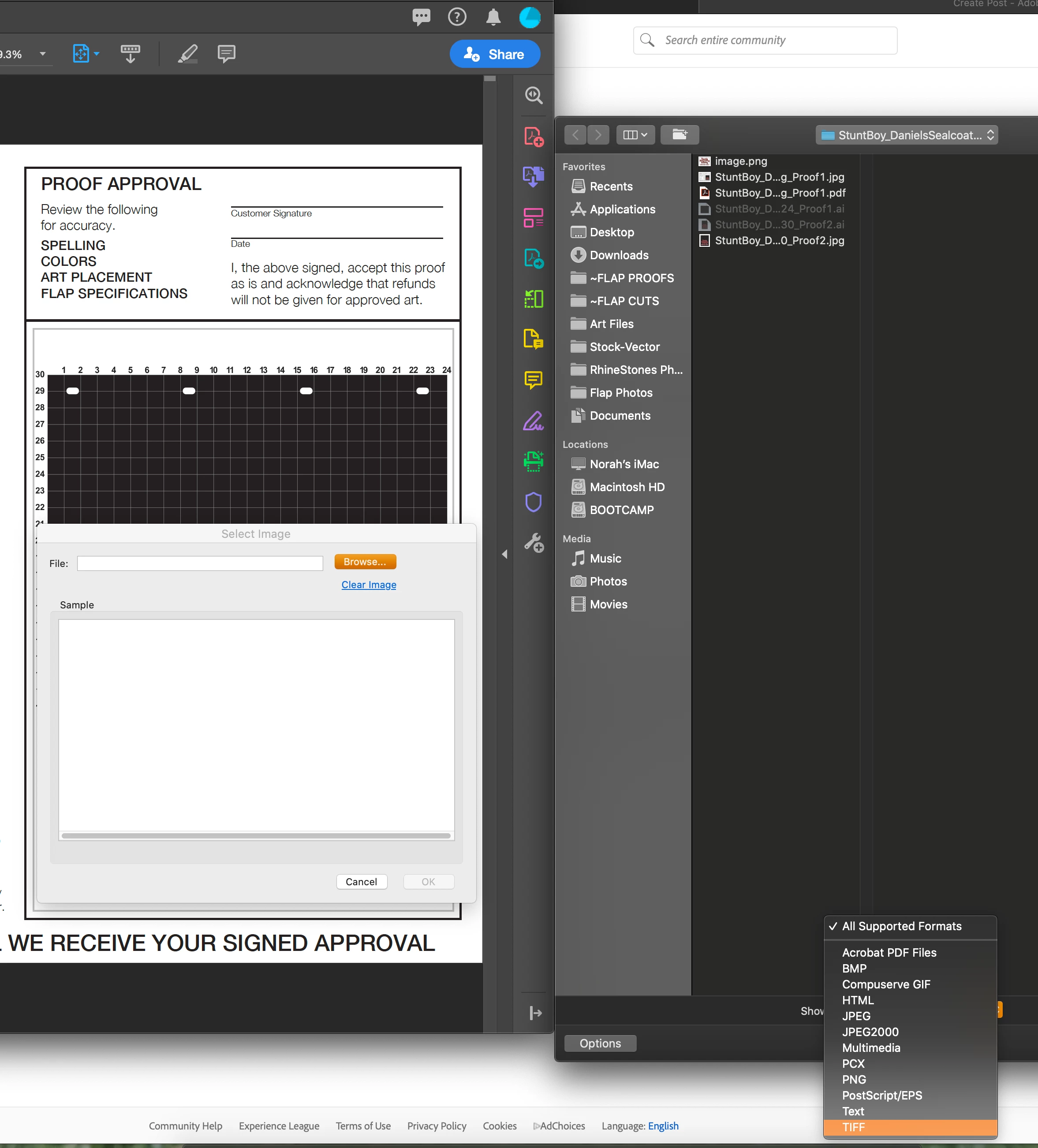
I'm a graphic designer and I have been using the same .pdf form that I created myself in Acrobat Pro DC for over a year to create print proofs for customers. There has been an image field that allows for me to upload .ai files into the form. I have always had the option to upload .ai, or .eps files into the image field but this moring, that is no longer an option. I have not changed the settings or edited my form in anyway. I'm runing the lastest version of Acrobat Pro DC and the files I'm uploading are made form the lastest version of Illustrator. This is all done on a iMac and the problem started after I ran a software update to Mac Catlina 10.15.1 this morning.
My questions are
1) Why are .ai or .esp files not longer allowed for upload into an image field?
2) Is this just a setting that I can change?
2) What is the least stupid workaround because as of now, I have to create an extra step in my work flow of creating a .jpg of every .ai file to be uploaded into the image field.


 AdChoices