
Wingdings replacing courier text in old pdf
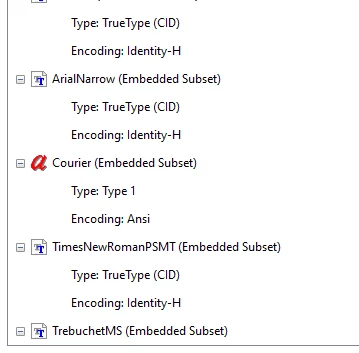
A colleague is having a problem with a pdf containing 151 schematics for one of our buildings. The pdf was created in 2009 by the architectural firm hired for the renovation. When she opens the file, the information section for each page has been replaced by wingdings. She sent the file to me to review. I opened it on a mac and pc. I have the same issue that she did. I use Adobe Acrobat Pro and she uses Reader. I do not get an error message when I open the file. When I highlight the wingdings, the font is listed as courier. If I change the font to Arial, nothing changes. The wingdings stay. If I select and copy the wingdings, paste into a generic text editor, the correct text pastes. The document properties section says that courier is an embedded subset.
Here is how the wingdings appear on the page:

Any help is appreciated. I tried this solution about embedding fonts posted here (https://community.adobe.com/t5/acrobat-discussions/text-changes-to-special-symbols-with-saving-pdf-in-acrobat/m-p/10634321) and it did not work.
 AdChoices