
pwillener
Legend
Sep 6, 2012 4:35 AM UTC
Question

Adobe Account Information

First the question: how do I change it to English?


Background:

there are several open topics from users who have difficulties with their account information, so I wanted to test it myself.  From my Profile I click on Edit Adobe Profile (URL https://www.adobe.com/cfusion/membership/index.cfm?view=snMemActDtls&loc=en_us&nf=1 -- note the loc=en_us in there)
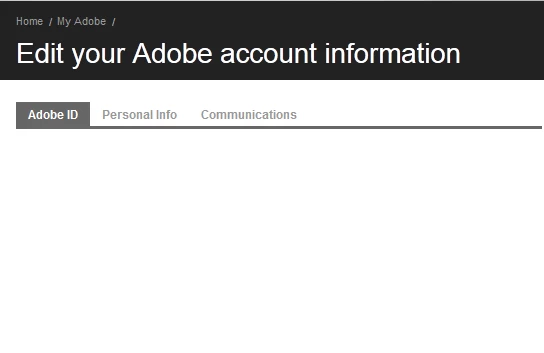
Nice.  But there is nothing here, so I click on the Personal Info tab; the URL changes to https://www.adobe.com/jp/account/account-information.html
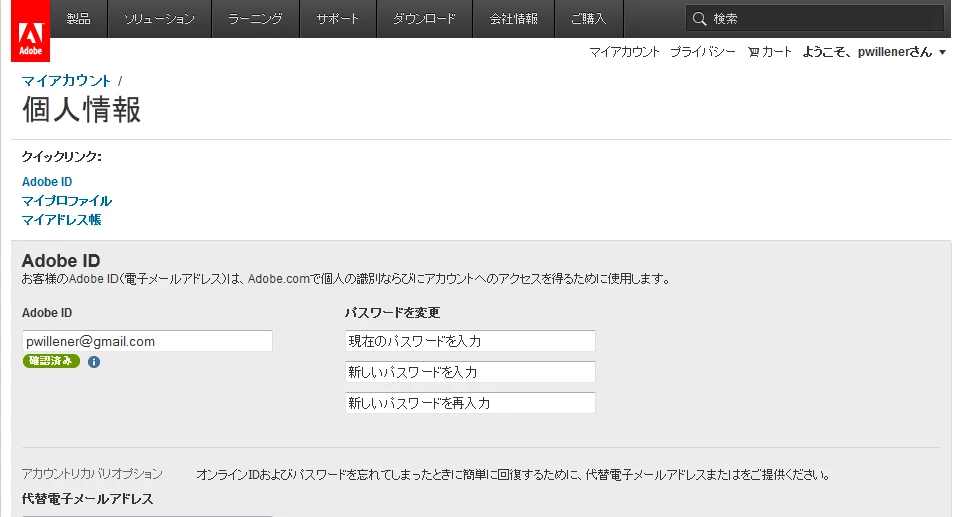
Why does this have to be in Japanese?  I know I am in Japan, but my Windows version is US-English, and so is my browser and all installed programs.

So I remove the /jp/ from the URL; for a second I see the page in English, then the /jp/ reappears, and so does the Japanese page.

So I replace the /jp/ with /en/; for a second I see the page in English, then the /jp/ reappears, and so does the Japanese page.

More and more websites do this (Google!): your IP address shows that you are in Japan, so you cannot possibly read English; have it in Japanese!

PLEASE STOP DOING THAT!


Back to my question: how can I change it to English?

This topic is closed to new replies. Start a new post to keep the conversation going.

4 replies

MichaelKazlow
Legend
Sep 6, 2012 3:30 PM UTC

Pat,

I haven't tried in a while, but on the main Adobe page, there was a link to change your location. See if it still exists and if changing your location changes your language.

Double-checked, it has moved from the top of the page to the bottom of the page and is now called Change your region.

Translate
pwillener
pwillenerAuthor
Legend
Sep 7, 2012 12:37 AM UTC

Yes, it's still there, and it's set to United States.  On that particular page it's not there.

Translate
mytaxsite
Inspiring
Sep 6, 2012 5:23 AM UTC

Not sure I know the answer but have you tried logging in to Adobe from this link:

<http://www.adobe.com>

By going to that link, you need to logout (if you are logged in) and then log in again.  The reason I am saying this is because I had a similar problem once but it was more about changing my profile and mail address for new products.  I had to login at this link:

<http://www/adobe.co.uk>

to make any changes.  Adobe dot com did not allow me to make any changes.  I am, of course, based in the UK.

Translate
pwillener
pwillenerAuthor
Legend
Sep 6, 2012 9:04 AM UTC

Thank you for the suggestion.  Unfortunately the same thing happens if I do that:

  • sign-out
  • sign-in
  • select My Information from the drop-down menu

then for half a second the page appears in English, then switches to Japanese.

Translate